
Game Overview
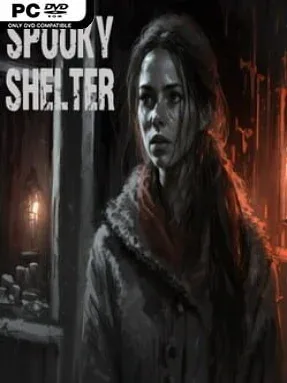
Sarah’s return to the abandoned orphanage turns a personal memory into a tense first-person horror investigation. Years after leaving its decaying halls behind, she finds the building sealed in darkness, filled with whispers that seem to know her name and rooms that refuse to give up their secrets easily. Spooky Shelter leans on a slow, uneasy atmosphere rather than action-heavy scares, making every creaking corridor and shadowy doorway feel potentially dangerous. Its premise is straightforward, but the setting gives it the grim, haunted-house mood that fans of compact indie horror expect.
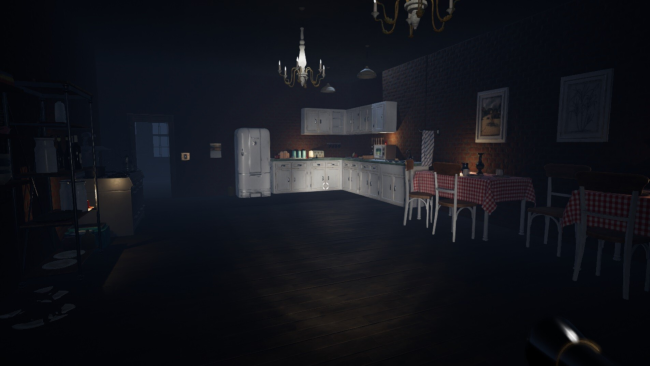
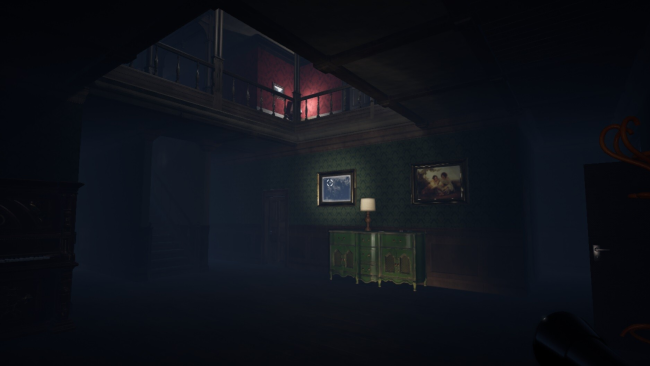
Most of the experience revolves around searching the orphanage methodically, locating keys, unlocking new sections, and piecing together the route forward. A flashlight is essential, though its batteries are limited enough to make exploration feel more deliberate; checking every room can reward progress, but it also leaves Sarah exposed to the oppressive dark. Environmental riddles and locked-door puzzles break up the walking and scavenging, asking players to pay attention to what they find rather than simply rush from objective to objective. Simple controls keep the focus on navigation, observation, and the creeping uncertainty of what might be hidden beyond the next door.
Spooky Shelter stands out through its intimate scale: instead of presenting a huge open map, it turns a single neglected institution into a claustrophobic puzzle box. The visual approach is clean and accessible while still giving ruined rooms, narrow passages, and low light the unsettling look needed for the story’s haunted premise. Players looking for elaborate combat, deep survival systems, or sprawling lore may find it slight, but that is not its aim. It suits newcomers to first-person horror as well as players who enjoy the exploration and key-hunting structure of smaller haunted-house games, especially when they want a focused session built around atmosphere and puzzles.
Installation
- Click the green button below to be redirected to UploadHaven.
- Wait 15 seconds, then hit “Free Download.” (Free downloads may be slower — upgrade to UploadHaven Pro for faster speeds.)
- Once downloaded, right-click the .zip file and choose “Extract to Spooky Shelter.” (You’ll need 7-Zip for this.)
- Open the extracted folder and run the game as administrator.
- Enjoy! 🎮 If you see missing DLL errors, check the <strong>_Redist</strong> folder inside and install what’s needed.
System Requirements
- Requires a 64-bit processor and operating system
- OS: Windows 8.1, 10
- Processor: Intel Core i5-3570K or AMD FX-8310
- Memory: 8 GB RAM
- Graphics: GeForce GTX 670 / GeForce GTX 1050 / AMD Radeon HD 7870
- DirectX: Version 11
- Storage: 5 GB available space
Setup Guide & Troubleshooting
How do I fix missing DLL errors for Spooky Shelter?
After extracting Spooky Shelter, navigate to the _Redist or _CommonRedist folder inside the game directory and install DirectX, Vcredist, and any other dependencies included.
What should I do if the downloaded file is corrupted?
The full archive is 3.28 GB — make sure your download completed fully before extracting. Use 7-Zip to extract the files. If you still see a "file corrupted" error, re-download and try again.
Why should I run the game as administrator?
Right-click the game executable and select "Run as Administrator" to avoid save file issues and permission errors. This is especially important on the first launch.
How do I update my GPU drivers for this game?
Spooky Shelter requires a GeForce GTX 670 / GeForce GTX 1050 / AMD Radeon HD 7870 or equivalent. Update your NVIDIA or AMD drivers to the latest version for the best performance.
The game won't launch — what should I try?
This game requires Version 11. Try running in compatibility mode, install the latest DirectX runtime, or install the All-in-One VC Redist Package.
My antivirus is blocking the game — is it safe?
Antivirus false positives are common with pre-installed games. Temporarily pause your antivirus during extraction to prevent it from quarantining game files. You can re-enable it after the extraction completes.