
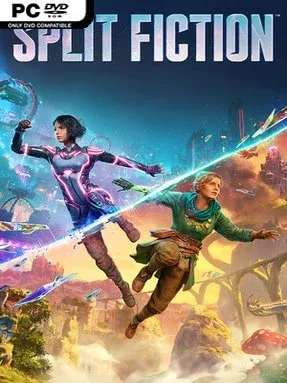
Game Overview
Hazelight turns clashing imaginations into a relentlessly inventive two-player adventure, pairing sci-fi spectacle with storybook fantasy. Writers Mio and Zoe become trapped inside worlds generated from their own unpublished ideas after a corporation’s machine attempts to harvest their creativity, forcing two very different personalities to cooperate. The result is energetic, funny, and occasionally surprising, moving from neon cities and mechanical threats to dragon-filled kingdoms and oversized fairy-tale hazards without lingering in one idea too long.
Every chapter introduces fresh cooperative tools and asks both players to use them in tandem, whether that means manipulating gravity, flying, platforming through collapsing environments, solving spatial puzzles, or surviving fast-moving combat encounters. Mio and Zoe receive different abilities tailored to each scenario, so success depends on communication rather than one player carrying the other; one may create an opening while the other crosses it, defends a partner, or finishes a puzzle. The campaign supports local split-screen and online co-op, while generous checkpointing and approachable controls keep its challenge focused on coordination, though later sequences demand sharper timing. Optional side stories provide compact detours with their own strange mechanics and give the pair more chances to experiment beyond the main plot.
Its biggest strength is the pace of invention: Split Fiction rarely repeats a gimmick long enough for it to become routine, constantly swapping between genres, perspectives, and gameplay rules. Cinematic set pieces feel closer to playable action movies than conventional levels, yet the personal arc between Mio and Zoe keeps the spectacle grounded. Fans of It Takes Two, co-op platformers, and games such as Ratchet & Clank will find plenty to enjoy, while newcomers work best with a patient partner willing to laugh through missed jumps and unpredictable chaos.
Installation
- Click the green button below to be redirected to UploadHaven.
- Wait 15 seconds, then hit “Free Download.” (Free downloads may be slower — upgrade to UploadHaven Pro for faster speeds.)
- Once downloaded, right-click the .zip file and choose “Extract to Split Fiction.” (You’ll need 7-Zip for this.)
- Open the extracted folder and run the game as administrator.
- Enjoy! 🎮 If you see missing DLL errors, check the <strong>_Redist</strong> folder inside and install what’s needed.
System Requirements
- Requires a 64-bit processor and operating system
- OS: 64 bit Windows 10/11
- Processor: Intel Core i5-6600K or AMD Ryzen 5 2600X
- Memory: 16 GB RAM
- Graphics: NVIDIA GeForce GTX 970 – 4GB or Radeon RX 470 – 4GB
- DirectX: Version 12
- Network: Broadband Internet connection
- Storage: 85 GB available space
- Additional Notes: Resolution: 1920×1080 Native FPS: 30 Graphics Settings Preset: Low
Setup Guide & Troubleshooting
How do I fix missing DLL errors for Split Fiction (v2025.05.27)?
After extracting Split Fiction (v2025.05.27), navigate to the _Redist or _CommonRedist folder inside the game directory and install DirectX, Vcredist, and any other dependencies included.
What should I do if the downloaded file is corrupted?
The full archive is 76.90 GB — make sure your download completed fully before extracting. Use 7-Zip to extract the files. If you still see a "file corrupted" error, re-download and try again.
Why should I run the game as administrator?
Right-click the game executable and select "Run as Administrator" to avoid save file issues and permission errors. This is especially important on the first launch.
How do I update my GPU drivers for this game?
Split Fiction (v2025.05.27) requires a NVIDIA GeForce GTX 970 – 4GB or Radeon RX 470 – 4GB or equivalent. Update your NVIDIA or AMD drivers to the latest version for the best performance.
The game won't launch — what should I try?
This game requires Version 12. Try running in compatibility mode, install the latest DirectX runtime, or install the All-in-One VC Redist Package.
My antivirus is blocking the game — is it safe?
Antivirus false positives are common with pre-installed games. Temporarily pause your antivirus during extraction to prevent it from quarantining game files. You can re-enable it after the extraction completes.