
Game Overview
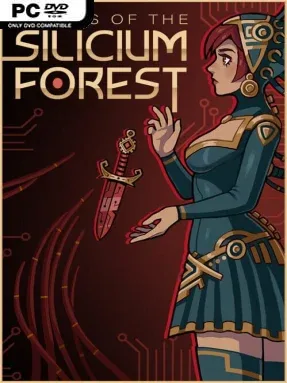
A young village girl marked for a divine sacrifice becomes the center of a strange, unsettling fantasy tale in Spirits of the Silicium Forest. Tzap’lia believes her fate is to serve the gods protecting her home, until her mother urges her to flee into a forest haunted by hostile entities and old secrets. The result is a moody indie tactical RPG with an unusual folkloric flavor, balancing personal storytelling against demanding, turn-based encounters. Its atmosphere leans eerie and melancholy rather than outright horror, with the forest serving as both a dangerous battlefield and a source of mystery.
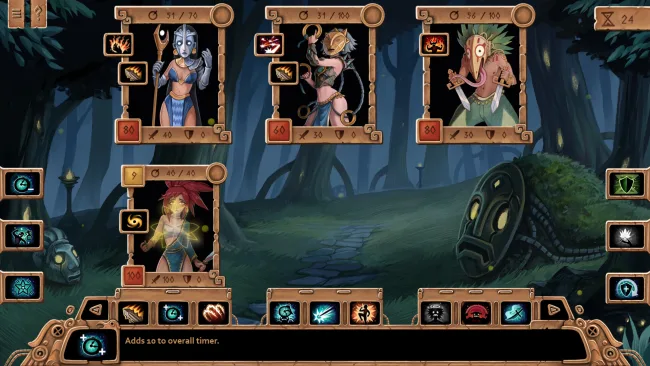
Combat revolves around carefully assembling a character build, reading turn order, and making smart use of positioning instead of simply trading attacks. More than 200 abilities support radically different approaches, whether players rely on direct damage, summoned allies, status effects, defensive setups, or clever rune interactions. Movement matters as much as skill selection, since shifting a hero into the right space can deny an enemy’s plan, create a better attack angle, or enable a powerful combination. Runes, equipment, and other upgrades give runs a strong problem-solving element, while the roguelite format encourages experimentation after failed attempts rather than locking players into a single preferred strategy.
Story Mode provides the more deliberate route through Tzap’lia’s escape and the wider conflict surrounding the forest, making it the best starting point for players drawn to narrative and atmosphere. Rogue-lite Mode turns the same systems into a more replayable challenge, using randomized progression and adjustable rules to let players shape the kind of run they want. What distinguishes the game from many card-driven roguelites is its focus on builds and board position rather than a conventional deck, giving battles a tactical-RPG texture closer to Into the Breach’s spatial thinking than pure card luck. It suits newcomers who want a striking narrative backdrop, but its depth is most rewarding for veterans eager to test unusual synergies and find creative answers to difficult fights.
Screenshots

Installation
- Select the <strong>Download</strong> button at the top of this page to open UploadHaven.
- On UploadHaven, wait for any countdown, then select <strong>Free Download</strong>. Optional: UploadHaven Pro for faster downloads.
- When complete, extract the archive to a <strong>Spirits of the Silicium Forest</strong> folder using 7-Zip.
- Open the extracted folder and start the game normally.
- For errors, check <strong>Setup Guide & Troubleshooting</strong> below. Keep your security software enabled.
System Requirements
- OS *: Windows XP SP3, Windows 7 or newer
- Processor: Intel Core 2 Duo 2.1 ghz
- Memory: 1 GB RAM
- Storage: 800 MB available space
Setup Guide & Troubleshooting
How do I fix missing DLL errors for Spirits of the Silicium Forest?
After extracting Spirits of the Silicium Forest, navigate to the _Redist or _CommonRedist folder inside the game directory and install DirectX, Vcredist, and any other dependencies included.
What should I do if the downloaded file is corrupted?
The full archive is 573.34 MB — make sure your download completed fully before extracting. Use 7-Zip to extract the files. If you still see a "file corrupted" error, re-download and try again.
Why should I run the game as administrator?
Right-click the game executable and select "Run as Administrator" to avoid save file issues and permission errors. This is especially important on the first launch.
How do I update my GPU drivers for this game?
Update your NVIDIA or AMD drivers to the latest version for the best performance and compatibility.
The game won't launch — what should I try?
Try running in compatibility mode, install the latest DirectX runtime, or install the All-in-One VC Redist Package.
My antivirus is blocking the game — is it safe?
Antivirus false positives are common with pre-installed games. Temporarily pause your antivirus during extraction to prevent it from quarantining game files. You can re-enable it after the extraction completes.