
Game Overview
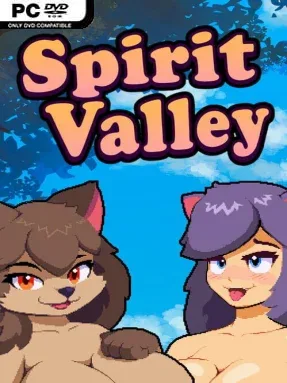
A fading bond between humanity and otherworldly visitors drives this adult creature-collecting RPG, placing you in a valley where old rituals, rival tamers, and a growing supernatural threat collide. Spirit Valley casts you as the successor to a family tradition of wardens who protect and cooperate with wandering spirits. Its tone mixes colorful monster-taming adventure with mature relationship content, so exploration and tactical battles sit alongside consensual intimate scenes that strengthen your companions. The central mystery surrounding the ominous Crimson Cloaks gives the journey more direction than a simple hunt for new recruits.
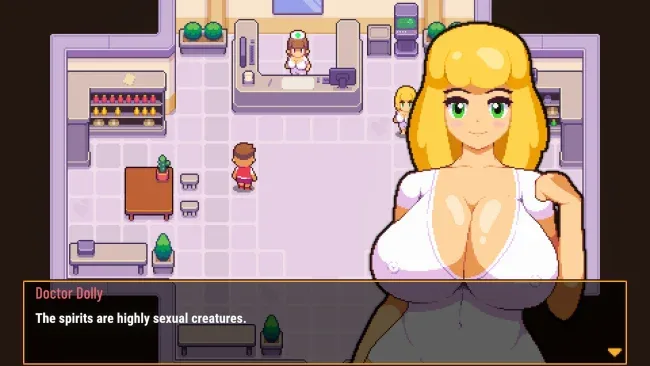
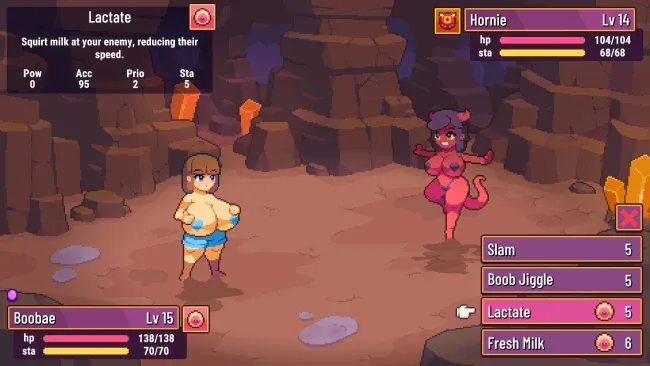
Most of your time is spent roaming distinct regions, speaking with characters, pursuing quests, uncovering hidden areas, and challenging wild spirits or opposing handlers. Battles use turn-based tactics, asking you to assemble a balanced party, choose abilities carefully, exploit stat advantages, and keep improving your team through levels and equipment. Defeated spirits can be recruited, named, and developed into specialized fighters, while intimate encounters provide bond-based rewards such as additional skill points. Character appearance is also customizable through clothing and skin-tone options, letting players put a personal stamp on the warden at the center of the story.
What separates Spirit Valley from a standard Pokémon-inspired RPG is its unabashed adult framework: every recruit has animated mature content tied directly to the progression system rather than existing as a detached bonus. The game still leans on familiar pleasures of the genre—collecting a varied roster, tuning builds, discovering secrets, and gradually assembling a reliable party—but frames them in a more erotic fantasy setting. Its accessible combat and clear advancement make it approachable for newcomers to monster battlers, while completion-minded players can spend longer finding every spirit, optimizing equipment, and tackling tougher encounters. Players looking for a light tactical RPG with adult themes will find a more structured adventure here than a simple visual novel.
Screenshots
Installation
- Select the <strong>Download</strong> button at the top of this page to open UploadHaven.
- On UploadHaven, wait for any countdown, then select <strong>Free Download</strong>. Optional: UploadHaven Pro for faster downloads.
- When complete, extract the archive to a <strong>Spirit Valley</strong> folder using 7-Zip.
- Open the extracted folder and start the game normally.
- For errors, check <strong>Setup Guide & Troubleshooting</strong> below. Keep your security software enabled.
System Requirements
- OS: Windows 10
- Processor: AMD Athlon
- Memory: 1024 MB RAM
- Graphics: DirectX 9.0 compatible GPU
- Storage: 350 MB available space
Setup Guide & Troubleshooting
How do I fix missing DLL errors for Spirit Valley (v1.4.1 & Uncensored)?
After extracting Spirit Valley (v1.4.1 & Uncensored), navigate to the _Redist or _CommonRedist folder inside the game directory and install DirectX, Vcredist, and any other dependencies included.
What should I do if the downloaded file is corrupted?
The full archive is 276.10 MB — make sure your download completed fully before extracting. Use 7-Zip to extract the files. If you still see a "file corrupted" error, re-download and try again.
Why should I run the game as administrator?
Right-click the game executable and select "Run as Administrator" to avoid save file issues and permission errors. This is especially important on the first launch.
How do I update my GPU drivers for this game?
Spirit Valley (v1.4.1 & Uncensored) requires a DirectX 9.0 compatible GPU or equivalent. Update your NVIDIA or AMD drivers to the latest version for the best performance.
The game won't launch — what should I try?
Try running in compatibility mode, install the latest DirectX runtime, or install the All-in-One VC Redist Package.
My antivirus is blocking the game — is it safe?
Antivirus false positives are common with pre-installed games. Temporarily pause your antivirus during extraction to prevent it from quarantining game files. You can re-enable it after the extraction completes.