
Game Overview
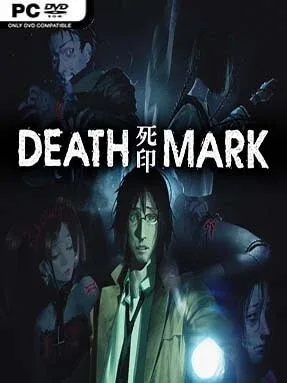
A curse is killing people across Tokyo’s H City, leaving its victims with a grotesque mark and only days to live. You play an amnesiac man who reaches the shadowy Kujou Mansion in search of answers, only to learn that safety is temporary and every lead points toward another vengeful spirit. Spirit Hunter: Death Mark delivers slow-burning Japanese horror through a grim visual-novel format, trading action for unsettling folklore, eerie urban locations, and the constant certainty that a wrong move can end a life horribly.
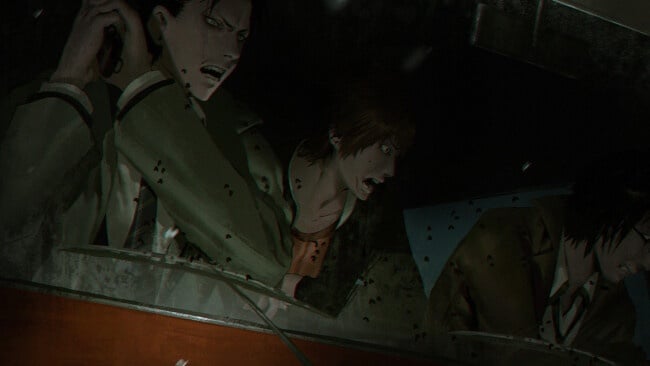
Investigations send you through abandoned schools, tunnels, forests, and other haunted corners of the city, where you inspect environments, question survivors, and piece together each ghost’s tragic history. The central loop revolves around gathering clues and usable items before confrontations, then making high-pressure choices during “Spirit Searches” that determine whether you escape, save a companion, or meet a brutal bad end. Resource management matters because limited tools and pieces of protective equipment can be the difference between identifying a spirit’s weakness and walking into a lethal trap. Progress is largely linear, but multiple endings, alternate outcomes, and the desire to keep every ally alive give the story real tension.
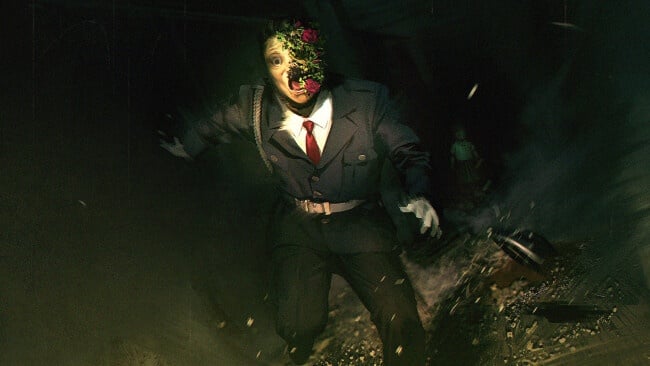
What separates Death Mark from more conventional horror adventures is its willingness to make investigation feel dangerous rather than merely decorative. Its hand-painted character art and disturbing creature designs create a distinct pulp-horror atmosphere, while the writing draws from Japanese ghost stories without losing the human grief behind each case. Fans of Corpse Party, Danganronpa’s investigative stretches, or dark supernatural visual novels will find plenty to like, especially if they enjoy reading carefully and accepting that trial-and-error is part of survival. Newcomers can follow the accessible clue-driven structure, while genre veterans will appreciate its bleak tone, memorable spirits, and merciless consequences.
Installation
- Click the green button below to be redirected to UploadHaven.
- Wait 15 seconds, then hit “Free Download.” (Free downloads may be slower — upgrade to UploadHaven Pro for faster speeds.)
- Once downloaded, right-click the .zip file and choose “Extract to Spirit Hunter: Death Mark.” (You’ll need 7-Zip for this.)
- Open the extracted folder and run the game as administrator.
- Enjoy! 🎮 If you see missing DLL errors, check the <strong>_Redist</strong> folder inside and install what’s needed.
System Requirements
- OS: Windows 10/8.1/7
- Processor: Core i3-2100 3.10 GHz
- Memory: 2 GB RAM
- Graphics: Intel HD Graphics Family (HD 4000)
- DirectX: Version 10
- Storage: 6 GB available space
- Sound Card: Realtek High Definition Audio
Setup Guide & Troubleshooting
How do I fix missing DLL errors for Spirit Hunter: Death Mark?
After extracting Spirit Hunter: Death Mark, navigate to the _Redist or _CommonRedist folder inside the game directory and install DirectX, Vcredist, and any other dependencies included.
What should I do if the downloaded file is corrupted?
The full archive is 3.87 GB — make sure your download completed fully before extracting. Use 7-Zip to extract the files. If you still see a "file corrupted" error, re-download and try again.
Why should I run the game as administrator?
Right-click the game executable and select "Run as Administrator" to avoid save file issues and permission errors. This is especially important on the first launch.
How do I update my GPU drivers for this game?
Spirit Hunter: Death Mark requires a Intel HD Graphics Family (HD 4000) or equivalent. Update your NVIDIA or AMD drivers to the latest version for the best performance.
The game won't launch — what should I try?
This game requires Version 10. Try running in compatibility mode, install the latest DirectX runtime, or install the All-in-One VC Redist Package.
My antivirus is blocking the game — is it safe?
Antivirus false positives are common with pre-installed games. Temporarily pause your antivirus during extraction to prevent it from quarantining game files. You can re-enable it after the extraction completes.