
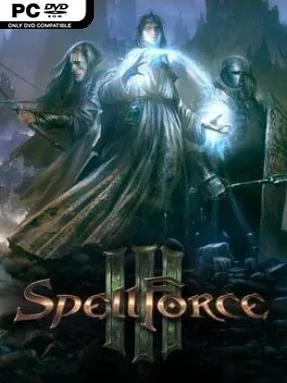
Game Overview
A plague-ravaged fantasy continent provides the backdrop for a campaign where political extremism, displaced civilians, and old magical scars collide. SpellForce 3 combines the party-driven questing of a classic computer RPG with the army management and battlefield command of a real-time strategy game, shifting naturally between intimate dialogue scenes and large-scale wars. Set before the original SpellForce, its story follows an escalating crisis in Nortander as Bloodburn spreads and anti-mage zealotry gains power. The mood is serious and often grim, but the world still has room for adventurous exploration, eccentric companions, and high-fantasy spectacle.
Players create a custom hero, select a race and appearance, then develop them through distinct skill paths while recruiting companions with their own equipment, abilities, and narrative roles. Questing involves traveling through detailed maps, speaking with factions, making decisions, fighting monsters, and uncovering lore; combat can pause the action through tactical controls when a difficult encounter demands careful spell use and positioning. Larger maps introduce RTS systems, requiring players to claim resource points, build a settlement, train units, and lead Human, Orc, or Elven forces against enemy armies. Terrain, line of sight, unit matchups, formations, and scouting matter, so success comes from more than simply producing the biggest force.
What makes SpellForce 3 memorable is that neither half of its hybrid design feels like a disposable side activity: a well-built hero and party can turn a battle, while a poorly managed economy can leave even powerful characters overwhelmed. Its fully voiced, lengthy campaign puts unusual weight on companion relationships and faction politics, and cooperative campaign play lets friends tackle the story together. Competitive multiplayer also supports traditional faction-versus-faction matches alongside cooperative and domination-focused modes. Fans of Warcraft III who want deeper role-playing, or RPG players willing to learn approachable RTS fundamentals, find the strongest fit here; strategy veterans may appreciate the tactical layers, while newcomers benefit from taking time to understand its two interconnected systems.
Installation
- Click the green button below to be redirected to UploadHaven.
- Wait 15 seconds, then hit “Free Download.” (Free downloads may be slower — upgrade to UploadHaven Pro for faster speeds.)
- Once downloaded, right-click the .zip file and choose “Extract to SpellForce 3.” (You’ll need 7-Zip for this.)
- Open the extracted folder and run the game as administrator.
- Enjoy! 🎮 If you see missing DLL errors, check the <strong>_Redist</strong> folder inside and install what’s needed.
System Requirements
- Requires a 64-bit processor and operating system
- OS: Windows 7, 8, Windows 10 (64 bit)
- Processor: Intel Core i5 3570, AMD FX-6350
- Memory: 6 GB RAM
- Graphics: NVIDIA GTX 660 2GB, AMD Radeon 7850 2GB
- DirectX: Version 11
- Storage: 15 GB available space
- Sound Card: DirectX compatible Sound card
Setup Guide & Troubleshooting
How do I fix missing DLL errors for SpellForce 3 (v1.40)?
After extracting SpellForce 3 (v1.40), navigate to the _Redist or _CommonRedist folder inside the game directory and install DirectX, Vcredist, and any other dependencies included.
What should I do if the downloaded file is corrupted?
The full archive is 10.94 GB — make sure your download completed fully before extracting. Use 7-Zip to extract the files. If you still see a "file corrupted" error, re-download and try again.
Why should I run the game as administrator?
Right-click the game executable and select "Run as Administrator" to avoid save file issues and permission errors. This is especially important on the first launch.
How do I update my GPU drivers for this game?
SpellForce 3 (v1.40) requires a NVIDIA GTX 660 2GB, AMD Radeon 7850 2GB or equivalent. Update your NVIDIA or AMD drivers to the latest version for the best performance.
The game won't launch — what should I try?
This game requires Version 11. Try running in compatibility mode, install the latest DirectX runtime, or install the All-in-One VC Redist Package.
My antivirus is blocking the game — is it safe?
Antivirus false positives are common with pre-installed games. Temporarily pause your antivirus during extraction to prevent it from quarantining game files. You can re-enable it after the extraction completes.