
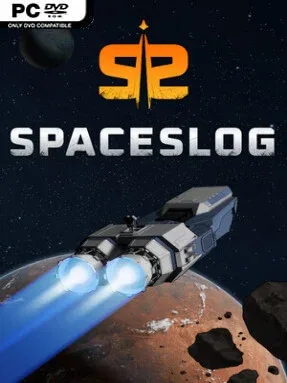
Game Overview
A battered life pod drifts through a hostile galaxy, carrying the last scraps of a civilization that has already lost its final colony ship. SpaceSlog is a demanding sci-fi colony simulator where survival depends as much on wiring a functioning oxygen system as it does on winning a fight. Its tone is closer to the desperate, improvised survival of Firefly or The Expanse than a clean, heroic space opera. Every expedition begins with a fragile crew, limited supplies, and a ship that needs to become a home before the void kills everyone aboard.
Command revolves around designing rooms, placing equipment, assigning jobs, and keeping a close eye on the interconnected systems that make space travel possible. Power grids, air pressure, heat, lighting, food production, medical care, and crew morale all require attention, so a damaged reactor or breached compartment can quickly turn into a lethal chain reaction. Crew members have individual needs and anatomy-based injuries, while farming, breeding, trading, scavenging, and diplomacy offer ways to sustain a growing population. Exploration brings procedurally generated locations, rival factions, alien threats, and combat encounters, letting a compact scout ship evolve into a mobile industrial base or a heavily armed warship.
SpaceSlog stands out by treating the vessel as a living machine rather than a simple menu-driven base: its systems, layout, and inhabitants constantly affect one another. The combination of RimWorld-style colonist pressures, Dwarf Fortress-like simulation depth, and spaceship construction makes failure stories as memorable as successful campaigns. A dynamic economy and meaningful faction relationships give long-term runs room to develop beyond simple resource gathering, while JSON-based mod support invites players to alter data, add content, and tailor the experience. It suits veterans of intricate management sandboxes best, though patient newcomers who enjoy learning through disasters will find a rich, personal space-survival story waiting in SpaceSlog.
Installation
- Click the green button below to be redirected to UploadHaven.
- Wait 15 seconds, then hit “Free Download.” (Free downloads may be slower — upgrade to UploadHaven Pro for faster speeds.)
- Once downloaded, right-click the .zip file and choose “Extract to SpaceSlog.” (You’ll need 7-Zip for this.)
- Open the extracted folder and run the game as administrator.
- Enjoy! 🎮 If you see missing DLL errors, check the <strong>_Redist</strong> folder inside and install what’s needed.
System Requirements
- Requires a 64-bit processor and operating system
- OS: Windows 10
- Processor: Core 2 Duo
- Memory: 4 GB RAM
- Graphics: Intel HD Graphics 4000 or other shader model 4.0
- Storage: 1 GB available space
Setup Guide & Troubleshooting
How do I fix missing DLL errors for SpaceSlog (v0.12.0.2)?
After extracting SpaceSlog (v0.12.0.2), navigate to the _Redist or _CommonRedist folder inside the game directory and install DirectX, Vcredist, and any other dependencies included.
What should I do if the downloaded file is corrupted?
The full archive is 496.19 MB — make sure your download completed fully before extracting. Use 7-Zip to extract the files. If you still see a "file corrupted" error, re-download and try again.
Why should I run the game as administrator?
Right-click the game executable and select "Run as Administrator" to avoid save file issues and permission errors. This is especially important on the first launch.
How do I update my GPU drivers for this game?
SpaceSlog (v0.12.0.2) requires a Intel HD Graphics 4000 or other shader model 4.0 or equivalent. Update your NVIDIA or AMD drivers to the latest version for the best performance.
The game won't launch — what should I try?
Try running in compatibility mode, install the latest DirectX runtime, or install the All-in-One VC Redist Package.
My antivirus is blocking the game — is it safe?
Antivirus false positives are common with pre-installed games. Temporarily pause your antivirus during extraction to prevent it from quarantining game files. You can re-enable it after the extraction completes.