
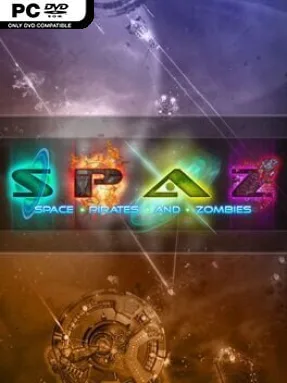
Game Overview
A lawless galaxy of feuding factions and spreading undead turns every star system into a potential payday, battlefield, or disaster zone. Space Pirates and Zombies blends old-school twin-stick space shooting with fleet command, RPG-style research, and a campaign that reacts to the chaos you leave behind. Its tone is gleefully scrappy: ships explode into debris, scavenged parts become weapons, and the zombie outbreak steadily grows from a local problem into a galactic threat. Beneath the arcade energy sits a surprisingly strategic sandbox about surviving long enough to build something stronger.
Piloting a ship means aiming, dodging, managing momentum, and tearing apart enemy craft in physics-driven battles where wreckage and explosions matter. Combat earns the components and research needed to construct a larger force, with 33 hulls and dozens of parts allowing players to tune ships for brawling, long-range fire, support duties, speed, or durability. A quick-access tactics interface lets you pause the personal dogfight mentality to issue fleet orders, swap between ships, and adjust AI behavior while the situation changes. Progress involves traveling through a randomized persistent galaxy, accepting jobs, scavenging systems, deciding how to deal with rival powers, and learning technology from the enemies you destroy.
The strongest idea is how naturally SPAZ moves between immediate action and command-level decision-making without turning either half into a separate mode. Its zombie menace is more than a standard enemy faction, developing through multiple stages of infestation and forcing players to consider when a system is worth saving, exploiting, or abandoning. Random galaxy layouts, faction events, ship builds, and flexible objectives give repeat runs a different rhythm, even if the interface and presentation show their indie-era age. Fans of Asteroids-style shooting who also enjoy the ship customization of EVE Online or the fleet management flavor of Homeworld should find plenty to enjoy, while newcomers can play at their own pace and gradually grow into its tactical systems.
Installation
- Click the green button below to be redirected to UploadHaven.
- Wait 15 seconds, then hit “Free Download.” (Free downloads may be slower — upgrade to UploadHaven Pro for faster speeds.)
- Once downloaded, right-click the .zip file and choose “Extract to Space Pirates And Zombies.” (You’ll need 7-Zip for this.)
- Open the extracted folder and run the game as administrator.
- Enjoy! 🎮 If you see missing DLL errors, check the <strong>_Redist</strong> folder inside and install what’s needed.
System Requirements
- OS: Windows 7/XP/Vista
- Processor: 2.5 GHz Processor
- Memory: 1 GB Available System Memory
- Hard Disk Space: 250 MB Available HD Space
- Video Card: 256MB 3D DirectX 9 Compatible video card
- DirectX®: 9.0
- Additional: OpenGL: 3.0
Setup Guide & Troubleshooting
How do I fix missing DLL errors for Space Pirates And Zombies (v1.605)?
After extracting Space Pirates And Zombies (v1.605), navigate to the _Redist or _CommonRedist folder inside the game directory and install DirectX, Vcredist, and any other dependencies included.
What should I do if the downloaded file is corrupted?
The full archive is 196.41 MB — make sure your download completed fully before extracting. Use 7-Zip to extract the files. If you still see a "file corrupted" error, re-download and try again.
Why should I run the game as administrator?
Right-click the game executable and select "Run as Administrator" to avoid save file issues and permission errors. This is especially important on the first launch.
How do I update my GPU drivers for this game?
Update your NVIDIA or AMD drivers to the latest version for the best performance and compatibility.
The game won't launch — what should I try?
Try running in compatibility mode, install the latest DirectX runtime, or install the All-in-One VC Redist Package.
My antivirus is blocking the game — is it safe?
Antivirus false positives are common with pre-installed games. Temporarily pause your antivirus during extraction to prevent it from quarantining game files. You can re-enable it after the extraction completes.