
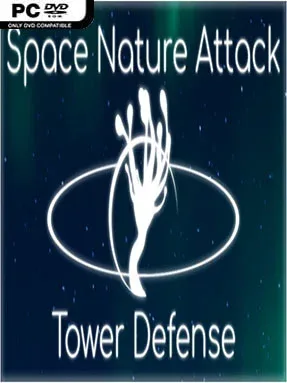
Game Overview
Alien creatures pour along fixed routes, and every carefully placed defense becomes part of a larger long-term build. Space Nature Attack Tower Defense is a traditional lane-defense game built around stopping waves before they reach their destination, but it adds persistent tower growth to make each completed map matter. Its tone is clean, strategic, and approachable rather than frantic, with the focus on planning a reliable kill zone and refining it when tougher enemies arrive. Victory earns resources that carry forward, giving the campaign a sense of progression beyond simply clearing the next board.
Each match asks players to study the route, position towers around likely pressure points, and spend upgrades where they will have the greatest impact. Towers gain levels through resources earned from completed maps, then receive skill points that can be assigned to core statistics and a dedicated special ability. Element choices further shape their role: frost effects slow advancing enemies, while electrical upgrades can improve projectile speed, encouraging players to build combinations instead of relying on one universal solution. Map-specific modifiers change the conditions from level to level, while six difficulty settings raise both the danger and the potential rewards, including lasting bonuses. Higher difficulties also introduce more threatening invading monster varieties, demanding tighter placement and more specialized tower setups.
The strongest idea here is the mix of fixed-path clarity and customizable progression. Rather than redesigning the maze as in Kingdom Rush or defense games with free-form paths, the challenge comes from adapting your upgraded arsenal to each route, modifier, and enemy mix. Elemental effects and skill-point distribution give individual towers more personality than the genre’s usual simple upgrade branches, and permanent advancement offers a reason to revisit earlier stages at harder settings. It suits newcomers who want readable tower-defense fundamentals, but genre veterans looking for incremental optimization, demanding modes, and experiment-friendly builds are likely to get the most from it.
Installation
- Click the green button below to be redirected to UploadHaven.
- Wait 15 seconds, then hit “Free Download.” (Free downloads may be slower — upgrade to UploadHaven Pro for faster speeds.)
- Once downloaded, right-click the .zip file and choose “Extract to Space Nature Attack Tower Defense.” (You’ll need 7-Zip for this.)
- Open the extracted folder and run the game as administrator.
- Enjoy! 🎮 If you see missing DLL errors, check the <strong>_Redist</strong> folder inside and install what’s needed.
System Requirements
- Requires a 64-bit processor and operating system
- OS: Windows 10
- Processor: AMD FX(tm)-8350 Eight Core Processor
- Memory: 16 GB RAM
- Graphics: Nivida GeForce GTX 970
- Storage: 5 GB available space
Setup Guide & Troubleshooting
How do I fix missing DLL errors for Space Nature Attack Tower Defense?
After extracting Space Nature Attack Tower Defense, navigate to the _Redist or _CommonRedist folder inside the game directory and install DirectX, Vcredist, and any other dependencies included.
What should I do if the downloaded file is corrupted?
The full archive is 2.28 GB — make sure your download completed fully before extracting. Use 7-Zip to extract the files. If you still see a "file corrupted" error, re-download and try again.
Why should I run the game as administrator?
Right-click the game executable and select "Run as Administrator" to avoid save file issues and permission errors. This is especially important on the first launch.
How do I update my GPU drivers for this game?
Space Nature Attack Tower Defense requires a Nivida GeForce GTX 970 or equivalent. Update your NVIDIA or AMD drivers to the latest version for the best performance.
The game won't launch — what should I try?
Try running in compatibility mode, install the latest DirectX runtime, or install the All-in-One VC Redist Package.
My antivirus is blocking the game — is it safe?
Antivirus false positives are common with pre-installed games. Temporarily pause your antivirus during extraction to prevent it from quarantining game files. You can re-enable it after the extraction completes.