
Game Overview
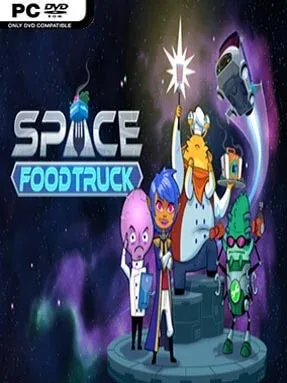
A battered gourmet spaceship drifts through a hostile galaxy where dinner service matters as much as survival. Space Food Truck turns a simple cooking premise into a cooperative sci-fi card adventure for one to four players, with every run asking a crew to find strange ingredients, prepare requested meals, and deliver them before space itself tears the operation apart. Its tone is playful and absurd, but the pressure is real: asteroid fields, damaged systems, hungry crew members, and inconvenient cosmic events can ruin a carefully planned route. Success depends on keeping the Galaxy Gourmet moving long enough to fulfill a chain of increasingly demanding planetary orders.
Each player controls a distinct job aboard the ship, or a solo player manages the whole crew in a tactical turn-based setup. The Captain charts routes and uncovers useful gear, the Chef turns gathered ingredients into finished recipes, the Scientist unlocks improvements and unusual discoveries, and the Engineer keeps failing ship components alive while installing upgrades. Turns revolve around drawing, playing, trading, and timing cards, balancing the need to travel toward recipe destinations against immediate emergencies such as hull damage, fuel problems, or nasty encounters. Procedurally generated maps, shifting events, collectible equipment, and character upgrades ensure that a successful strategy in one trip may collapse in the next.
What makes the game memorable is how naturally its card-driven chaos supports cooperation: one player’s seemingly minor decision can create the ingredient, ability, or repaired system another player needs to save the entire run. Rather than emphasizing fast reflexes, it rewards discussion, planning, and the willingness to adapt when the deck produces a disaster at the worst possible time. The hand-drawn presentation and food-themed humor keep it lighter than most space survival games, while its roguelike structure gives it more bite than a casual party title. Fans of co-op board games, Slay the Spire-style card management, or FTL’s stressful resource juggling should find plenty to enjoy, especially with a regular group willing to coordinate.
Installation
- Click the green button below to be redirected to UploadHaven.
- Wait 15 seconds, then hit “Free Download.” (Free downloads may be slower — upgrade to UploadHaven Pro for faster speeds.)
- Once downloaded, right-click the .zip file and choose “Extract to Space Food Truck.” (You’ll need 7-Zip for this.)
- Open the extracted folder and run the game as administrator.
- Enjoy! 🎮 If you see missing DLL errors, check the <strong>_Redist</strong> folder inside and install what’s needed.
System Requirements
- OS: Windows Vista/Windows 7/Windows 8
- Processor: 2.0 GHz Dual Core or better
- Memory: 4 GB RAM
- Graphics: Nvidia GeForce 8800 GT / ATI Radeon HD 3870 / Intel HD Graphics 4600
- Storage: 2 GB available space
Setup Guide & Troubleshooting
How do I fix missing DLL errors for Space Food Truck (v1.0.206)?
After extracting Space Food Truck (v1.0.206), navigate to the _Redist or _CommonRedist folder inside the game directory and install DirectX, Vcredist, and any other dependencies included.
What should I do if the downloaded file is corrupted?
The full archive is 303.89 MB — make sure your download completed fully before extracting. Use 7-Zip to extract the files. If you still see a "file corrupted" error, re-download and try again.
Why should I run the game as administrator?
Right-click the game executable and select "Run as Administrator" to avoid save file issues and permission errors. This is especially important on the first launch.
How do I update my GPU drivers for this game?
Space Food Truck (v1.0.206) requires a Nvidia GeForce 8800 GT / ATI Radeon HD 3870 / Intel HD Graphics 4600 or equivalent. Update your NVIDIA or AMD drivers to the latest version for the best performance.
The game won't launch — what should I try?
Try running in compatibility mode, install the latest DirectX runtime, or install the All-in-One VC Redist Package.
My antivirus is blocking the game — is it safe?
Antivirus false positives are common with pre-installed games. Temporarily pause your antivirus during extraction to prevent it from quarantining game files. You can re-enable it after the extraction completes.