
Game Overview
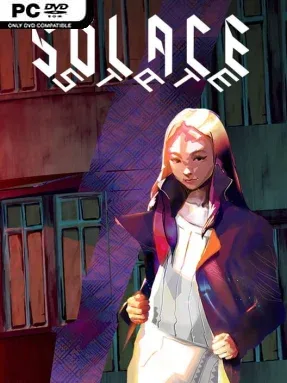
Abraxa is a near-future city buckling under corporate rule, militant policing, and a biotech crackdown that turns everyday survival into a political act. Solace State: Emotional Cyberpunk Stories follows Chloe, a talented hacker hunting for her missing friend Rebecka while trying to protect the neighborhoods and people caught in the widening unrest. Its cyberpunk setting is less about gunfights and chrome spectacle than intimate conversations, difficult compromises, and the emotional cost of resisting systems built to dehumanize people. The tone remains thoughtful and compassionate even as its threats become increasingly severe.
Play unfolds as a choice-driven narrative adventure centered on dialogue, relationship building, and Chloe’s unusual form of “social hacking.” Rather than breaking into terminals alone, she reads power dynamics, borrows identities, uncovers encrypted thoughts, and uses the information she finds to influence tense encounters across the city. Decisions shape Chloe’s friendships, political influence, romance options, and the level of human rights that survives in Abraxa, leading to 38 possible endings. A single route runs for more than eight hours, but major story branches and contrasting moral choices give repeat playthroughs real purpose.
The strongest feature is its commitment to activism as something personal, messy, and connected to community rather than a simple hero fantasy. Hand-drawn character portraits give its large cast a vivid sense of style and personality, while impressionistic 3D districts and shifting camera effects make Chloe’s hacks feel like peering beneath the city’s polished surface. Romance with Torrent, Sueli, or former flame Alden adds another layer of consequence, though friendship can matter just as much as love. Players who enjoy the branching drama of Life is Strange, the political tension of Citizen Sleeper, or visual novels that value character writing over combat will find a compelling, emotionally grounded cyberpunk story here.
Installation
- Click the green button below to be redirected to UploadHaven.
- Wait 15 seconds, then hit “Free Download.” (Free downloads may be slower — upgrade to UploadHaven Pro for faster speeds.)
- Once downloaded, right-click the .zip file and choose “Extract to Solace State: Emotional Cyberpunk Stories.” (You’ll need 7-Zip for this.)
- Open the extracted folder and run the game as administrator.
- Enjoy! 🎮 If you see missing DLL errors, check the <strong>_Redist</strong> folder inside and install what’s needed.
System Requirements
- OS: Windows 10
- Memory: 8 GB RAM
- Graphics: GeForce GTX 1650
- DirectX: Version 10
- Storage: 15 GB available space
Setup Guide & Troubleshooting
How do I fix missing DLL errors for Solace State: Emotional Cyberpunk Stories (v0.56.0909)?
After extracting Solace State: Emotional Cyberpunk Stories (v0.56.0909), navigate to the _Redist or _CommonRedist folder inside the game directory and install DirectX, Vcredist, and any other dependencies included.
What should I do if the downloaded file is corrupted?
The full archive is 5.34 GB — make sure your download completed fully before extracting. Use 7-Zip to extract the files. If you still see a "file corrupted" error, re-download and try again.
Why should I run the game as administrator?
Right-click the game executable and select "Run as Administrator" to avoid save file issues and permission errors. This is especially important on the first launch.
How do I update my GPU drivers for this game?
Solace State: Emotional Cyberpunk Stories (v0.56.0909) requires a GeForce GTX 1650 or equivalent. Update your NVIDIA or AMD drivers to the latest version for the best performance.
The game won't launch — what should I try?
This game requires Version 10. Try running in compatibility mode, install the latest DirectX runtime, or install the All-in-One VC Redist Package.
My antivirus is blocking the game — is it safe?
Antivirus false positives are common with pre-installed games. Temporarily pause your antivirus during extraction to prevent it from quarantining game files. You can re-enable it after the extraction completes.