
Game Overview
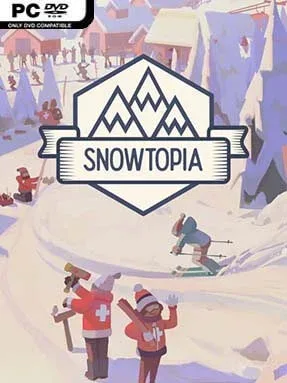
A quiet mountain becomes a living winter playground in Snowtopia: Ski Resort Tycoon, a relaxed management builder focused on the art of creating a great day on the slopes. Rather than chasing disasters or wrestling with brutal economics, you shape a resort around the needs of skiers, from beginners looking for gentle runs to experts hunting steep, fast descents. Every ridge, forest line, and cliff affects how your pistes flow, giving the landscape real importance instead of serving as a simple backdrop. The mood stays warm and inviting, with snowy panoramas, cheerful visitors, and the satisfying sight of a well-planned lift network carrying crowds uphill.
Planning begins by reading the mountain and drawing ski runs directly across its terrain, linking routes into a layout that keeps different skill levels moving comfortably. You choose from a broad range of lifts, including speedy gondolas and more modest chairlifts, then position stations so guests can access the right slopes without wasting their day in queues. Facilities such as restaurants, rental services, and other essentials help make the resort more convenient, while staff are needed to operate and maintain the infrastructure. Progress comes from expanding intelligently: adding terrain, improving connections, and responding to what visitors enjoy rather than merely placing the largest possible number of buildings.
Snowtopia stands apart from harsher tycoon games by treating skiing culture and mountain design as its main challenge, not punishing spreadsheets. Its clean, readable construction tools make it easy to sketch an initial resort, but efficient trail connections and lift placement give experienced builders plenty to refine. The focus on skier satisfaction creates a pleasant feedback loop, as busy slopes and happy holidaymakers visibly confirm that a layout works. Fans of Parkitect, Cities: Skylines, or laid-back transport-management games should find its pacing familiar, while newcomers benefit from its approachable tools and low-stress atmosphere.
Installation
- Click the green button below to be redirected to UploadHaven.
- Wait 15 seconds, then hit “Free Download.” (Free downloads may be slower — upgrade to UploadHaven Pro for faster speeds.)
- Once downloaded, right-click the .zip file and choose “Extract to Snowtopia: Ski Resort Tycoon.” (You’ll need 7-Zip for this.)
- Open the extracted folder and run the game as administrator.
- Enjoy! 🎮 If you see missing DLL errors, check the <strong>_Redist</strong> folder inside and install what’s needed.
System Requirements
- Requires a 64-bit processor and operating system
- OS: Windows 7 (SP1+)/8.1/10 64bit
- Processor: Intel i5-2300/AMD FX-4300
- Memory: 4 GB RAM
- Graphics: nVidia GTX 560 (2GB)/AMD Radeon 7850 (2GB)
- DirectX: Version 11
- Storage: 1 GB available space
- Sound Card: Any
Setup Guide & Troubleshooting
How do I fix missing DLL errors for Snowtopia: Ski Resort Tycoon (v1.0.6)?
After extracting Snowtopia: Ski Resort Tycoon (v1.0.6), navigate to the _Redist or _CommonRedist folder inside the game directory and install DirectX, Vcredist, and any other dependencies included.
What should I do if the downloaded file is corrupted?
The full archive is 250.42 MB — make sure your download completed fully before extracting. Use 7-Zip to extract the files. If you still see a "file corrupted" error, re-download and try again.
Why should I run the game as administrator?
Right-click the game executable and select "Run as Administrator" to avoid save file issues and permission errors. This is especially important on the first launch.
How do I update my GPU drivers for this game?
Snowtopia: Ski Resort Tycoon (v1.0.6) requires a nVidia GTX 560 (2GB)/AMD Radeon 7850 (2GB) or equivalent. Update your NVIDIA or AMD drivers to the latest version for the best performance.
The game won't launch — what should I try?
This game requires Version 11. Try running in compatibility mode, install the latest DirectX runtime, or install the All-in-One VC Redist Package.
My antivirus is blocking the game — is it safe?
Antivirus false positives are common with pre-installed games. Temporarily pause your antivirus during extraction to prevent it from quarantining game files. You can re-enable it after the extraction completes.