
Game Overview
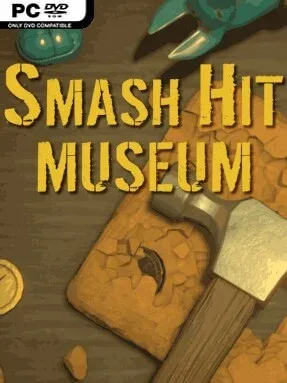
A quiet museum-building loop sits beneath the satisfying crack of a hammer striking stone. Smash Hit Museum is an indie clicker built around breaking apart mysterious rocks, recovering artifacts, and turning each discovery into another reason to keep pushing forward. Its pace is deliberately relaxed rather than frantic, pairing simple repeated actions with soft visuals and sound that make it easy to play for a few minutes or leave running during a longer session. The premise is straightforward, but the steady drip of hidden historical finds gives the smashing a welcome sense of purpose.
Players begin by manually hitting stones, earning currency and uncovering pieces tied to different periods and places. Hammer upgrades improve how hard and how quickly each strike lands, while automated hits gradually take over the routine and keep resources coming without constant clicking. Eight categories of stone provide the excavation ladder, leading toward 24 collectible artifacts that fill out the museum’s exhibits. Tickets earned through destruction feed into a prestige-style skill system with more than 50 permanent improvements, so resetting or advancing into later layers is about becoming dramatically more efficient rather than merely starting over. A Lucky Coin effect can also trigger during hits, adding small bursts of reward to the otherwise dependable loop.
The museum itself gives Smash Hit Museum more personality than a bare numbers-driven idle game. Recovered artifacts attract visitors, and their entrance fees create a second income stream that makes display growth feel connected to economic progression. It does not aim for complex management simulation or demanding action; its strength is the tactile rhythm of watching stones break, upgrades stack, and exhibits slowly transform into a profitable attraction. Fans of incremental games such as Cookie Clicker or AdVenture Capitalist who want a calmer theme and a visual collection goal should find plenty to enjoy, while newcomers get an accessible introduction to prestige mechanics without intimidating systems.
Installation
- Click the green button below to be redirected to UploadHaven.
- Wait 15 seconds, then hit “Free Download.” (Free downloads may be slower — upgrade to UploadHaven Pro for faster speeds.)
- Once downloaded, right-click the .zip file and choose “Extract to Smash Hit Museum.” (You’ll need 7-Zip for this.)
- Open the extracted folder and run the game as administrator.
- Enjoy! 🎮 If you see missing DLL errors, check the <strong>_Redist</strong> folder inside and install what’s needed.
System Requirements
- Requires a 64-bit processor and operating system
- OS: Windows 10 or more
- Processor: Intel Core i5
- Memory: 4 GB RAM
- Graphics: Most dedicated GPUs should work
- DirectX: Version 11
- Storage: 1 GB available space
Setup Guide & Troubleshooting
How do I fix missing DLL errors for Smash Hit Museum?
After extracting Smash Hit Museum, navigate to the _Redist or _CommonRedist folder inside the game directory and install DirectX, Vcredist, and any other dependencies included.
What should I do if the downloaded file is corrupted?
The full archive is 269.97 MB — make sure your download completed fully before extracting. Use 7-Zip to extract the files. If you still see a "file corrupted" error, re-download and try again.
Why should I run the game as administrator?
Right-click the game executable and select "Run as Administrator" to avoid save file issues and permission errors. This is especially important on the first launch.
How do I update my GPU drivers for this game?
Smash Hit Museum requires a Most dedicated GPUs should work or equivalent. Update your NVIDIA or AMD drivers to the latest version for the best performance.
The game won't launch — what should I try?
This game requires Version 11. Try running in compatibility mode, install the latest DirectX runtime, or install the All-in-One VC Redist Package.
My antivirus is blocking the game — is it safe?
Antivirus false positives are common with pre-installed games. Temporarily pause your antivirus during extraction to prevent it from quarantining game files. You can re-enable it after the extraction completes.