
Game Overview
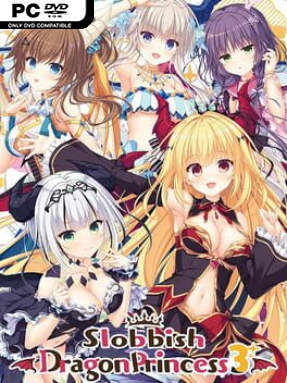
Late-summer Japan provides the backdrop for a gentle, character-driven visual novel about an unemployed young man sharing a dilapidated dojo with an increasingly unruly collection of dragon princesses. The third chapter arrives after the ocean-dwelling dragons’ turbulent introduction to humanity, when the threat of conquest gives way to the awkward realities of living together. With a local festival approaching, the story trades grand political stakes for warm seasonal moments, domestic comedy, and the bittersweet feeling that summer is running out. Its tone is playful and romantic, though the wider human-and-dragon coexistence situation gives the setting more texture than a simple slice-of-life setup.
Slobbish Dragon Princess 3 plays as a kinetic novel, meaning readers follow a fixed narrative rather than making route-changing decisions. Progress comes through reading scenes, enjoying the Japanese voice performances, and watching the cast react to festival preparations, changing relationships, and the unusual normality of dragon royalty hanging around a small Japanese town. Prior knowledge of the earlier entries helps considerably, since established heroines, prior events, and the protagonist’s household dynamic are treated as familiar territory, but the immediate festival plot remains easy enough to follow. An extras menu lets players revisit illustrations, the opening movie, and selected voice clips after they unlock them.
Takano Yuki’s polished character art gives the cast a bright, expressive anime look that suits both its comedy and its more sincere scenes. Rather than chasing branching endings or demanding gameplay systems, the appeal lies in spending time with a comfortable ensemble whose relationships already feel lived-in. The end-of-summer setting also gives the narrative a stronger sense of momentum than its relaxed premise initially suggests, building anticipation around one shared event and the memories attached to it. Fans of NEKO-NIN-style romance visual novels, voiced anime storytelling, and cozy supernatural comedies should feel at home, while newcomers are best served by starting with the preceding games for the full emotional payoff.
Installation
- Click the green button below to be redirected to UploadHaven.
- Wait 15 seconds, then hit “Free Download.” (Free downloads may be slower — upgrade to UploadHaven Pro for faster speeds.)
- Once downloaded, right-click the .zip file and choose “Extract to Slobbish Dragon Princess 3.” (You’ll need 7-Zip for this.)
- Open the extracted folder and run the game as administrator.
- Enjoy! 🎮 If you see missing DLL errors, check the <strong>_Redist</strong> folder inside and install what’s needed.
System Requirements
- OS: Windows 10 / 11
- Processor: Pentium 4 1.7GHz and above
- Memory: 1 GB RAM
- Graphics: Graphics Card with 128 MB and above
- DirectX: Version 9.0
- Storage: 2300 MB available space
- Additional Notes: Minimum resolution: 1920 x 1080
Setup Guide & Troubleshooting
How do I fix missing DLL errors for Slobbish Dragon Princess 3 (v1.0 & Uncensored)?
After extracting Slobbish Dragon Princess 3 (v1.0 & Uncensored), navigate to the _Redist or _CommonRedist folder inside the game directory and install DirectX, Vcredist, and any other dependencies included.
What should I do if the downloaded file is corrupted?
The full archive is 2.46 GB — make sure your download completed fully before extracting. Use 7-Zip to extract the files. If you still see a "file corrupted" error, re-download and try again.
Why should I run the game as administrator?
Right-click the game executable and select "Run as Administrator" to avoid save file issues and permission errors. This is especially important on the first launch.
How do I update my GPU drivers for this game?
Slobbish Dragon Princess 3 (v1.0 & Uncensored) requires a Graphics Card with 128 MB and above or equivalent. Update your NVIDIA or AMD drivers to the latest version for the best performance.
The game won't launch — what should I try?
This game requires Version 9.0. Try running in compatibility mode, install the latest DirectX runtime, or install the All-in-One VC Redist Package.
My antivirus is blocking the game — is it safe?
Antivirus false positives are common with pre-installed games. Temporarily pause your antivirus during extraction to prevent it from quarantining game files. You can re-enable it after the extraction completes.