
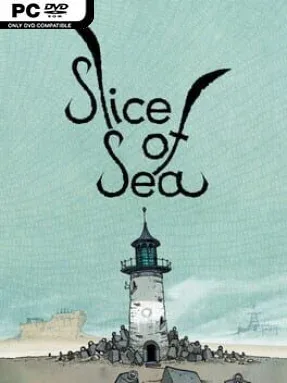
Game Overview
A lone sea creature crosses a dry, rust-colored wasteland where the ocean feels like a distant memory. Slice of Sea is a quiet hand-drawn puzzle adventure built around atmosphere, observation, and the strange sadness of being far from home. Players guide Seaweed through abandoned industrial structures, broken machines, and surreal landscapes rendered to resemble detailed pen-and-paper illustrations. The mood stays peaceful rather than threatening, but its desolate world carries a distinctly post-apocalyptic melancholy.
Movement uses the keyboard while the mouse handles interactions, turning the journey into a relaxed blend of side-scrolling exploration and point-and-click problem solving. Seaweed searches each screen for useful objects, operates odd mechanisms, unlocks routes, and pieces together environmental puzzles that range from straightforward inventory tasks to more abstract machine-based challenges. Progress depends on noticing visual clues and understanding how the world’s rusting contraptions connect, rather than on combat, reflexes, or resource management. There is little pressure to rush, making it easy to linger over the artwork, experiment with items, and absorb the story told through places instead of lengthy dialogue.
What separates Slice of Sea from most indie adventures is its remarkable handmade presentation: every location looks sketched, inked, and shaded on physical paper, with an unusual sense of texture and scale. Its wordless storytelling leaves room for interpretation, while the soundtrack by Thumpmonks and the vocal main theme by Cat Jahnke reinforce the lonely but comforting tone. Fans of Samorost, Machinarium, and other visually driven puzzle adventures should feel immediately at home, though its slower pace and occasional opaque puzzle logic demand patience. It suits newcomers who want a nonviolent, atmospheric adventure, as well as seasoned genre players looking for a short, distinctive world that feels genuinely handcrafted.
Installation
- Click the green button below to be redirected to UploadHaven.
- Wait 15 seconds, then hit “Free Download.” (Free downloads may be slower — upgrade to UploadHaven Pro for faster speeds.)
- Once downloaded, right-click the .zip file and choose “Extract to Slice of Sea.” (You’ll need 7-Zip for this.)
- Open the extracted folder and run the game as administrator.
- Enjoy! 🎮 If you see missing DLL errors, check the <strong>_Redist</strong> folder inside and install what’s needed.
System Requirements
- OS: WIndows 7
- Processor: 64bit Intel compatible Dual Core CPU
- Memory: 2 GB RAM
- Graphics: DX11 compliant graphics card
- DirectX: Version 11
- Storage: 2 GB available space
Setup Guide & Troubleshooting
How do I fix missing DLL errors for Slice of Sea (v1.2.0)?
After extracting Slice of Sea (v1.2.0), navigate to the _Redist or _CommonRedist folder inside the game directory and install DirectX, Vcredist, and any other dependencies included.
What should I do if the downloaded file is corrupted?
The full archive is 1.28 GB — make sure your download completed fully before extracting. Use 7-Zip to extract the files. If you still see a "file corrupted" error, re-download and try again.
Why should I run the game as administrator?
Right-click the game executable and select "Run as Administrator" to avoid save file issues and permission errors. This is especially important on the first launch.
How do I update my GPU drivers for this game?
Slice of Sea (v1.2.0) requires a DX11 compliant graphics card or equivalent. Update your NVIDIA or AMD drivers to the latest version for the best performance.
The game won't launch — what should I try?
This game requires Version 11. Try running in compatibility mode, install the latest DirectX runtime, or install the All-in-One VC Redist Package.
My antivirus is blocking the game — is it safe?
Antivirus false positives are common with pre-installed games. Temporarily pause your antivirus during extraction to prevent it from quarantining game files. You can re-enable it after the extraction completes.