
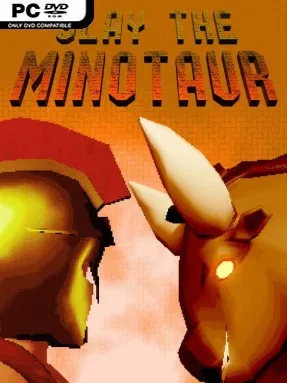
Game Overview
Ancient Greece becomes a hostile, repeatable proving ground where every hero who enters the labyrinth risks becoming another corpse in its halls. Slay the Minotaur is an indie roguelite built around short, dangerous runs through a monster-filled maze, with the legendary beast waiting at the end as the ultimate test. Its tone is mythic but unforgiving: fallen adventurers return as zombies, cyclopes guard the corridors, and the Minotaur punishes careless fighting without mercy. Victory never feels guaranteed, especially when one bad decision can end a promising attempt.
Each run revolves around navigating the labyrinth, defeating mythological enemies, gathering pearls, and opening chests for gear that can reshape a hero’s approach. Weapons and helmets bring distinct attributes and special actions, allowing for combinations based on heavy strikes, mobility, elemental attacks, or abilities reminiscent of the Greek gods. Death sends the current hero packing, but Aphrodite provides permanent improvements between attempts, spending earned resources on strength, agility, and new powers that make later expeditions more viable. Combat demands timing and planning rather than simply rushing toward the boss, while the Minotaur encounter asks players to understand their build and execute efficiently under pressure.
Speed and ranking systems give successful runs a purpose beyond merely seeing the ending, encouraging players to return and improve their kill times against the Minotaur. That focus makes it feel closer to arcade-style score chasing than a story-heavy roguelite, with progression serving mastery as much as survival. Extra modes featuring Aphrodite and Heracles add welcome variety for players who want to test different characters and abilities after learning the main loop. Fans of compact action roguelites such as Hades or Rogue Legacy who enjoy Greek mythology, repeat runs, and time-trial challenges should find plenty to chase here, though players seeking a vast narrative adventure may prefer something broader.
Installation
- Click the green button below to be redirected to UploadHaven.
- Wait 15 seconds, then hit “Free Download.” (Free downloads may be slower — upgrade to UploadHaven Pro for faster speeds.)
- Once downloaded, right-click the .zip file and choose “Extract to Slay the Minotaur.” (You’ll need 7-Zip for this.)
- Open the extracted folder and run the game as administrator.
- Enjoy! 🎮 If you see missing DLL errors, check the <strong>_Redist</strong> folder inside and install what’s needed.
System Requirements
- Requires a 64-bit processor and operating system
- OS *: Windows 7+
- Processor: 3.5 GHz
- Memory: 8 GB RAM
- Graphics: 4GB
- Storage: 260 MB available space
Setup Guide & Troubleshooting
How do I fix missing DLL errors for Slay the Minotaur?
After extracting Slay the Minotaur, navigate to the _Redist or _CommonRedist folder inside the game directory and install DirectX, Vcredist, and any other dependencies included.
What should I do if the downloaded file is corrupted?
The full archive is 318.69 MB — make sure your download completed fully before extracting. Use 7-Zip to extract the files. If you still see a "file corrupted" error, re-download and try again.
Why should I run the game as administrator?
Right-click the game executable and select "Run as Administrator" to avoid save file issues and permission errors. This is especially important on the first launch.
How do I update my GPU drivers for this game?
Slay the Minotaur requires a 4GB or equivalent. Update your NVIDIA or AMD drivers to the latest version for the best performance.
The game won't launch — what should I try?
Try running in compatibility mode, install the latest DirectX runtime, or install the All-in-One VC Redist Package.
My antivirus is blocking the game — is it safe?
Antivirus false positives are common with pre-installed games. Temporarily pause your antivirus during extraction to prevent it from quarantining game files. You can re-enable it after the extraction completes.