
Game Overview
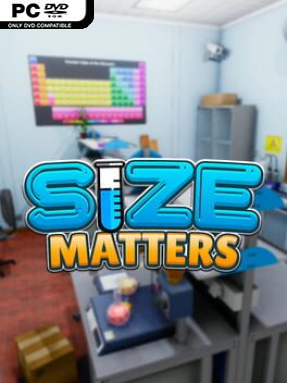
A botched experiment turns an ordinary laboratory into a frantic, ever-changing obstacle course where every second makes you smaller. Size Matters is a first-person puzzle-platformer built around a simple but effective pressure system: locate the ingredients for an antidote before your shrinking body becomes too tiny to function. Benches become cliffs, shelves become towering platforms, and familiar lab equipment gradually feels like industrial architecture. The tone is playful rather than frightening, but the constant countdown gives every successful climb and correctly completed recipe real urgency.
Most of the action revolves around searching the lab for formula notes and components, then operating specialized machines in the right order. A Chemical Processor can refine materials, the Reverter and Code Combiner transform them further, and the Antidote Producer combines the three essential final ingredients. Reaching these stations demands more than reading instructions; you jump between furniture, move objects into useful positions, and plan routes that will still work after you lose more height. Mistakes cost precious time, while each new formula can send you back across the lab in search of another missing piece. The run ends when you become too small, making efficient movement and smart use of the workspace as important as chemical know-how.
Its strongest idea is how naturally the shrinking mechanic reshapes navigation instead of merely acting as a timer. The same room feels different from minute to minute, turning a compact setting into a shifting platforming challenge with echoes of Honey, I Shrunk the Kids and the task-focused pressure of Overcooked, played alone and in first person. Extensive adjustable settings let players alter starting size, jump allowances, and machine processing times, so the experience can lean toward a relaxed puzzle session or a demanding speedrun. Size Matters suits players who enjoy compact escape-room puzzles, unusual physics-based traversal, and repeatedly refining a route under pressure; veterans will appreciate the efficiency challenge, while newcomers can soften the rules and learn the lab at their own pace.
Installation
- Click the green button below to be redirected to UploadHaven.
- Wait 15 seconds, then hit “Free Download.” (Free downloads may be slower — upgrade to UploadHaven Pro for faster speeds.)
- Once downloaded, right-click the .zip file and choose “Extract to Size Matters.” (You’ll need 7-Zip for this.)
- Open the extracted folder and run the game as administrator.
- Enjoy! 🎮 If you see missing DLL errors, check the <strong>_Redist</strong> folder inside and install what’s needed.
System Requirements
- OS: Windows 7/8.1/10 32-bit or 64-bit
- Processor: Quad Core 2.6 GHz
- Memory: 4 GB RAM
- Graphics: Nvidia GTX 650 Ti 2GB or AMD Radeon HD 7970 3GB
- DirectX: Version 11
- Storage: 4 GB available space
Setup Guide & Troubleshooting
How do I fix missing DLL errors for Size Matters (v1.1.2)?
After extracting Size Matters (v1.1.2), navigate to the _Redist or _CommonRedist folder inside the game directory and install DirectX, Vcredist, and any other dependencies included.
What should I do if the downloaded file is corrupted?
The full archive is 1.05 GB — make sure your download completed fully before extracting. Use 7-Zip to extract the files. If you still see a "file corrupted" error, re-download and try again.
Why should I run the game as administrator?
Right-click the game executable and select "Run as Administrator" to avoid save file issues and permission errors. This is especially important on the first launch.
How do I update my GPU drivers for this game?
Size Matters (v1.1.2) requires a Nvidia GTX 650 Ti 2GB or AMD Radeon HD 7970 3GB or equivalent. Update your NVIDIA or AMD drivers to the latest version for the best performance.
The game won't launch — what should I try?
This game requires Version 11. Try running in compatibility mode, install the latest DirectX runtime, or install the All-in-One VC Redist Package.
My antivirus is blocking the game — is it safe?
Antivirus false positives are common with pre-installed games. Temporarily pause your antivirus during extraction to prevent it from quarantining game files. You can re-enable it after the extraction completes.