
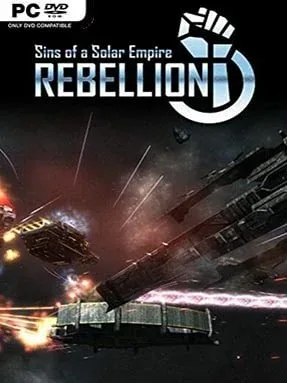
Game Overview
A galaxy-spanning civil war unfolds in real time, where trade empires, psychic zealots, and a desperate alien dynasty fight not merely for territory but for survival. Sins of a Solar Empire: Rebellion blends the deliberate planning of a 4X strategy game with the pressure of fleet battles that never pause. Its conflict is grand rather than personal: planets become industrial engines, asteroid fields turn into strategic choke points, and a single lost capital ship can reshape an entire campaign. The mood is methodical, militaristic, and wonderfully hostile, rewarding commanders who can think several systems ahead.
Players begin by claiming nearby worlds, establishing extractors, building orbital infrastructure, and directing fleets through interconnected star systems. Economic growth funds research into weapons, culture, trade, defenses, and faction-specific technologies, while scouts reveal enemy expansion and neutral worlds offer valuable early targets. Combat plays out in real time with enormous formations of frigates, cruisers, strike craft, capital ships, and devastating Titans, although smart logistics and positioning often matter more than simply fielding the largest armada. Six playable factions split the TEC, Advent, and Vasari into Loyalist and Rebel sides, each with distinct economic tools, superweapons, diplomatic options, and approaches to conquest; multiplayer skirmishes and large custom maps give the strategy plenty of life beyond the main scenarios.
Rebellion stands out because it captures the scale of space opera without reducing the player to a spectator. Fleets can be managed at a sweeping strategic zoom or examined closely as missiles, fighters, and colossal vessels collide above a contested planet, while the interface keeps an intimidating amount of information reasonably accessible. The Loyalist-versus-Rebel split makes familiar races play differently, from TEC’s fortified economic machine to Vasari’s mobile, increasingly ruthless empire, and substantial mod support extends the game with new factions, overhauls, and scenarios. Fans of Supreme Commander, Homeworld, and Galactic Civilizations who want slower, empire-focused warfare should find a lot to enjoy, while newcomers should expect a demanding but satisfying learning curve.
Installation
- Click the green button below to be redirected to UploadHaven.
- Wait 15 seconds, then hit “Free Download.” (Free downloads may be slower — upgrade to UploadHaven Pro for faster speeds.)
- Once downloaded, right-click the .zip file and choose “Extract to Sins of a Solar Empire: Rebellion.” (You’ll need 7-Zip for this.)
- Open the extracted folder and run the game as administrator.
- Enjoy! 🎮 If you see missing DLL errors, check the <strong>_Redist</strong> folder inside and install what’s needed.
System Requirements
- OS: Windows 10 / 8 / Windows 7 SP1
- Processor: 3 GHz Intel Pentium 4 Processor or Equivalent
- Memory: 2 GB Available System Memory
- Graphics: 256 MB Video Card w/Pixel Shader 3.0 Support (Radeon X1650 / GeForce 6800* or Better)
- DirectX®: 9.0c
- Hard Drive: 5 GB HD space
- Sound: DirectX 9.0c Compatible Sound Card
- Other Requirements: Keyboard and Mouse (w/scroll wheel), Broadband Internet connection for Multiplayer
- * NVidia video chipsets must use driver version 296.10 or higher and mobile cards be set as the primary video chipset for the game.
Setup Guide & Troubleshooting
How do I fix missing DLL errors for Sins of a Solar Empire: Rebellion (v1.98 & ALL DLC)?
After extracting Sins of a Solar Empire: Rebellion (v1.98 & ALL DLC), navigate to the _Redist or _CommonRedist folder inside the game directory and install DirectX, Vcredist, and any other dependencies included.
What should I do if the downloaded file is corrupted?
The full archive is 3.05 GB — make sure your download completed fully before extracting. Use 7-Zip to extract the files. If you still see a "file corrupted" error, re-download and try again.
Why should I run the game as administrator?
Right-click the game executable and select "Run as Administrator" to avoid save file issues and permission errors. This is especially important on the first launch.
How do I update my GPU drivers for this game?
Sins of a Solar Empire: Rebellion (v1.98 & ALL DLC) requires a 256 MB Video Card w/Pixel Shader 3.0 Support (Radeon X1650 / GeForce or equivalent. Update your NVIDIA or AMD drivers to the latest version for the best performance.
The game won't launch — what should I try?
Try running in compatibility mode, install the latest DirectX runtime, or install the All-in-One VC Redist Package.
My antivirus is blocking the game — is it safe?
Antivirus false positives are common with pre-installed games. Temporarily pause your antivirus during extraction to prevent it from quarantining game files. You can re-enable it after the extraction completes.