
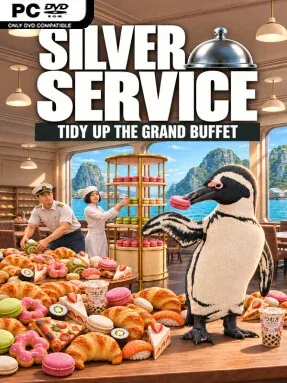
Game Overview
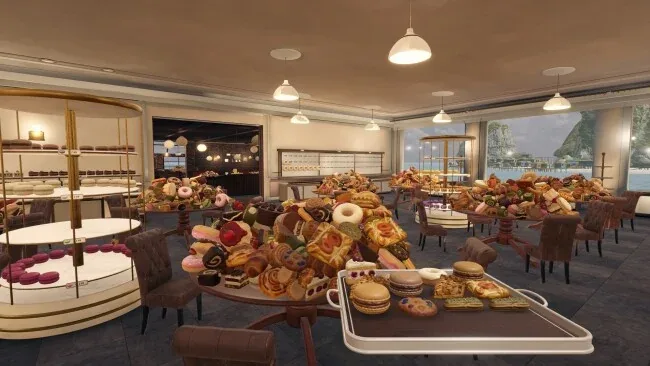
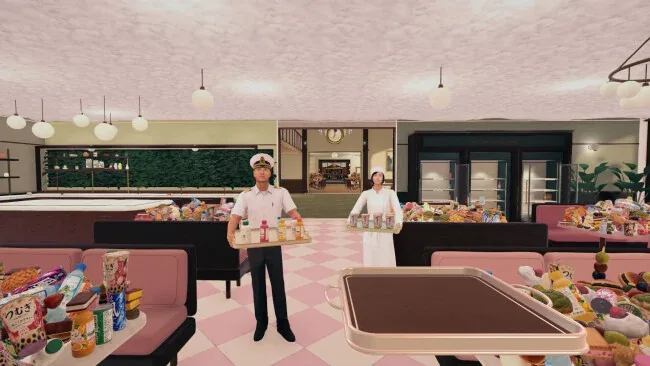
A floating hotel becomes a giant game of visual organization, where thousands of misplaced meals turn an elegant cruise liner into a wonderfully oversized sorting puzzle. Silver Service: Tidy Up the Grand Buffet trades restaurant-management stress for a gentle, tactile cleanup routine across dining rooms themed around sushi, tea, boba drinks, pastries, and extravagant buffet fare. The mood stays bright and comforting, with colorful food displays, peaceful ocean views, and two mischievous penguins constantly threatening to undo your hard work. Rather than serving demanding customers or racing a clock, the focus is on restoring order one plate at a time.
Players collect scattered portions onto a tray, identify the correct counter or display for each item, and return everything to its proper recipe arrangement. Coins earned through tidying improve practical tools: larger carrying capacity, quicker movement, a longer grab range, a multi-shelf trolley, and a helpful visual aid for locating matching food sets. The ship gradually becomes easier to navigate as you learn its layout, although Challenge mode removes some of the guidance for players who want a more demanding memory test. Up to four people can work together online, dividing rooms efficiently or creating cheerful chaos as everyone rushes through narrow corridors loaded with dishes.
What makes the experience memorable is its scale and attention to small distractions beyond the central cleanup loop. Fishing off the stern adds aquatic specimens to an onboard aquarium, while a camera lets players catalog whales, dolphins, seabirds, and passing vessels. Changing routes refresh the scenery with tropical water, blossom-lined coasts, or icy fjords, and the wandering penguins provide a cute but genuinely disruptive wrinkle by stealing food. Fans of A Little to the Left, PowerWash Simulator, or Unpacking who prefer relaxed repetition over pressure will find a lot to like here, while cooperative players get an unusually wholesome shared task.
Screenshots
Installation
- Select the <strong>Download</strong> button at the top of this page to open UploadHaven.
- On UploadHaven, wait for any countdown, then select <strong>Free Download</strong>. Optional: UploadHaven Pro for faster downloads.
- When complete, extract the archive to a <strong>Silver Service: Tidy Up the Grand Buffet</strong> folder using 7-Zip.
- Open the extracted folder and start the game normally.
- For errors, check <strong>Setup Guide & Troubleshooting</strong> below. Keep your security software enabled.
System Requirements
- Requires a 64-bit processor and operating system
- OS: Windows 10 64-bit
- Processor: Intel Core i5-6500 / AMD Ryzen 5 1400
- Memory: 8 GB RAM
- Graphics: NVIDIA GeForce GTX 1050 Ti / AMD Radeon RX 570 (4 GB)
- DirectX: Version 11
- Storage: 4 GB available space