
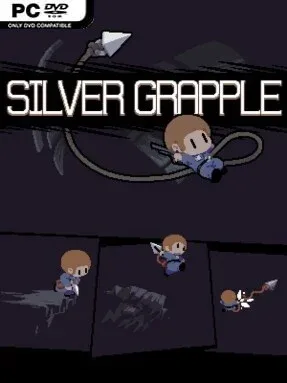
Game Overview
A silver hook and a collapsing research complex give this 2D platformer its identity: momentum is both your weapon and your lifeline. Silver Grapple sends you beneath the surface of an abandoned laboratory, where sealed offices, excavation zones, and quarantined chambers preserve traces of a disaster nobody fully explains. The mood balances lonely sci-fi ruin exploration with the exhilarating rush of flying through a room at reckless speed. Rather than simply hopping between ledges, you spend much of the adventure carving huge arcs through the air and trying to keep your movement flowing.
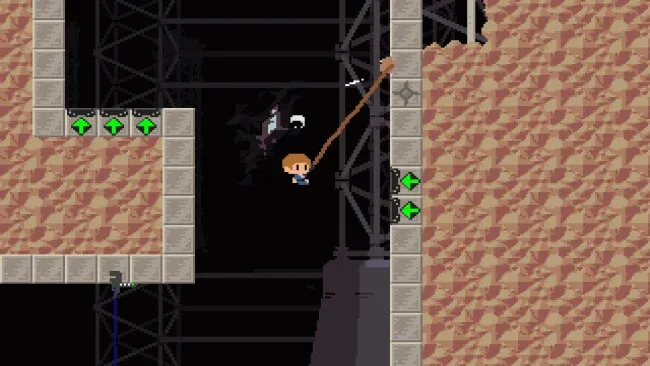
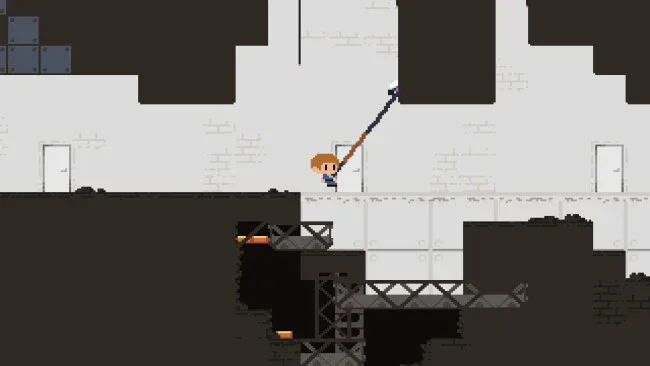
The central loop revolves around mastering the Silver Grappling Hook’s physics. You latch onto surfaces, build momentum, release at the right instant, and redirect yourself around hazards, with speed turning each platforming room into a test of timing and control. New abilities broaden how you navigate the facility, including the power to skim across water and move at blistering pace on foot, while rescued survivors and hidden documents add purpose beyond reaching the next checkpoint. Exploration matters because the sprawling underground site spans 11 distinct areas, and old terminals and journals gradually reveal the lab’s history. Challenges demand precision, but the responsive swinging system encourages repeated attempts rather than making failure feel punishing.
What stands out is how strongly the game commits to the physical sensation of grappling: a good run feels less like conventional platforming and more like maintaining a controlled stunt line. Its retro-console-inspired soundtrack, composed with an ear for energetic electronic melodies, fits the speed without drowning out the isolated atmosphere of the ruins. Players who enjoy the movement freedom of Grapple Force Rena, the momentum-driven platforming of classic Sonic, or Metroid-style environmental discovery should find plenty to like here. Silver Grapple suits veterans chasing clean, fast routes, but its focus on learning one excellent traversal tool also makes it approachable for newcomers willing to experiment.
Screenshots
Installation
- Click the green button below to be redirected to UploadHaven.
- Wait 15 seconds, then hit “Free Download.” (Free downloads may be slower — upgrade to UploadHaven Pro for faster speeds.)
- Once downloaded, right-click the .zip file and choose “Extract to Silver Grapple.” (You’ll need 7-Zip for this.)
- Open the extracted folder and run the game as administrator.
- Enjoy! 🎮 If you see missing DLL errors, check the <strong>_Redist</strong> folder inside and install what’s needed.
System Requirements
- OS *: Windows Vista
- Processor: Intel Core 2 Duo Processor
- Memory: 2 GB RAM
- Graphics: NVIDIA GeForce 9200M
- DirectX: Version 11
- Storage: 1 GB available space
- Sound Card: Integrated
Setup Guide & Troubleshooting
How do I fix missing DLL errors for Silver Grapple (v1.0.0.17)?
After extracting Silver Grapple (v1.0.0.17), navigate to the _Redist or _CommonRedist folder inside the game directory and install DirectX, Vcredist, and any other dependencies included.
What should I do if the downloaded file is corrupted?
The full archive is 601.04 MB — make sure your download completed fully before extracting. Use 7-Zip to extract the files. If you still see a "file corrupted" error, re-download and try again.
Why should I run the game as administrator?
Right-click the game executable and select "Run as Administrator" to avoid save file issues and permission errors. This is especially important on the first launch.
How do I update my GPU drivers for this game?
Silver Grapple (v1.0.0.17) requires a NVIDIA GeForce 9200M or equivalent. Update your NVIDIA or AMD drivers to the latest version for the best performance.
The game won't launch — what should I try?
This game requires Version 11. Try running in compatibility mode, install the latest DirectX runtime, or install the All-in-One VC Redist Package.
My antivirus is blocking the game — is it safe?
Antivirus false positives are common with pre-installed games. Temporarily pause your antivirus during extraction to prevent it from quarantining game files. You can re-enable it after the extraction completes.