
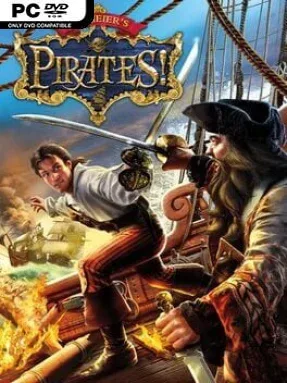
Game Overview
The Caribbean becomes a lively, dangerous sandbox where a single captain can become a feared pirate, a loyal privateer, a merchant prince, or an opportunistic treasure hunter. Sid Meier’s Pirates! mixes swashbuckling action with light role-playing and open-ended strategy, letting your reputation grow through whatever path you choose. One voyage might involve hunting Spanish treasure fleets for an English governor, while the next sees you raiding coastal settlements and vanishing before a warship arrives. Its tone stays colorful and playful even when your crew is mutinous, your rivals are closing in, and your best ship is taking cannon fire.
You command a fleet across a changing Caribbean map, sailing between ports to trade goods, recruit sailors, collect rumors, accept political missions, and pursue personal goals. Naval battles rely on positioning, wind direction, ammunition, boarding actions, and choosing whether to sink, capture, or flee from an enemy vessel. On land, the game shifts into brisk swordfights, small tactical battles, stealthy town raids, treasure-map expeditions, and even simple rhythm-based dances used to win the favor of governors’ daughters. Character advancement is tied less to experience levels than to wealth, land, promotions, ships, crew morale, and the fame earned from memorable exploits; age also matters, gradually making your captain less effective.
What makes Pirates! enduring is how naturally its many minigames support the fantasy of a pirate career rather than interrupt it. Few open-world games let you chase a kidnapped relative, court nobility, alter colonial politics, and seize a galleon within the same campaign. The presentation is accessible, with readable menus, charming animation, and systems that are easy to grasp despite offering plenty of room for smart planning. Fans of Mount & Blade’s emergent careers, Sea of Thieves’ nautical atmosphere, or classic Sid Meier design find a rewarding solo adventure here, while newcomers get an unusually welcoming introduction to sandbox role-playing.
Installation
- Click the green button below to be redirected to UploadHaven.
- Wait 15 seconds, then hit “Free Download.” (Free downloads may be slower — upgrade to UploadHaven Pro for faster speeds.)
- Once downloaded, right-click the .zip file and choose “Extract to Sid Meier's Pirates!.” (You’ll need 7-Zip for this.)
- Open the extracted folder and run the game as administrator.
- Enjoy! 🎮 If you see missing DLL errors, check the <strong>_Redist</strong> folder inside and install what’s needed.
System Requirements
- Windows® 98/Me/2000/XP, Pentium® 1.0 GHz or higher, 256 MB RAM, 1.2 GB Free HDD, 64 MB video card* with Hardware T&L support, Windows® 98/Me/2000/XP-compatible sound card*, DirectX® version 9.0b (included) or higher
Setup Guide & Troubleshooting
How do I fix missing DLL errors for Sid Meier’s Pirates! (v1.0.2.0)?
After extracting Sid Meier’s Pirates! (v1.0.2.0), navigate to the _Redist or _CommonRedist folder inside the game directory and install DirectX, Vcredist, and any other dependencies included.
What should I do if the downloaded file is corrupted?
The full archive is 801.51 MB — make sure your download completed fully before extracting. Use 7-Zip to extract the files. If you still see a "file corrupted" error, re-download and try again.
Why should I run the game as administrator?
Right-click the game executable and select "Run as Administrator" to avoid save file issues and permission errors. This is especially important on the first launch.
How do I update my GPU drivers for this game?
Update your NVIDIA or AMD drivers to the latest version for the best performance and compatibility.
The game won't launch — what should I try?
Try running in compatibility mode, install the latest DirectX runtime, or install the All-in-One VC Redist Package.
My antivirus is blocking the game — is it safe?
Antivirus false positives are common with pre-installed games. Temporarily pause your antivirus during extraction to prevent it from quarantining game files. You can re-enable it after the extraction completes.