
Game Overview
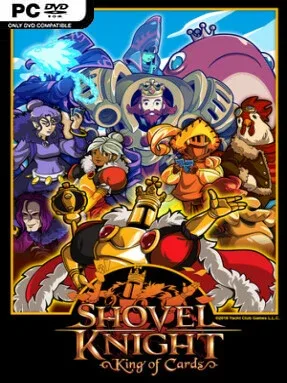
King Knight’s rise from flamboyant knight to ruler of Pridemoor unfolds as a colorful 8-bit platforming adventure with more ego, comedy, and theatrical swagger than the series’ darker quests. Shovel Knight: King of Cards serves as a prequel campaign, following its cape-wearing hero across a broad collection of themed stages, towns, and rival kingdoms in pursuit of a royal crown. The tone stays playful even when the traps grow vicious, with eccentric characters, sharp dialogue, and a story that makes King Knight’s famously self-important personality surprisingly entertaining.
Platforming revolves around King Knight’s Shoulder Bash, a fast horizontal attack that breaks obstacles, bowls through enemies, and launches him into aerial follow-up maneuvers. Stages reward careful movement as much as aggression, hiding money, relics, equipment, and collectible treasures behind alternate routes, while bosses demand pattern recognition and precise timing. Between missions, players return to King Knight’s mobile headquarters to recruit followers, upgrade abilities, choose armor, and take on the optional Joustus card game. Joustus is a tactical board-based contest rather than a simple card battler: cards push one another around a grid, so deck construction and positioning matter against the many opponents scattered through the campaign.
What separates King of Cards from other retro platformers is the sheer amount packed around its tight action stages. Its world feels like a miniature adventure game, full of side activities, secrets, card opponents, challenge rooms, and memorable boss encounters, all supported by crisp pixel art and Jake Kaufman’s energetic chiptune soundtrack. New Game+ increases the pressure while offering greater riches, and dedicated challenge stages provide replay value for players who want to master movement and boss fights. Fans of Mega Man-style precision platforming, Shovel Knight’s earlier campaigns, or light strategy diversions will find plenty here, while newcomers can enjoy it as a polished standalone adventure.
Installation
- Click the green button below to be redirected to UploadHaven.
- Wait 15 seconds, then hit “Free Download.” (Free downloads may be slower — upgrade to UploadHaven Pro for faster speeds.)
- Once downloaded, right-click the .zip file and choose “Extract to Shovel Knight: King of Cards.” (You’ll need 7-Zip for this.)
- Open the extracted folder and run the game as administrator.
- Enjoy! 🎮 If you see missing DLL errors, check the <strong>_Redist</strong> folder inside and install what’s needed.
System Requirements
- OS *: Windows 7 or later
- Processor: Intel Core 2 Duo 2.1 ghz or equivalent
- Memory: 2 GB RAM
- Graphics: 2nd Generation Intel Core HD Graphics (2000/3000), 512MB
- DirectX: Version 9.0
- Storage: 250 MB available space
Setup Guide & Troubleshooting
How do I fix missing DLL errors for Shovel Knight: King of Cards?
After extracting Shovel Knight: King of Cards, navigate to the _Redist or _CommonRedist folder inside the game directory and install DirectX, Vcredist, and any other dependencies included.
What should I do if the downloaded file is corrupted?
The full archive is 314.74 MB — make sure your download completed fully before extracting. Use 7-Zip to extract the files. If you still see a "file corrupted" error, re-download and try again.
Why should I run the game as administrator?
Right-click the game executable and select "Run as Administrator" to avoid save file issues and permission errors. This is especially important on the first launch.
How do I update my GPU drivers for this game?
Shovel Knight: King of Cards requires a 2nd Generation Intel Core HD Graphics (2000/3000), 512MB or equivalent. Update your NVIDIA or AMD drivers to the latest version for the best performance.
The game won't launch — what should I try?
This game requires Version 9.0. Try running in compatibility mode, install the latest DirectX runtime, or install the All-in-One VC Redist Package.
My antivirus is blocking the game — is it safe?
Antivirus false positives are common with pre-installed games. Temporarily pause your antivirus during extraction to prevent it from quarantining game files. You can re-enable it after the extraction completes.