
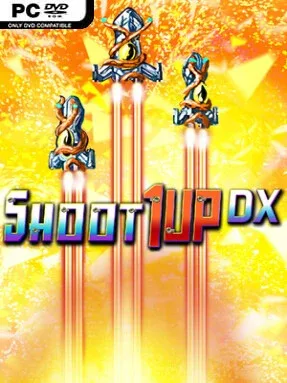
Game Overview
An arcade shooter becomes far more interesting when every extra life joins the battle instead of waiting in reserve. Shoot 1UP DX turns the familiar vertical shmup formula into a rolling fleet command exercise, casting you as the survivor of a devastated homeworld fighting grotesque machine-and-tentacle invaders. Its mood is colorful, frantic, and knowingly over-the-top rather than grim, with dense enemy patterns and explosive spectacle carrying the action across six alien stages. The central appeal is immediate: surviving does not merely extend a run, but makes your firepower visibly larger and more dangerous.
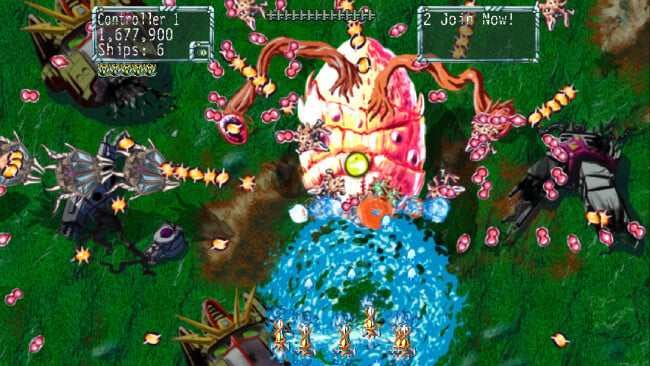
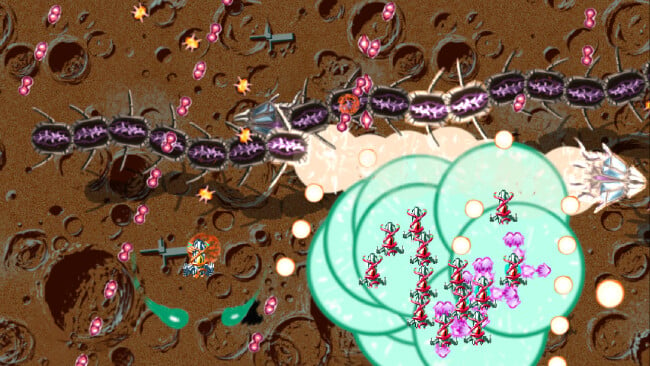
You pilot a formation that expands whenever you collect a 1UP, eventually placing as many as 30 ships under one player’s control. Moving the formation wide blankets the screen in shots, while pulling it tight helps slip through narrow bullet gaps; a stretched formation also unleashes the powerful Plasma Auger attack. Losing ships reduces your weapon level, so successful runs demand careful positioning rather than simply grabbing every pickup and charging ahead. Ships can also be sacrificed for a screen-clearing bomb that erases hostile fire, with its strength tied to the size of your surviving fleet. Local two-player co-op doubles the absurdity, allowing two formations and up to 60 active ships to crowd the screen, while adjustable speed and difficulty settings accommodate both casual players and score-chasing veterans.
What separates Shoot 1UP DX from more traditional shooters is how clearly its risk-and-reward system appears on screen: your success literally becomes a giant, vulnerable armada. The compact campaign is built for repeat runs, higher settings, and leaderboard competition rather than a long narrative adventure, and its bright pixel-art presentation keeps even hectic encounters readable. Fans of classic arcade shooters such as Raiden or TwinBee who want a more accessible twist should find plenty to enjoy, while bullet-hell specialists can raise the speed until formation management becomes a genuine test of reflexes.
Screenshots
Installation
- Click the green button below to be redirected to UploadHaven.
- Wait 15 seconds, then hit “Free Download.” (Free downloads may be slower — upgrade to UploadHaven Pro for faster speeds.)
- Once downloaded, right-click the .zip file and choose “Extract to Shoot 1UP DX.” (You’ll need 7-Zip for this.)
- Open the extracted folder and run the game as administrator.
- Enjoy! 🎮 If you see missing DLL errors, check the <strong>_Redist</strong> folder inside and install what’s needed.
System Requirements
- OS: XP, Vista, 7
- Processor: Intel Core™ Duo or faster
- Memory: 1 GB RAM
- Graphics: 128 MB Card, supports Shader Model 2.0
- DirectX: Version 9.0c
- Storage: 500 MB available space
- Sound Card: DirectX 9.0c Compatible sound card
- Additional Notes: Microsoft Xbox 360 Controller is the best way to play.
Setup Guide & Troubleshooting
How do I fix missing DLL errors for Shoot 1UP DX?
After extracting Shoot 1UP DX, navigate to the _Redist or _CommonRedist folder inside the game directory and install DirectX, Vcredist, and any other dependencies included.
What should I do if the downloaded file is corrupted?
The full archive is 156.55 MB — make sure your download completed fully before extracting. Use 7-Zip to extract the files. If you still see a "file corrupted" error, re-download and try again.
Why should I run the game as administrator?
Right-click the game executable and select "Run as Administrator" to avoid save file issues and permission errors. This is especially important on the first launch.
How do I update my GPU drivers for this game?
Shoot 1UP DX requires a 128 MB Card, supports Shader Model 2.0 or equivalent. Update your NVIDIA or AMD drivers to the latest version for the best performance.
The game won't launch — what should I try?
This game requires Version 9.0c. Try running in compatibility mode, install the latest DirectX runtime, or install the All-in-One VC Redist Package.
My antivirus is blocking the game — is it safe?
Antivirus false positives are common with pre-installed games. Temporarily pause your antivirus during extraction to prevent it from quarantining game files. You can re-enable it after the extraction completes.