
Game Overview
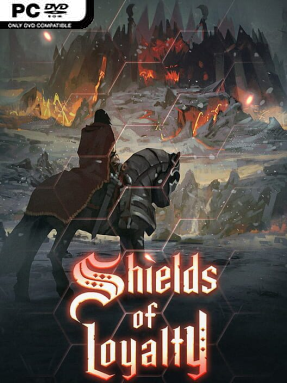
Mantaria is a bleak island realm where every march can end in a costly battle against an unholy invasion. Shields of Loyalty is a turn-based dark-fantasy strategy game built around commanding armies across compact 2D battlefields, with an emphasis on positioning, preparation, and surviving nasty surprises. Its old-school foundation recalls the satisfying clarity of classic fantasy tactics games, but the mood is harsher and more unforgiving than a colorful adventure campaign. Victory rarely comes from simply fielding the biggest force; it comes from using the right troops, formations, and leader bonuses at the right moment.
Players choose from distinct avatars, each bringing personal abilities and aura effects that influence nearby allies, then recruit and manage an expanding army through demanding missions. Units can be trained through two upgrade tiers, while combining smaller forces into squads helps them stand against larger enemies and turns army composition into a meaningful decision. Battles reward careful use of terrain, unit roles, artifacts, and the powers gained from rescued heroes of earlier conflicts. Random weather and battlefield events, including storms, lightning, and falling meteors, can disrupt even a flawless plan, striking both sides without mercy and forcing players to adapt instead of relying on a fixed routine.
The strongest feature is how many interacting tactical layers fit inside a readable 2D presentation: commander auras, hero support, upgraded troops, terrain advantages, and hostile environmental chaos all matter. That makes each map feel less like a straightforward conquest puzzle and more like a campaign where a single poor engagement can reshape the rest of the mission. The mix of collectible artifacts, varied leaders, evolving armies, and unpredictable hazards gives repeat runs more life than a purely scripted strategy game. Fans of Heroes of Might and Magic-style army building and turn-based battles should feel at home, while veterans who want tighter tactical pressure and a darker tone are likely to get the most from it.
Installation
- Click the green button below to be redirected to UploadHaven.
- Wait 15 seconds, then hit “Free Download.” (Free downloads may be slower — upgrade to UploadHaven Pro for faster speeds.)
- Once downloaded, right-click the .zip file and choose “Extract to Shields of Loyalty.” (You’ll need 7-Zip for this.)
- Open the extracted folder and run the game as administrator.
- Enjoy! 🎮 If you see missing DLL errors, check the <strong>_Redist</strong> folder inside and install what’s needed.
System Requirements
- Requires a 64-bit processor and operating system
- OS *: Windows 7/8/10 (64 bit version)
- Processor: Dual Core 2.4 GHz
- Memory: 8 GB RAM
- Graphics: 8 GB memory
- DirectX: Version 11
- Storage: 4 GB available space
Setup Guide & Troubleshooting
How do I fix missing DLL errors for Shields of Loyalty (v1.0.4)?
After extracting Shields of Loyalty (v1.0.4), navigate to the _Redist or _CommonRedist folder inside the game directory and install DirectX, Vcredist, and any other dependencies included.
What should I do if the downloaded file is corrupted?
The full archive is 1.26 GB — make sure your download completed fully before extracting. Use 7-Zip to extract the files. If you still see a "file corrupted" error, re-download and try again.
Why should I run the game as administrator?
Right-click the game executable and select "Run as Administrator" to avoid save file issues and permission errors. This is especially important on the first launch.
How do I update my GPU drivers for this game?
Shields of Loyalty (v1.0.4) requires a 8 GB memory or equivalent. Update your NVIDIA or AMD drivers to the latest version for the best performance.
The game won't launch — what should I try?
This game requires Version 11. Try running in compatibility mode, install the latest DirectX runtime, or install the All-in-One VC Redist Package.
My antivirus is blocking the game — is it safe?
Antivirus false positives are common with pre-installed games. Temporarily pause your antivirus during extraction to prevent it from quarantining game files. You can re-enable it after the extraction completes.