
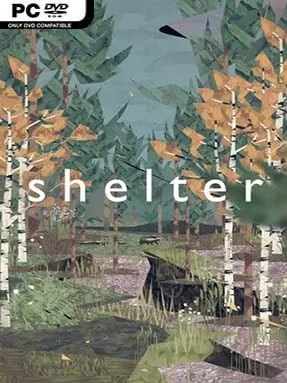
Shelter Cover Art

Shelter

INDIE 294.06 MB

Game Overview

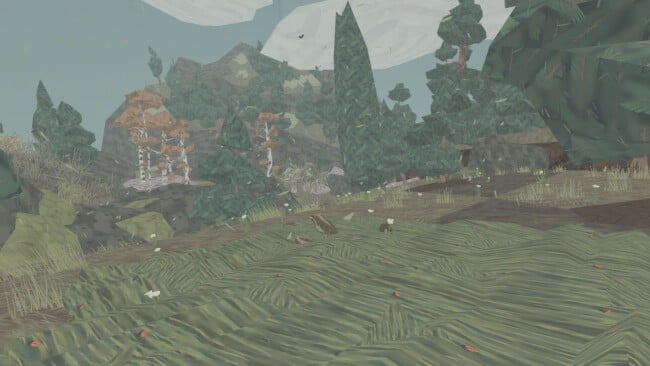
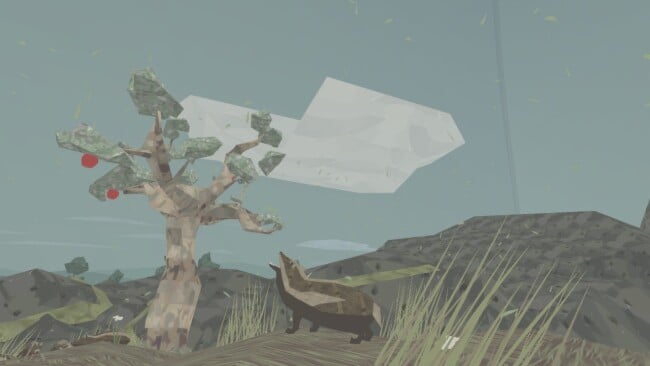
A mother badger’s desperate trek through a hostile wilderness makes for an unusually intimate survival adventure. Rather than casting you as a hunter, warrior, or chosen hero, Shelter asks you to protect five vulnerable cubs as predators, hunger, weather, and the landscape itself steadily reduce your margin for error. Its low-poly, storybook-like forests and fields look gentle at first glance, but the mood is tense, melancholy, and often surprisingly affecting. Every lost cub is permanent, giving even simple decisions a heavy emotional weight.

You guide the badger across a linear series of natural environments, sniffing out food, gathering apples or roots, and bringing meals back to the cubs before starvation takes hold. The youngsters need enough strength to survive dangerous crossings, escape threats, and keep pace during sudden crises, so feeding them is more than a background resource-management task. Hazards arrive in memorable forms: an owl snatches stragglers from above, rushing water separates the family, flames cut off safe routes, and nighttime makes it difficult to see danger coming. Controls remain simple and accessible, putting the focus on awareness, movement, and the uneasy responsibility of keeping the group together rather than complex systems or combat.

Shelter stands apart because it turns animal survival into a quiet parental drama without leaning on dialogue or conventional game objectives. Its stylized presentation softens the visuals while making the brutal consequences of nature hit harder, creating an experience closer to a playable fable than a typical wildlife simulator. The campaign is short and largely linear, so replay value comes from protecting every cub and revisiting its emotionally charged set pieces rather than discovering radically different paths. Players who enjoy the atmospheric minimalism of Journey, the vulnerability of Rain World, or concise indie games built around mood will find a distinctive, somber adventure here; newcomers can handle it easily, though anyone seeking action-heavy gameplay may find it too restrained.

Installation

  1. Click the green button below to be redirected to UploadHaven.
  2. Wait 15 seconds, then hit “Free Download.” (Free downloads may be slower — upgrade to UploadHaven Pro for faster speeds.)
  3. Once downloaded, right-click the .zip file and choose “Extract to Shelter.” (You’ll need 7-Zip for this.)
  4. Open the extracted folder and run the game as administrator.
  5. Enjoy! 🎮 If you see missing DLL errors, check the <strong>_Redist</strong> folder inside and install what’s needed.

System Requirements

  • OS: Windows XP SP2
  • Processor: 2.6 GHz single core
  • Memory: 1 GB RAM
  • Graphics: GeForce 400 series, ATI Radeon HD 2xxx
  • DirectX: Version 9.0
  • Storage: 2 GB available space

Setup Guide & Troubleshooting

How do I fix missing DLL errors for Shelter?

After extracting Shelter, navigate to the _Redist or _CommonRedist folder inside the game directory and install DirectX, Vcredist, and any other dependencies included.

What should I do if the downloaded file is corrupted?

The full archive is 294.06 MB — make sure your download completed fully before extracting. Use 7-Zip to extract the files. If you still see a "file corrupted" error, re-download and try again.

Why should I run the game as administrator?

Right-click the game executable and select "Run as Administrator" to avoid save file issues and permission errors. This is especially important on the first launch.

How do I update my GPU drivers for this game?

Shelter requires a  GeForce 400 series, ATI Radeon HD 2xxx or equivalent. Update your NVIDIA or AMD drivers to the latest version for the best performance.

The game won't launch — what should I try?

This game requires  Version 9.0. Try running in compatibility mode, install the latest DirectX runtime, or install the All-in-One VC Redist Package.

My antivirus is blocking the game — is it safe?

Antivirus false positives are common with pre-installed games. Temporarily pause your antivirus during extraction to prevent it from quarantining game files. You can re-enable it after the extraction completes.

Need more help? Browse our FAQ & Troubleshooting Guide for solutions to common issues.
Looking for something else? Explore all games on Steam Unlocked