
Game Overview
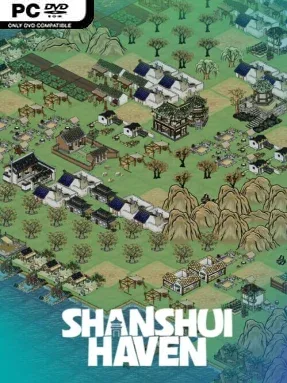
A tranquil town takes shape one carefully chosen tile at a time, framed by the ink-wash beauty of ancient Chinese landscapes. Shanshui Haven is a compact, casual city-building puzzle game built around smart placement rather than resource micromanagement or frantic expansion. Its mood is gentle and contemplative, but the scoring challenge gives every decision weight as small settlements grow across a shifting grid. Each session presents a new map, so the ideal village layout never stays the same for long.
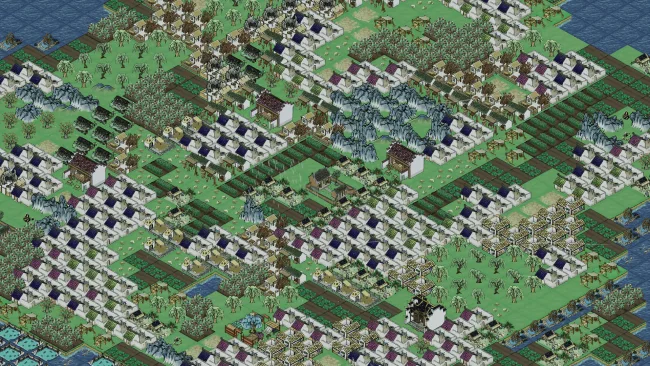
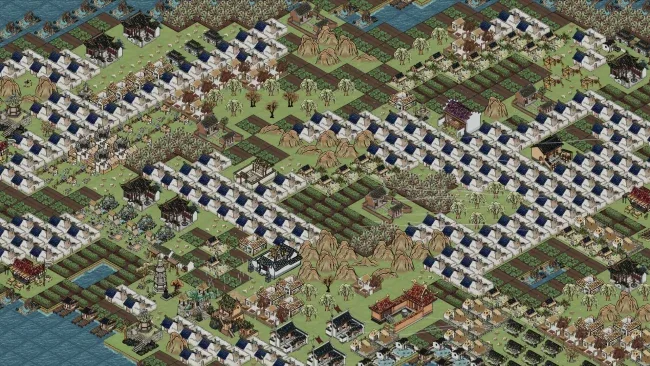
Players draw from a selection of buildings and position them to make the most of their footprints, surrounding terrain, and individual scoring conditions. The central goal is to raise the population score, which means thinking ahead before a useful space becomes blocked by an awkwardly placed structure. Randomly generated grid maps turn the familiar “one more run” appeal of tile-placement games into the main loop: assess the land, adapt a plan, and try to build a more efficient town than before. Accessibility is clearly a priority, making the basics easy to understand while leaving room for players who enjoy refining layouts and chasing stronger results.
What separates Shanshui Haven from busier city simulators is its focus on clean, readable decisions and its painterly Chinese architectural presentation. Buildings do more than decorate the board; their distinct shapes and scoring behaviors encourage experimentation with compact districts, open spaces, and carefully planned connections. The changing maps supply replay value without demanding a huge time commitment, making it well suited to relaxed evening sessions or score-focused repeat runs. Fans of Dorfromantik, Islanders, or other minimalist placement puzzlers should find its blend of calm atmosphere and spatial strategy especially appealing, while newcomers to the genre can enjoy it without needing to master an intimidating simulation.
Screenshots
Installation
- Select the <strong>Download</strong> button at the top of this page to open UploadHaven.
- On UploadHaven, wait for any countdown, then select <strong>Free Download</strong>. Optional: UploadHaven Pro for faster downloads.
- When complete, extract the archive to a <strong>Shanshui Haven</strong> folder using 7-Zip.
- Open the extracted folder and start the game normally.
- For errors, check <strong>Setup Guide & Troubleshooting</strong> below. Keep your security software enabled.
System Requirements
- OS *: Windows 7/8/10
- Processor: 2.0 GHz Dual Core
- Memory: 2048 MB RAM
- Graphics: DirectX 9 compatible with at least 512 MB video RAM
- DirectX: Version 9.0
- Storage: 500 MB available space
- Sound Card: DirectX 9 compatible sound card
- VR Support: Not supported
Setup Guide & Troubleshooting
How do I fix missing DLL errors for Shanshui Haven?
After extracting Shanshui Haven, navigate to the _Redist or _CommonRedist folder inside the game directory and install DirectX, Vcredist, and any other dependencies included.
What should I do if the downloaded file is corrupted?
The full archive is 877.28 MB — make sure your download completed fully before extracting. Use 7-Zip to extract the files. If you still see a "file corrupted" error, re-download and try again.
Why should I run the game as administrator?
Right-click the game executable and select "Run as Administrator" to avoid save file issues and permission errors. This is especially important on the first launch.
How do I update my GPU drivers for this game?
Shanshui Haven requires a DirectX 9 compatible with at least 512 MB video RAM or equivalent. Update your NVIDIA or AMD drivers to the latest version for the best performance.
The game won't launch — what should I try?
This game requires Version 9.0. Try running in compatibility mode, install the latest DirectX runtime, or install the All-in-One VC Redist Package.
My antivirus is blocking the game — is it safe?
Antivirus false positives are common with pre-installed games. Temporarily pause your antivirus during extraction to prevent it from quarantining game files. You can re-enable it after the extraction completes.