
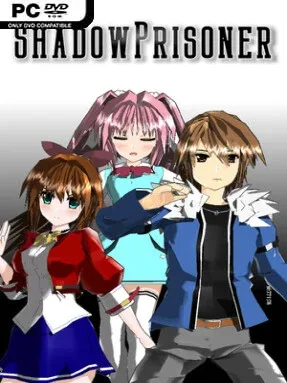
Game Overview
Fast, combo-driven clashes give this 2D fighter its appeal, pairing approachable inputs with the kind of flashy momentum usually associated with more demanding genre staples. Shadow Prisoner presents a roster of stylized combatants and a darkly playful arcade-fighting atmosphere rather than a simulation-minded competitive grind. Its central promise is simple: newcomers can immediately throw out satisfying strings, while experienced players can still look for sharper timing, matchup knowledge, and smarter offensive pressure. The tone stays energetic and accessible, making it easy to pick up for a few rounds without requiring hours in training mode first.
Matches revolve around direct one-on-one battles, with simplified controls allowing players to produce attacks and chains through repeated button presses in Simple Mode. That system lowers the barrier for casual players, but the usual fighting-game priorities remain important: reading opponents, finding openings, defending under pressure, and converting a hit into meaningful damage. Solo players have Story Mode for character-focused encounters and Survival Mode for endurance-based runs, while local Versus and online play provide the competitive core. Online matches use rollback netcode designed to keep inputs responsive, particularly for players connecting within Japan, so the game aims to feel less compromised by distance than older delay-based fighters.
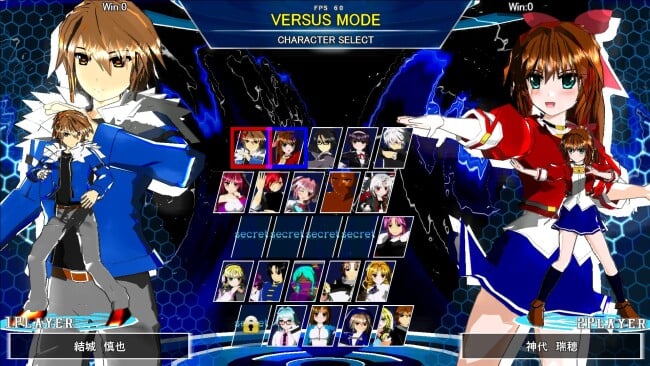
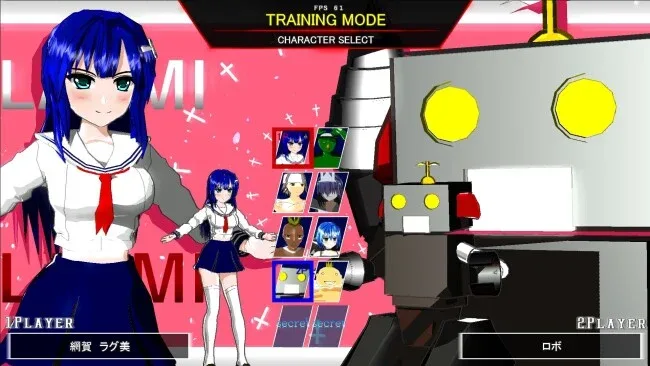
A sizable cast of 25 fighters, including planned free additions and a separate collaboration character sold as DLC, gives the game room for matchup experimentation. Beyond standard fighting modes, April Liars offers an extra non-combo-focused variation, while the Steam-exclusive Epsilon Mode shifts toward projectile-heavy action and bullet barrages instead of traditional close-range exchanges. That willingness to branch into alternate rulesets helps it stand apart from fighters that only offer ranked matches and arcade ladders. Shadow Prisoner suits players who enjoy the visual punch and rivalry of games like BlazBlue or Under Night In-Birth but want a more forgiving entry point, while genre veterans may appreciate it most as a lively, unconventional side fighter.
Screenshots
Installation
- Click the green button below to be redirected to UploadHaven.
- Wait 15 seconds, then hit “Free Download.” (Free downloads may be slower — upgrade to UploadHaven Pro for faster speeds.)
- Once downloaded, right-click the .zip file and choose “Extract to Shadow Prisoner.” (You’ll need 7-Zip for this.)
- Open the extracted folder and run the game as administrator.
- Enjoy! 🎮 If you see missing DLL errors, check the <strong>_Redist</strong> folder inside and install what’s needed.
System Requirements
- OS *: Windows XP / 7 / 8 / 8.1 / 10 / 11
- Processor: Intel Pentium 4
- Memory: 2 GB RAM
- Graphics: Intel HD Graphics 4000
- DirectX: Version 9.0c
- Network: Broadband Internet connection
- Storage: 2 GB available space
- Sound Card: Compatible with DirectX 9.0c
Setup Guide & Troubleshooting
How do I fix missing DLL errors for Shadow Prisoner?
After extracting Shadow Prisoner, navigate to the _Redist or _CommonRedist folder inside the game directory and install DirectX, Vcredist, and any other dependencies included.
What should I do if the downloaded file is corrupted?
The full archive is 0.98 GB — make sure your download completed fully before extracting. Use 7-Zip to extract the files. If you still see a "file corrupted" error, re-download and try again.
Why should I run the game as administrator?
Right-click the game executable and select "Run as Administrator" to avoid save file issues and permission errors. This is especially important on the first launch.
How do I update my GPU drivers for this game?
Shadow Prisoner requires a Intel HD Graphics 4000 or equivalent. Update your NVIDIA or AMD drivers to the latest version for the best performance.
The game won't launch — what should I try?
This game requires Version 9.0c. Try running in compatibility mode, install the latest DirectX runtime, or install the All-in-One VC Redist Package.
My antivirus is blocking the game — is it safe?
Antivirus false positives are common with pre-installed games. Temporarily pause your antivirus during extraction to prevent it from quarantining game files. You can re-enable it after the extraction completes.