
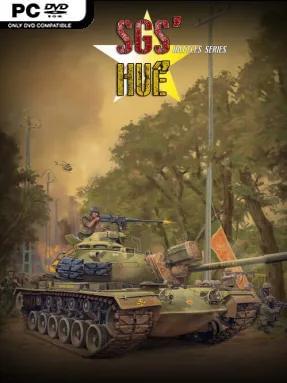
Game Overview
Hue’s shattered streets become the centerpiece of a compact but demanding Vietnam War wargame focused on command decisions rather than flashy battlefield spectacle. Set during the 1968 Tet Offensive, it follows the prolonged struggle for South Vietnam’s former imperial capital, where ancient citadels, dense neighborhoods, fortified buildings, and surrounding countryside all become vital ground. The mood is tense, methodical, and historically grounded: every advance can expose a unit to a punishing counterattack, while holding a few city blocks may matter as much as winning an open-field engagement.
Players command either Free World or Communist forces across a turn-based operational map, moving units that range from regiments and companies down to platoons, sections, and squads. Each turn covers a day, making the pace deliberate while retaining the friction of a battle that unfolds across weeks; positioning, reinforcement timing, defensive lines, and control of key routes drive the action. The full campaign recreates the entire battle with roughly 500 counters and can take several hours to complete, while smaller scenarios offer more focused engagements with fewer pieces to manage. Solo players can face the AI, while hot-seat and play-by-email options make it suitable for opponents who prefer the traditional slow-burn wargame format; manual and automatic saves also make long campaigns manageable.
What separates SGS Battle For: Hue from broader strategy games is its close attention to one famously brutal urban battle and its willingness to model combat at a scale where individual local commitments carry real weight. The map’s mix of cramped city fighting, historic landmarks, modernized districts, and rural approaches prevents tactics from becoming repetitive, forcing commanders to adapt their plans to the terrain. Its counter-based presentation and dense campaign are closer in spirit to classic board wargames than to real-time titles such as Company of Heroes, so patience and an interest in military history help considerably. Veterans of turn-based hex-and-counter warfare should find a detailed, replayable campaign, while newcomers are best served by starting with the smaller scenarios before taking responsibility for the whole battle.
Installation
- Click the green button below to be redirected to UploadHaven.
- Wait 15 seconds, then hit “Free Download.” (Free downloads may be slower — upgrade to UploadHaven Pro for faster speeds.)
- Once downloaded, right-click the .zip file and choose “Extract to SGS Battle For: Hue.” (You’ll need 7-Zip for this.)
- Open the extracted folder and run the game as administrator.
- Enjoy! 🎮 If you see missing DLL errors, check the <strong>_Redist</strong> folder inside and install what’s needed.
System Requirements
- OS *: Windows 7/8/10+
- Processor: 2.5 GHz Intel Dual Core
- Memory: 4 GB RAM
- Graphics: 512 MB NVIDIA GeForce 9600 or equivalent
- DirectX: Version 9.0
- Storage: 2 GB available space
- Sound Card: DirectX Compatible
Setup Guide & Troubleshooting
How do I fix missing DLL errors for SGS Battle For: Hue?
After extracting SGS Battle For: Hue, navigate to the _Redist or _CommonRedist folder inside the game directory and install DirectX, Vcredist, and any other dependencies included.
What should I do if the downloaded file is corrupted?
The full archive is 1.09 GB — make sure your download completed fully before extracting. Use 7-Zip to extract the files. If you still see a "file corrupted" error, re-download and try again.
Why should I run the game as administrator?
Right-click the game executable and select "Run as Administrator" to avoid save file issues and permission errors. This is especially important on the first launch.
How do I update my GPU drivers for this game?
SGS Battle For: Hue requires a 512 MB NVIDIA GeForce 9600 or equivalent or equivalent. Update your NVIDIA or AMD drivers to the latest version for the best performance.
The game won't launch — what should I try?
This game requires Version 9.0. Try running in compatibility mode, install the latest DirectX runtime, or install the All-in-One VC Redist Package.
My antivirus is blocking the game — is it safe?
Antivirus false positives are common with pre-installed games. Temporarily pause your antivirus during extraction to prevent it from quarantining game files. You can re-enable it after the extraction completes.