
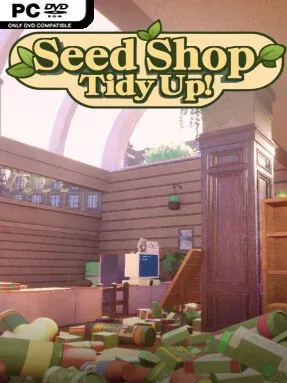
Game Overview
A buried garden centre becomes a surprisingly satisfying first-person puzzle space, where every seed packet, bulb box, pot, and young tree needs to find its proper home. Seed Shop: Tidy Up! trades time pressure and complex simulation for the quiet pleasure of restoring order to a two-floor store overwhelmed by stock. The mood is calm, colorful, and methodical, with clutter slowly giving way to packed shelves full of recognizable plant illustrations. It is the kind of game that turns careful observation into its own reward.
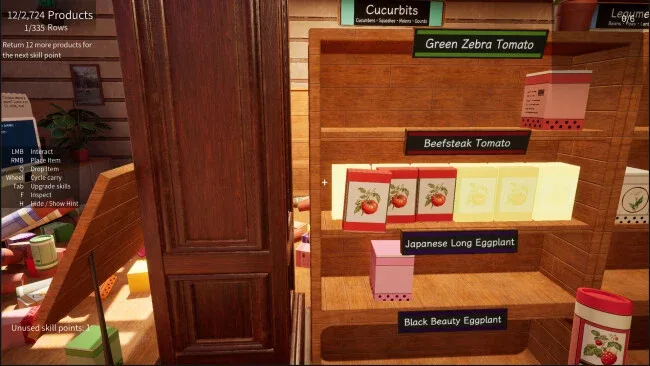
Players pick up items from heaps on the floor and counters, inspect their packaging, then match them to labeled departments and individual display slots. Names, pictures, colors, and package formats all serve as clues, so success comes from comparing details rather than arriving with real gardening expertise. An in-store scanner and its resident expert, Dr. Mint, help identify unfamiliar products, while signs and shelf labels keep the task approachable. Progress unlocks practical conveniences, including the ability to carry bigger loads, identify relevant matches more easily, and rapidly stock repeated products, making later clean-up less laborious without removing the central sorting challenge.
Its strongest feature is the scale of its catalog: hundreds of real plant varieties range from everyday vegetables and herbs to roses, tropical species, fruit trees, tea, coffee, and cacao. Each correct placement has visible impact, as empty wooden fixtures become tidy, densely stocked displays and the shop’s chaotic piles recede. That tangible before-and-after transformation gives the game the gentle compulsion of PowerWash Simulator or A Little to the Left, but with a more specific botanical catalog and a first-person perspective. It suits players who enjoy cozy, low-stakes organization games, especially those who like learning small details while working toward a perfectly arranged space.
Screenshots

Installation
- Select the <strong>Download</strong> button at the top of this page to open UploadHaven.
- On UploadHaven, wait for any countdown, then select <strong>Free Download</strong>. Optional: UploadHaven Pro for faster downloads.
- When complete, extract the archive to a <strong>Seed Shop: Tidy Up!</strong> folder using 7-Zip.
- Open the extracted folder and start the game normally.
- For errors, check <strong>Setup Guide & Troubleshooting</strong> below. Keep your security software enabled.
System Requirements
- Requires a 64-bit processor and operating system
- OS: Windows 10 64-bit
- Processor: Intel Core i5-8400
- Memory: 6 GB RAM
- Graphics: NVIDIA GTX 1060
- DirectX: Version 12
- Storage: 2 GB available space
Setup Guide & Troubleshooting
Is Seed Shop: Tidy Up! safe to download?
Yes, files are tested and verified before publication.
What are the system requirements?
Compatible with Windows with required storage space.
Can I run this on Windows 11?
Yes, tested on 64-bit Windows 10 and Windows 11.