
Game Overview
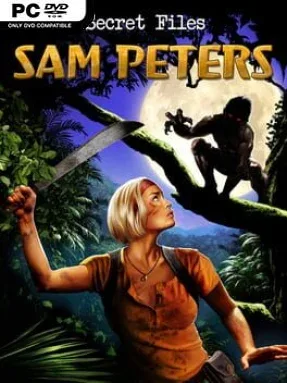
A remote Ghanaian crater lake becomes the center of a sharp, compact conspiracy thriller where folklore may be hiding something far more dangerous. Investigative journalist Sam Peters arrives at Lake Bosumtwi after surviving a terrorist-triggered volcanic disaster, only to find a new assignment tangled in missing people, uneasy locals, and stories of the blood-drinking Asanbosam. The mood balances pulpy cryptid horror with the globe-trotting intrigue associated with the Secret Files series. Rather than turning the legend into simple monster fiction, the story keeps asking whether ancient fears, corporate interests, or human schemes are behind the mystery.
Play follows the traditional point-and-click adventure format: Sam searches hand-painted locations, questions suspects, collects useful objects, and combines inventory items to overcome obstacles. Puzzles generally lean on observation and practical logic, though a few deliberately absurd adventure-game solutions require careful examination of every screen and dialogue clue. Conversation choices help uncover character motives and feed the investigation, while documents, gadgets, and environmental details gradually connect Ghana’s legends to a larger mystery. There is no action-heavy combat or open-world exploration; progress comes from methodical detective work, experimentation, and following the narrative’s twists.
Sam Peters stands out as a focused side story rather than a sprawling series entry, making it a manageable one-sitting adventure for players who prefer plot over lengthy puzzle chains. Its African setting is a welcome change from the usual European ruins and American laboratories, and the game uses local mythology to give its mystery a distinct identity. Visuals and interface design carry the polished, slightly cartoon-styled presentation familiar to Secret Files veterans, while the premise has enough context for newcomers to follow without homework. Fans of Broken Sword, Syberia, or classic Daedalic-style adventures should find an enjoyable short mystery here, especially if they like investigative stories with conspiracies, folklore, and a lightly mischievous sense of humor.
Installation
- Click the green button below to be redirected to UploadHaven.
- Wait 15 seconds, then hit “Free Download.” (Free downloads may be slower — upgrade to UploadHaven Pro for faster speeds.)
- Once downloaded, right-click the .zip file and choose “Extract to Secret Files: Sam Peters.” (You’ll need 7-Zip for this.)
- Open the extracted folder and run the game as administrator.
- Enjoy! 🎮 If you see missing DLL errors, check the <strong>_Redist</strong> folder inside and install what’s needed.
System Requirements
- OS: Windows® Vista™/Windows 7™/Windows 8™
- Processor: Pentium® IV 2 Ghz Single Core equivalent or higher
- Memory: 512 MB RAM
- Graphics: DirectX® 9 compatible Graphics card with at least 128 MB RAM
- DirectX: Version 9.0c
- Storage: 750 MB available space
- Sound Card: DirectX® 9 compatible 16 Bit-Sound Card (optional)
Setup Guide & Troubleshooting
How do I fix missing DLL errors for Secret Files: Sam Peters (v1.0)?
After extracting Secret Files: Sam Peters (v1.0), navigate to the _Redist or _CommonRedist folder inside the game directory and install DirectX, Vcredist, and any other dependencies included.
What should I do if the downloaded file is corrupted?
The full archive is 669.65 MB — make sure your download completed fully before extracting. Use 7-Zip to extract the files. If you still see a "file corrupted" error, re-download and try again.
Why should I run the game as administrator?
Right-click the game executable and select "Run as Administrator" to avoid save file issues and permission errors. This is especially important on the first launch.
How do I update my GPU drivers for this game?
Secret Files: Sam Peters (v1.0) requires a DirectX® 9 compatible Graphics card with at least 128 MB RAM or equivalent. Update your NVIDIA or AMD drivers to the latest version for the best performance.
The game won't launch — what should I try?
This game requires Version 9.0c. Try running in compatibility mode, install the latest DirectX runtime, or install the All-in-One VC Redist Package.
My antivirus is blocking the game — is it safe?
Antivirus false positives are common with pre-installed games. Temporarily pause your antivirus during extraction to prevent it from quarantining game files. You can re-enable it after the extraction completes.