
Game Overview
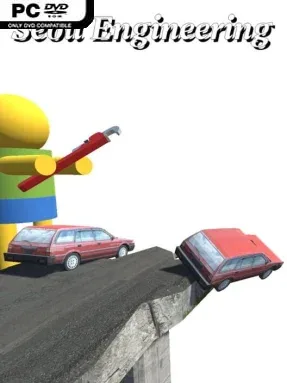
Road repair becomes an unusually tactile engineering puzzle in Sebil Engineering, an indie simulation built around untangling traffic through smarter road design. Rather than simply laying pavement from point A to point B, players confront busy junctions, flawed routes, and transport networks that need practical intervention. The mood is methodical but playful: every adjustment can improve a city’s flow or create a new bottleneck, while the freedom to experiment keeps failure from feeling punishing. Its focus on believable civil-engineering problems gives the game a satisfying “one more redesign” pull.
Each scenario asks you to assess existing roads, reshape connections, and find a solution that keeps vehicles moving safely and efficiently. The primary overhead perspective provides the broad planning view needed to understand traffic patterns, while a surveyor tool lets you drop into first person, walk around the environment, inspect problem areas closely, and make more precise changes. That ground-level mode also makes the consequences of a poor plan feel immediate, since traffic remains active and inattentive players can end up in its path. With more than 40 levels and several viable answers to most of them, progress depends less on finding a prescribed trick and more on applying your own ideas; branching paths also let you choose which challenges to tackle next.
Sebil Engineering stands apart from conventional city builders by stripping away sprawling budgets and empire management in favor of concentrated, hand-built road problems. Its detailed traffic simulation gives each intersection real character, rewarding lane discipline, sensible curves, and thoughtful routing instead of purely cosmetic construction. The multiple-camera approach is especially effective, turning abstract road diagrams into spaces you can physically inspect and understand. Fans of Mini Motorways, Cities: Skylines traffic management, or open-ended puzzle sandboxes should find plenty to enjoy, though its specialized subject matter suits patient tinkerers more than players seeking fast action.
Installation
- Click the green button below to be redirected to UploadHaven.
- Wait 15 seconds, then hit “Free Download.” (Free downloads may be slower — upgrade to UploadHaven Pro for faster speeds.)
- Once downloaded, right-click the .zip file and choose “Extract to Sebil Engineering.” (You’ll need 7-Zip for this.)
- Open the extracted folder and run the game as administrator.
- Enjoy! 🎮 If you see missing DLL errors, check the <strong>_Redist</strong> folder inside and install what’s needed.
System Requirements
- OS: 64bit versions of Windows 7, Windows 8, Windows 10
- Processor: 2.0 GHz+, 32-bit
- Memory: 1 GB RAM
- Graphics: ATI Radeon X1300/NVIDIA GeForce 6600 GT/Intel HD 3000 or better
- Storage: 2 GB available space
- Sound Card: Intel High Definition Audio
Setup Guide & Troubleshooting
How do I fix missing DLL errors for Sebil Engineering (v0.24)?
After extracting Sebil Engineering (v0.24), navigate to the _Redist or _CommonRedist folder inside the game directory and install DirectX, Vcredist, and any other dependencies included.
What should I do if the downloaded file is corrupted?
The full archive is 786.30 MB — make sure your download completed fully before extracting. Use 7-Zip to extract the files. If you still see a "file corrupted" error, re-download and try again.
Why should I run the game as administrator?
Right-click the game executable and select "Run as Administrator" to avoid save file issues and permission errors. This is especially important on the first launch.
How do I update my GPU drivers for this game?
Sebil Engineering (v0.24) requires a ATI Radeon X1300/NVIDIA GeForce 6600 GT/Intel HD 3000 or better or equivalent. Update your NVIDIA or AMD drivers to the latest version for the best performance.
The game won't launch — what should I try?
Try running in compatibility mode, install the latest DirectX runtime, or install the All-in-One VC Redist Package.
My antivirus is blocking the game — is it safe?
Antivirus false positives are common with pre-installed games. Temporarily pause your antivirus during extraction to prevent it from quarantining game files. You can re-enable it after the extraction completes.