
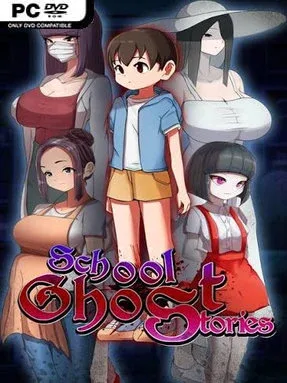
Game Overview
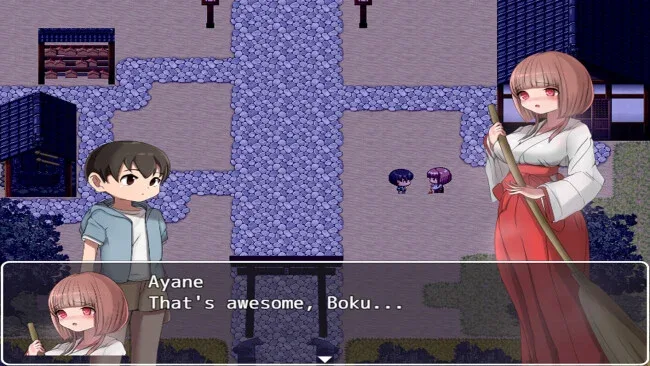
A rural school becomes the center of a supernatural crisis after Boku, a Tokyo boy spending time with his aunt, accidentally breaks an ancient shrine seal. The mistake releases hostile Youkai into the countryside, placing his new friend Ayane—a shrine maiden unusually sensitive to spirits—in immediate danger. School Ghost Stories plays as a Japanese folklore horror adventure, mixing quiet neighborhood exploration with uneasy encounters drawn from ghost stories and urban legends. Its mood leans more toward creeping dread and ominous mystery than constant action, using the familiar setting of an empty school to make every corridor feel suspicious.
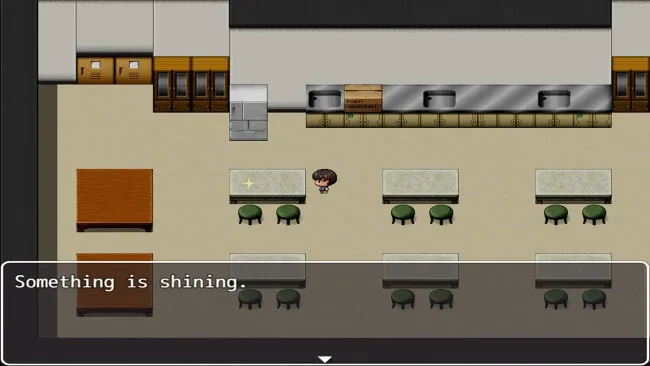
Boku searches the shrine, nearby streets, and school grounds for clues, talismans, and the Three Sacred Treasures needed to repair the damage. Progress comes from investigating locations, speaking with apparitions, paying attention to hints, and deciding which leads to pursue as the mystery expands. Not every spirit is a straightforward enemy; some encounters test whether Boku can resist manipulation or avoid traps that pull him further into the supernatural mess. Choices carry real narrative weight, affecting Boku’s state of mind, Ayane’s outcome, and the ending reached, so careful players have reason to revisit key decisions. The focus remains on story-driven exploration rather than elaborate combat, making observation and judgment the central survival tools.
Japanese ghost folklore gives the adventure its strongest identity, with recognizable Youkai and schoolhouse legends providing more personality than generic haunted-house scares. The contrast between a peaceful country vacation and a steadily corrupted school gives the story an effective escalation, while the shrine’s sealing ritual provides a clear goal beyond simply escaping. Multiple endings add replay value for players curious about alternate choices and darker consequences. Fans of supernatural visual novels, narrative horror, and investigation-focused adventures in the vein of Japanese urban-legend games should find plenty to like, especially if they prefer suspense and branching outcomes over reflex-heavy action.
Screenshots
Installation
- Click the green button below to be redirected to UploadHaven.
- Wait 15 seconds, then hit “Free Download.” (Free downloads may be slower — upgrade to UploadHaven Pro for faster speeds.)
- Once downloaded, right-click the .zip file and choose “Extract to School Ghost Stories.” (You’ll need 7-Zip for this.)
- Open the extracted folder and run the game as administrator.
- Enjoy! 🎮 If you see missing DLL errors, check the <strong>_Redist</strong> folder inside and install what’s needed.
System Requirements
- OS *: Windows® 7/8/8.1/10
- Processor: Intel Core2 Duo or better
- Memory: 4 GB RAM
- Graphics: DirectX 9/OpenGL 4.1 capable GPU
- Storage: 2 GB available space
Setup Guide & Troubleshooting
How do I fix missing DLL errors for School Ghost Stories?
After extracting School Ghost Stories, navigate to the _Redist or _CommonRedist folder inside the game directory and install DirectX, Vcredist, and any other dependencies included.
What should I do if the downloaded file is corrupted?
The full archive is 797.78 MB — make sure your download completed fully before extracting. Use 7-Zip to extract the files. If you still see a "file corrupted" error, re-download and try again.
Why should I run the game as administrator?
Right-click the game executable and select "Run as Administrator" to avoid save file issues and permission errors. This is especially important on the first launch.
How do I update my GPU drivers for this game?
School Ghost Stories requires a DirectX 9/OpenGL 4.1 capable GPU or equivalent. Update your NVIDIA or AMD drivers to the latest version for the best performance.
The game won't launch — what should I try?
Try running in compatibility mode, install the latest DirectX runtime, or install the All-in-One VC Redist Package.
My antivirus is blocking the game — is it safe?
Antivirus false positives are common with pre-installed games. Temporarily pause your antivirus during extraction to prevent it from quarantining game files. You can re-enable it after the extraction completes.