
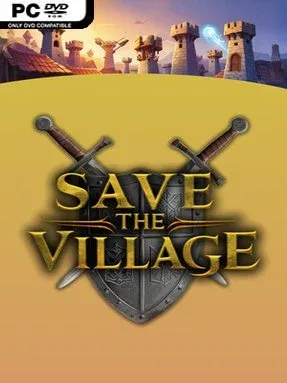
Game Overview
Medieval villages stand between a growing dark army and total ruin, leaving their survival in the hands of careful planning rather than swordplay. Save the Village – Tower Defense is a single-player tower defense campaign built around holding winding routes against skeleton warriors, goblins, and increasingly dangerous boss encounters. Its tone is colorful fantasy with a steady tactical edge: calm-looking settlements quickly become pressured battlefields once the next wave begins. Every map asks you to protect ordinary villagers while the kingdom’s larger supernatural threat closes in.
Matches revolve around studying enemy paths, choosing effective tower positions, and spending resources on upgrades that address the dangers ahead. Different defenses bring distinct strengths, so success depends on combining their attacks instead of simply covering every available space with the same structure. Magic and unlockable battlefield skills provide another layer of control, letting you disrupt a crowded push or reinforce a defense when an elite enemy threatens to break through. Progression carries players through a range of locations, from the gentler hills around Startville to the hostile fire-lit terrain of Inferno Hollow, with new geography and enemy combinations changing how each defense must be built.
The strongest appeal lies in its straightforward focus on the fundamentals of tower defense: readable lanes, escalating waves, upgrades, and the constant question of whether to invest now or save for a harder assault. Varied village themes keep the campaign from feeling like one long repeat of the same board, while bosses force players to rethink defenses that work perfectly against regular troops. It does not appear to chase the huge hero roster or elaborate meta-systems of series such as Kingdom Rush; instead, it aims for approachable medieval defense strategy driven by placement and timing. Players wanting a focused solo campaign with fantasy monsters, magical powers, and gradual tactical escalation should find it a fitting choice, especially if they enjoy classic lane-defense games without excessive complexity.
Installation
- Click the green button below to be redirected to UploadHaven.
- Wait 15 seconds, then hit “Free Download.” (Free downloads may be slower — upgrade to UploadHaven Pro for faster speeds.)
- Once downloaded, right-click the .zip file and choose “Extract to Save the Village - Tower Defense.” (You’ll need 7-Zip for this.)
- Open the extracted folder and run the game as administrator.
- Enjoy! 🎮 If you see missing DLL errors, check the <strong>_Redist</strong> folder inside and install what’s needed.
System Requirements
- Requires a 64-bit processor and operating system
- OS: Windows 10 and Windows 11, 64-bit versions only.
- Processor: X64 architecture with SSE2 instruction set support.
- Memory: 8 GB RAM
- Graphics: DX10, DX11, and DX12-capable GPUs.
- DirectX: Version 10
- Network: Broadband Internet connection
- Storage: 3 GB available space
Setup Guide & Troubleshooting
How do I fix missing DLL errors for Save the Village – Tower Defense (v1.0)?
After extracting Save the Village – Tower Defense (v1.0), navigate to the _Redist or _CommonRedist folder inside the game directory and install DirectX, Vcredist, and any other dependencies included.
What should I do if the downloaded file is corrupted?
The full archive is 0.94 GB — make sure your download completed fully before extracting. Use 7-Zip to extract the files. If you still see a "file corrupted" error, re-download and try again.
Why should I run the game as administrator?
Right-click the game executable and select "Run as Administrator" to avoid save file issues and permission errors. This is especially important on the first launch.
How do I update my GPU drivers for this game?
Save the Village – Tower Defense (v1.0) requires a DX10, DX11, and DX12-capable GPUs. or equivalent. Update your NVIDIA or AMD drivers to the latest version for the best performance.
The game won't launch — what should I try?
This game requires Version 10. Try running in compatibility mode, install the latest DirectX runtime, or install the All-in-One VC Redist Package.
My antivirus is blocking the game — is it safe?
Antivirus false positives are common with pre-installed games. Temporarily pause your antivirus during extraction to prevent it from quarantining game files. You can re-enable it after the extraction completes.