
Game Overview
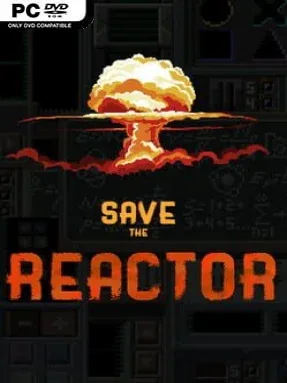
A rookie operator’s first shift at a nuclear reactor turns into a frantic test of focus, timing, and nerves. Save The Reactor is a compact hardcore point-and-click challenge built around the pressure of keeping a complex facility under control while the demands placed on you keep escalating. Its tone is deliberately tense but playful: the workplace is absurdly unforgiving, the controls are unfamiliar, and even the chair beneath your character becomes part of the mounting discomfort. Rather than telling a broad story, it sells the fantasy of being overwhelmed at a control station and somehow keeping the disaster alarms quiet.
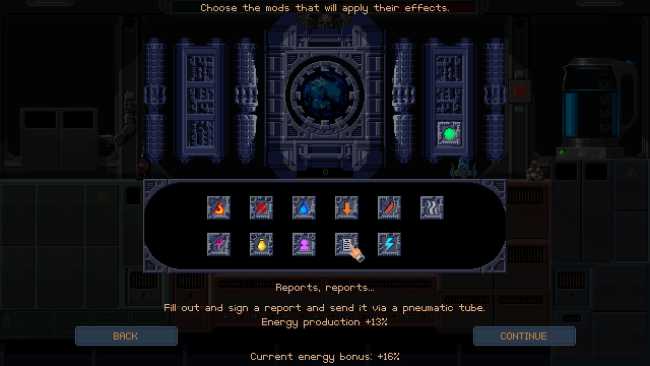
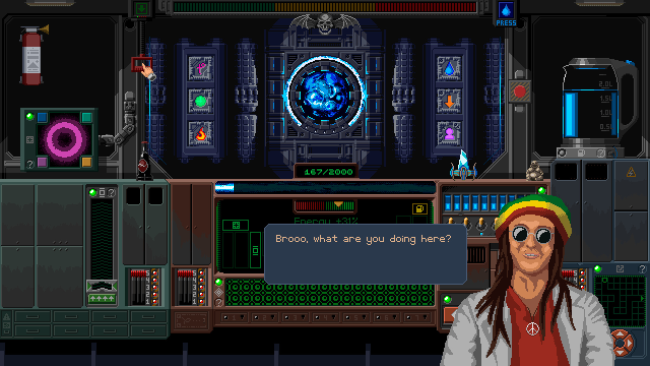
Each day presents new operational tasks across more than 40 interactive panels, and success depends on quickly understanding how each interface works. You click, manipulate, and monitor different controls while juggling several problems at once, making observation and prioritization as important as raw reaction speed. The basic loop is simple—identify what needs attention, operate the correct system, and prevent errors from spiraling—but the individual panel interactions aim to keep that loop from becoming routine. Difficulty rises naturally as the workload grows, while more than ten modifiers let confident players make the controls, pressure, and multitasking demands even harsher.
What makes Save The Reactor appealing is its focus on simulated workplace stress rather than traditional action-game spectacle. It resembles the high-pressure decision making of games such as Keep Talking and Nobody Explodes, but places the burden on one player navigating a strange collection of reactor interfaces instead of coordinating a bomb squad. Short sessions and escalating complications make it well suited to score-chasers, challenge runners, and players who enjoy learning awkward systems under a ticking-clock atmosphere. Newcomers should expect to fail while learning the panels, while veterans of demanding indie games can use the modifiers to turn an already stressful shift into a genuine endurance test.
Installation
- Click the green button below to be redirected to UploadHaven.
- Wait 15 seconds, then hit “Free Download.” (Free downloads may be slower — upgrade to UploadHaven Pro for faster speeds.)
- Once downloaded, right-click the .zip file and choose “Extract to Save The Reactor.” (You’ll need 7-Zip for this.)
- Open the extracted folder and run the game as administrator.
- Enjoy! 🎮 If you see missing DLL errors, check the <strong>_Redist</strong> folder inside and install what’s needed.
System Requirements
- OS: Windows XP, Vista, 7, 8/8.1, 10
- Processor: 2.0 Ghz
- Memory: 2 GB RAM
- Graphics: 1Gb Video Memory, capable of OpenGL 3.0+ support (2.1 with ARB extensions acceptable)
- Storage: 50 MB available space
Setup Guide & Troubleshooting
How do I fix missing DLL errors for Save The Reactor?
After extracting Save The Reactor, navigate to the _Redist or _CommonRedist folder inside the game directory and install DirectX, Vcredist, and any other dependencies included.
What should I do if the downloaded file is corrupted?
The full archive is 78.91 MB — make sure your download completed fully before extracting. Use 7-Zip to extract the files. If you still see a "file corrupted" error, re-download and try again.
Why should I run the game as administrator?
Right-click the game executable and select "Run as Administrator" to avoid save file issues and permission errors. This is especially important on the first launch.
How do I update my GPU drivers for this game?
Save The Reactor requires a 1Gb Video Memory, capable of OpenGL 3.0+ support (2.1 with ARB extensions acceptable) or equivalent. Update your NVIDIA or AMD drivers to the latest version for the best performance.
The game won't launch — what should I try?
Try running in compatibility mode, install the latest DirectX runtime, or install the All-in-One VC Redist Package.
My antivirus is blocking the game — is it safe?
Antivirus false positives are common with pre-installed games. Temporarily pause your antivirus during extraction to prevent it from quarantining game files. You can re-enable it after the extraction completes.