
Game Overview
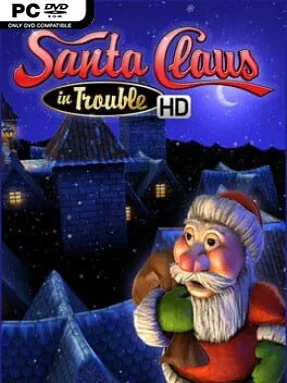
Christmas cheer collides with old-school platforming in this HD revival of a cult 3D adventure. Santa’s entire stock of presents has scattered across snowy, toy-filled, and increasingly hazardous environments just before Christmas Eve, leaving the player to recover every package before the holiday is ruined. The tone stays bright and family-friendly, but the platforming has enough moving traps, bottomless drops, and awkwardly placed enemies to keep it from becoming a completely effortless stroll. It feels like a cheerful throwback to the era when mascot platformers asked players to judge jumps carefully and hunt through every corner of a level.
Santa runs, jumps, climbs, and collects presents across 20 stages split between five themed episodes. Each level mixes straightforward traversal with physical contraptions such as elevators, trampolines, slides, seesaws, swinging hammers, and other devices that can either provide a shortcut or send him tumbling into danger. Six enemy types patrol the routes, so progress involves timing jumps around hazards as much as reacting to opponents. The HD version improves the presentation with rebuilt textures, character models, lighting, shadows, a high-resolution interface, and full controller support, while retaining a Classic mode for players who want the original feel. Online leaderboards and a dedicated Speed Run option add an extra reason to replay levels once the basic present hunt is complete.
What separates Santa Claus in Trouble (HD) from modern precision platformers is its unapologetically retro structure: broad 3D spaces, collectible-driven goals, simple controls, and a slightly rough-edged challenge. Its festive soundtrack and colorful environments make it an easy seasonal pick for younger players, couch co-op spectators, or anyone with nostalgia for late-1990s PC platformers, though it does not offer the polish or depth of a Super Mario 3D title. Veterans can chase cleaner routes and leaderboard times, while newcomers get a forgiving, accessible introduction to 3D jumping. Anyone wanting a compact Christmas platformer with real obstacles rather than a passive holiday distraction finds plenty to enjoy here.
Installation
- Click the green button below to be redirected to UploadHaven.
- Wait 15 seconds, then hit “Free Download.” (Free downloads may be slower — upgrade to UploadHaven Pro for faster speeds.)
- Once downloaded, right-click the .zip file and choose “Extract to Santa Claus in Trouble (HD).” (You’ll need 7-Zip for this.)
- Open the extracted folder and run the game as administrator.
- Enjoy! 🎮 If you see missing DLL errors, check the <strong>_Redist</strong> folder inside and install what’s needed.
System Requirements
- OS: Windows 7, Windows 8 or Windows 10
- Processor: 3GHz i3 quad logical core or equivalent
- Memory: 4 GB RAM
- Graphics: NVIDIA GeForce 460 or AMD Radeon 6950 with 1 GB of VRAM
- DirectX: Version 9.0c
- Storage: 900 MB available space
- Sound Card: DirectX Compatible
Setup Guide & Troubleshooting
How do I fix missing DLL errors for Santa Claus in Trouble (HD)?
After extracting Santa Claus in Trouble (HD), navigate to the _Redist or _CommonRedist folder inside the game directory and install DirectX, Vcredist, and any other dependencies included.
What should I do if the downloaded file is corrupted?
The full archive is 285.31 MB — make sure your download completed fully before extracting. Use 7-Zip to extract the files. If you still see a "file corrupted" error, re-download and try again.
Why should I run the game as administrator?
Right-click the game executable and select "Run as Administrator" to avoid save file issues and permission errors. This is especially important on the first launch.
How do I update my GPU drivers for this game?
Santa Claus in Trouble (HD) requires a NVIDIA GeForce 460 or AMD Radeon 6950 with 1 GB of VRAM or equivalent. Update your NVIDIA or AMD drivers to the latest version for the best performance.
The game won't launch — what should I try?
This game requires Version 9.0c. Try running in compatibility mode, install the latest DirectX runtime, or install the All-in-One VC Redist Package.
My antivirus is blocking the game — is it safe?
Antivirus false positives are common with pre-installed games. Temporarily pause your antivirus during extraction to prevent it from quarantining game files. You can re-enable it after the extraction completes.