
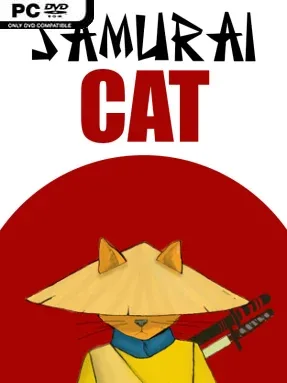
Samurai Cat Cover Art

Samurai Cat

INDIE 76.95 MB

Game Overview

Feudal Japan becomes a compact tactical battleground where every move can decide whether a rat infestation ends in a clean sweep or a frustrating reset. Samurai Cat reframes checkers as a handmade puzzle campaign, asking players to manipulate enemies into the exact positions needed for a final, devastating chain capture. Its tone is playful but purposeful, mixing cute animal characters with a strange conspiracy involving mice, cats, and ambitions of global control. The result is less about reflexes than patient planning, spatial awareness, and spotting the one sequence hidden inside each board.

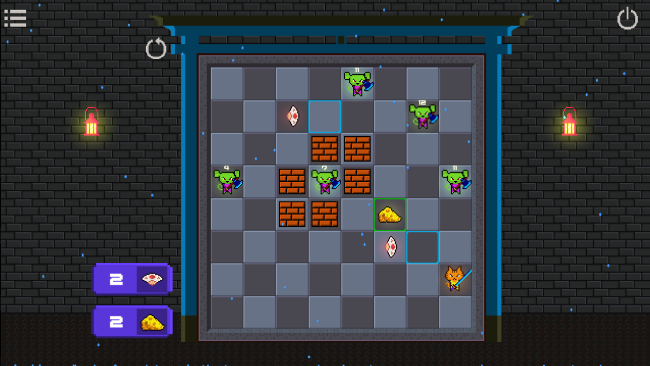
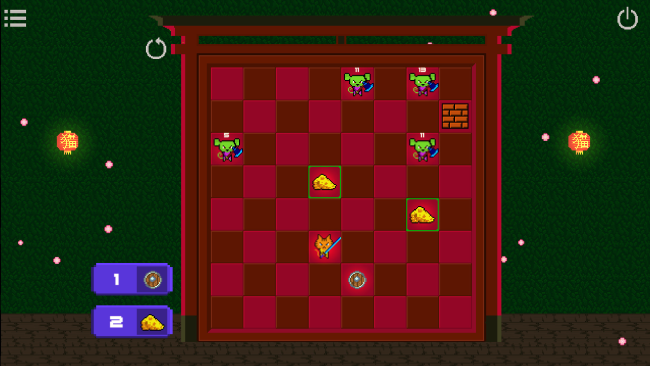
Each level centers on placing cheese as bait, drawing rats toward useful squares, and lining them up so Mr. Jack can leap across the board and remove them in one uninterrupted move. Early puzzles teach the basic logic of forced positioning and capture routes, while later stages introduce board-altering tools that relocate pieces or temporarily promote them into queen-like units with greater movement options. Success means thinking several turns ahead, accounting for where every enemy lands, and avoiding setups that leave a single rat beyond reach. A tougher opponent eventually disrupts the usual rules by moving independently and surviving multiple hits, giving the later boards a more demanding boss-puzzle flavor rather than simply increasing the number of pieces.

What stands out is the way familiar draughts mechanics become a sequence of tightly designed logic challenges instead of a competitive match against an AI. The Japanese setting, illustrated boards, and collectible hidden scrolls provide light narrative texture, gradually revealing the absurd history behind the mice’s rise and the cats’ decline. With 41 distinct levels, Samurai Cat favors carefully authored solutions over endless procedural replayability, making each cleared board feel earned. Players who enjoy Sokoban-style planning, chess puzzles, or games such as Into the Breach’s turn-by-turn problem solving should find plenty to like, while checkers veterans may especially appreciate its clever twists on chain captures and promotion.

Installation

  1. Click the green button below to be redirected to UploadHaven.
  2. Wait 15 seconds, then hit “Free Download.” (Free downloads may be slower — upgrade to UploadHaven Pro for faster speeds.)
  3. Once downloaded, right-click the .zip file and choose “Extract to Samurai Cat.” (You’ll need 7-Zip for this.)
  4. Open the extracted folder and run the game as administrator.
  5. Enjoy! 🎮 If you see missing DLL errors, check the <strong>_Redist</strong> folder inside and install what’s needed.

System Requirements

  • OS: Windows XP/Vista/7/8/10
  • Processor: 2 Ghz Dual Core
  • Memory: 2 GB RAM
  • Storage: 100 MB available space

Setup Guide & Troubleshooting

How do I fix missing DLL errors for Samurai Cat?

After extracting Samurai Cat, navigate to the _Redist or _CommonRedist folder inside the game directory and install DirectX, Vcredist, and any other dependencies included.

What should I do if the downloaded file is corrupted?

The full archive is 76.95 MB — make sure your download completed fully before extracting. Use 7-Zip to extract the files. If you still see a "file corrupted" error, re-download and try again.

Why should I run the game as administrator?

Right-click the game executable and select "Run as Administrator" to avoid save file issues and permission errors. This is especially important on the first launch.

How do I update my GPU drivers for this game?

Update your NVIDIA or AMD drivers to the latest version for the best performance and compatibility.

The game won't launch — what should I try?

Try running in compatibility mode, install the latest DirectX runtime, or install the All-in-One VC Redist Package.

My antivirus is blocking the game — is it safe?

Antivirus false positives are common with pre-installed games. Temporarily pause your antivirus during extraction to prevent it from quarantining game files. You can re-enable it after the extraction completes.

Need more help? Browse our FAQ & Troubleshooting Guide for solutions to common issues.
Looking for something else? Explore all games on Steam Unlocked