
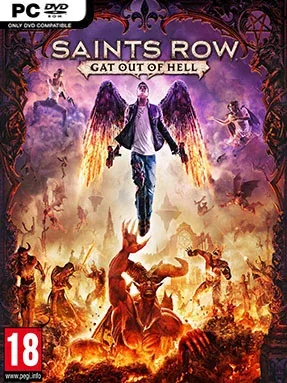
Game Overview
Hell becomes a neon-lit playground for the Saints’ most shameless detour, trading alien invasions for demonic royalty, cursed suburbs, and jokes that knowingly push past good taste. Saints Row: Gat Out of Hell is a compact open-world action adventure that sends Johnny Gat or Kinzie Kensington below to rescue the Boss after Satan claims their soul. The tone is gleefully stupid in the series’ best sense: one moment you are battling demonic enforcers, the next you are listening to a weapon talk back or watching a musical number unfold. It works as a standalone expansion, but its humor lands hardest for players who already know the Saints and their increasingly absurd history.
Movement drives much of the action, with winged flight replacing much of Saints Row IV’s superpowered sprinting and letting you glide, dive, and bounce across the underworld’s vertical cityscape. Missions range from story objectives and rescue jobs to side activities that reward chaos, destruction, and efficient combat, while collectibles and challenges feed into upgrades for abilities and weapons. Gat and Kinzie play similarly, each using supernatural powers such as summoning imps, forcing enemies to worship, or unleashing explosive elemental attacks. The arsenal is deliberately ridiculous, built around the seven deadly sins and including bizarre tools like a frog-launching gun, while two-player online co-op lets a second player cause mayhem alongside you.
Rather than trying to make Hell grim or frightening, the game turns it into a stylized amusement park of lava, skyscrapers, industrial soul-processing plants, and districts ruled by demonic Arch-Dukes. Its greatest strength is speed: flying between objectives feels freer and more satisfying than driving, and the smaller scale keeps the campaign from overstaying its joke. The story is brief and the activities can become repetitive, so players expecting the scope of a full Saints Row sequel may find it slight. Fans of Saints Row IV, Sunset Overdrive-style traversal, and loud sandbox comedy get the most from it, while newcomers can still enjoy the action if they do not mind missing recurring-character references.
Installation
- Click the green button below to be redirected to UploadHaven.
- Wait 15 seconds, then hit “Free Download.” (Free downloads may be slower — upgrade to UploadHaven Pro for faster speeds.)
- Once downloaded, right-click the .zip file and choose “Extract to Saints Row: Gat Out Of Hell.” (You’ll need 7-Zip for this.)
- Open the extracted folder and run the game as administrator.
- Enjoy! 🎮 If you see missing DLL errors, check the <strong>_Redist</strong> folder inside and install what’s needed.
System Requirements
- OS: Windows Vista (x86 or x64)
- Processor: Intel Core 2 Quad Q6600 | AMD Athlon II x3
- Memory: 4 GB RAM
- Graphics: NVIDIA GTX 260 | AMD Radeon HD 5800 series
- DirectX: Version 10
- Storage: 7 GB available space
Setup Guide & Troubleshooting
How do I fix missing DLL errors for Saints Row: Gat Out Of Hell?
After extracting Saints Row: Gat Out Of Hell, navigate to the _Redist or _CommonRedist folder inside the game directory and install DirectX, Vcredist, and any other dependencies included.
What should I do if the downloaded file is corrupted?
The full archive is 5.00 GB — make sure your download completed fully before extracting. Use 7-Zip to extract the files. If you still see a "file corrupted" error, re-download and try again.
Why should I run the game as administrator?
Right-click the game executable and select "Run as Administrator" to avoid save file issues and permission errors. This is especially important on the first launch.
How do I update my GPU drivers for this game?
Saints Row: Gat Out Of Hell requires a NVIDIA GTX 260 | AMD Radeon HD 5800 series or equivalent. Update your NVIDIA or AMD drivers to the latest version for the best performance.
The game won't launch — what should I try?
This game requires Version 10. Try running in compatibility mode, install the latest DirectX runtime, or install the All-in-One VC Redist Package.
My antivirus is blocking the game — is it safe?
Antivirus false positives are common with pre-installed games. Temporarily pause your antivirus during extraction to prevent it from quarantining game files. You can re-enable it after the extraction completes.