
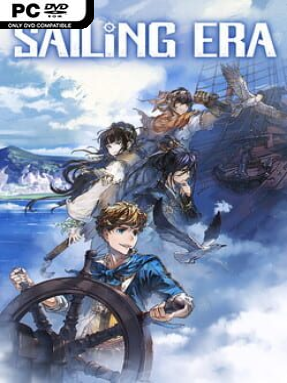
Game Overview
Wind direction, seasonal currents, and the promise of distant profit shape every voyage across Sailing Era’s age-of-discovery oceans. Set between the fifteenth and seventeenth centuries, it blends open-ended trading, naval adventure, party-driven RPG progression, and exploration on a world map built to feel genuinely enormous. You take command of one of four captains with different personal stories and ambitions, whether they seek wealth, knowledge, notoriety, or a place in history. The mood shifts naturally from peaceful merchant runs between colorful ports to tense encounters with storms, privateers, and unexplained ruins far from safe waters.
Most of your time revolves around preparing a ship, plotting routes, managing supplies, and deciding which risks are worth taking. Nearly 200 ports offer markets with changing prices, commissions, recruits, investments, and opportunities to build a region’s prosperity; improving a port also expands its available goods and vessels. Travel is not simply clicking between destinations, since monsoons, wind, weather, and ocean hazards influence speed, safety, and where profitable routes emerge. Combat lets captains maneuver for favorable wind, line up broadside cannon fire, and board enemy vessels for close-quarters sword fighting, while land expeditions add treasure hunts and inland discoveries to the seafaring routine.
Its strongest feature is the sheer breadth of the maritime sandbox. Famous ship classes, including caravels and galleons, can be acquired and customized, while more than 30 recruitable specialists bring distinct strengths and develop new traits as they travel with you. The historical backdrop is presented with a colorful, accessible style rather than the harsh simulation focus of games such as Naval Action, but there is enough economic planning and fleet management to reward patient strategists. Fans of Uncharted Waters, Sid Meier’s Pirates!, or trade-heavy RPGs find plenty to enjoy, and newcomers can approach it as a relaxed adventure before engaging with its deeper systems.
Installation
- Click the green button below to be redirected to UploadHaven.
- Wait 15 seconds, then hit “Free Download.” (Free downloads may be slower — upgrade to UploadHaven Pro for faster speeds.)
- Once downloaded, right-click the .zip file and choose “Extract to Sailing Era.” (You’ll need 7-Zip for this.)
- Open the extracted folder and run the game as administrator.
- Enjoy! 🎮 If you see missing DLL errors, check the <strong>_Redist</strong> folder inside and install what’s needed.
System Requirements
- Requires a 64-bit processor and operating system
- OS: Windows 7(64-Bit)
- Processor: i5-2320 3GHZ 4 Core
- Memory: 4 GB RAM
- Graphics: GTX 750 2GB
- DirectX: Version 11
- Storage: 15 GB available space
- Additional Notes: Need 64 bit system
Setup Guide & Troubleshooting
How do I fix missing DLL errors for Sailing Era (v1.3.0 & ALL DLC)?
After extracting Sailing Era (v1.3.0 & ALL DLC), navigate to the _Redist or _CommonRedist folder inside the game directory and install DirectX, Vcredist, and any other dependencies included.
What should I do if the downloaded file is corrupted?
The full archive is 6.82 GB — make sure your download completed fully before extracting. Use 7-Zip to extract the files. If you still see a "file corrupted" error, re-download and try again.
Why should I run the game as administrator?
Right-click the game executable and select "Run as Administrator" to avoid save file issues and permission errors. This is especially important on the first launch.
How do I update my GPU drivers for this game?
Sailing Era (v1.3.0 & ALL DLC) requires a GTX 750 2GB or equivalent. Update your NVIDIA or AMD drivers to the latest version for the best performance.
The game won't launch — what should I try?
This game requires Version 11. Try running in compatibility mode, install the latest DirectX runtime, or install the All-in-One VC Redist Package.
My antivirus is blocking the game — is it safe?
Antivirus false positives are common with pre-installed games. Temporarily pause your antivirus during extraction to prevent it from quarantining game files. You can re-enable it after the extraction completes.