
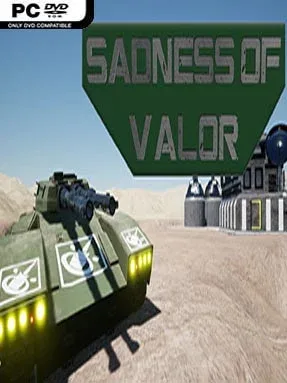
Game Overview
A ruined desert planet becomes a tense battlefield for survival, logistics, and rapid military decisions. Sadness of Valor casts you as the commander of GSOS-3, an orbital support station tasked with protecting what remains of humanity while uncovering traces of the world’s troubled past. Its tone sits somewhere between humanitarian crisis management and hard-edged science-fiction warfare: resources are thin, threats escalate quickly, and even a well-planned operation can unravel in seconds. The focus is less on overwhelming an opponent with sheer numbers than making every deployment count.
Matches revolve around establishing a functional base, gathering and managing limited supplies, and positioning units carefully before a fight turns against you. Buildings, upgrades, defensive arrangements, and offensive forces all compete for the same strained economy, demanding practical choices rather than a single unbeatable strategy. Combat adds a notable layer of uncertainty because attacks use physical projectiles instead of guaranteed hits; shots can miss, be avoided, or strike allied troops caught in the line of fire. Friendly fire makes reckless volleys dangerous, while unit placement, angles of attack, and timing become as important as the size of an army.
A humanitarian-focused campaign gives the strategic framework more purpose than a standard skirmish ladder, combining battlefield pressure with the challenge of sustaining a fragile population. Custom matches support battles against AI opponents or friends, while matchmaking provides competitive play and cosmetic rewards such as unit skins and stripes. The real-time systems reward players who enjoy methodical planning but can adapt when a missed shot or exposed position changes the situation instantly. Fans of smaller-scale RTS games with tactical projectile combat, resource scarcity, and less predictable engagements should find plenty to like, especially if they want a strategy game where precision matters more than rapid unit spam.
Installation
- Click the green button below to be redirected to UploadHaven.
- Wait 15 seconds, then hit “Free Download.” (Free downloads may be slower — upgrade to UploadHaven Pro for faster speeds.)
- Once downloaded, right-click the .zip file and choose “Extract to Sadness of Valor.” (You’ll need 7-Zip for this.)
- Open the extracted folder and run the game as administrator.
- Enjoy! 🎮 If you see missing DLL errors, check the <strong>_Redist</strong> folder inside and install what’s needed.
System Requirements
- Requires a 64-bit processor and operating system
- OS: Windows 10 Home
- Processor: i7 6k / Ryzen 5 2600
- Memory: 4 GB RAM
- Graphics: GTX 1080 / RX 5700
- DirectX: Version 11
- Network: Broadband Internet connection
- Storage: 25 GB available space
Setup Guide & Troubleshooting
How do I fix missing DLL errors for Sadness of Valor?
After extracting Sadness of Valor, navigate to the _Redist or _CommonRedist folder inside the game directory and install DirectX, Vcredist, and any other dependencies included.
What should I do if the downloaded file is corrupted?
The full archive is 8.03 GB — make sure your download completed fully before extracting. Use 7-Zip to extract the files. If you still see a "file corrupted" error, re-download and try again.
Why should I run the game as administrator?
Right-click the game executable and select "Run as Administrator" to avoid save file issues and permission errors. This is especially important on the first launch.
How do I update my GPU drivers for this game?
Sadness of Valor requires a GTX 1080 / RX 5700 or equivalent. Update your NVIDIA or AMD drivers to the latest version for the best performance.
The game won't launch — what should I try?
This game requires Version 11. Try running in compatibility mode, install the latest DirectX runtime, or install the All-in-One VC Redist Package.
My antivirus is blocking the game — is it safe?
Antivirus false positives are common with pre-installed games. Temporarily pause your antivirus during extraction to prevent it from quarantining game files. You can re-enable it after the extraction completes.