
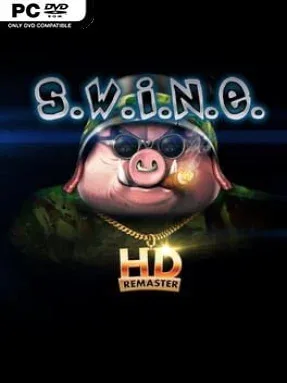
Game Overview
A cartoon war between militarized pigs and rabbits gives this real-time strategy cult favorite an identity far stranger and more memorable than its grim battlefield objectives suggest. S.W.I.N.E. HD Remaster revisits the early-2000s RTS with sharper unit models, rebuilt textures, modern resolution support, and a wider interface that makes its tactical maps easier to read. Beneath the playful animal armies lies a demanding campaign structure built around armored assaults, ambushes, and carefully planned advances. The tone balances slapstick presentation with tense, often unforgiving tactical combat.
Commanders direct tanks, scouts, artillery, rocket launchers, repair units, and air support across missions for both the Rabbit and Pig factions. Rather than obsessing over harvesting resources and erecting bases, each scenario emphasizes preserving a limited force, positioning units well, and choosing the right tool for enemy armor or defenses. Units gain upgrades between and during operations, allowing stronger weapons, improved armor, special abilities, and role-specific advantages that reward long-term planning. Two sizable single-player campaigns provide the main challenge, while multiplayer battles let players test their armies and tactics against human opponents.
Its most distinctive strength is the focused, mission-driven RTS design: every vehicle matters, and a careless charge can turn a comfortable victory into a wrecked convoy. The extended camera zoom and 16:9-friendly presentation make the remaster substantially more comfortable than the original, while retaining the deliberately old-school pacing and difficulty. Battles feel less like the economy-heavy matches of StarCraft and more like compact armored engagements where terrain, line of sight, repairs, and target priority decide the outcome. Fans of classic Command & Conquer-era strategy, quirky military satire, and challenging single-player campaigns find plenty to enjoy, though players expecting modern quality-of-life features or easygoing missions should be ready to learn through defeat.
Installation
- Click the green button below to be redirected to UploadHaven.
- Wait 15 seconds, then hit “Free Download.” (Free downloads may be slower — upgrade to UploadHaven Pro for faster speeds.)
- Once downloaded, right-click the .zip file and choose “Extract to S.W.I.N.E. HD Remaster.” (You’ll need 7-Zip for this.)
- Open the extracted folder and run the game as administrator.
- Enjoy! 🎮 If you see missing DLL errors, check the <strong>_Redist</strong> folder inside and install what’s needed.
System Requirements
- OS: Windows 7
- Processor: Intel Atom® N270 1.6 GHz
- Memory: 1 GB RAM
- Graphics: DirectX® 9.0c compatible video card with 128 MB video memory
- DirectX: Version 9.0c
- Network: Broadband Internet connection
- Storage: 3 GB available space
Setup Guide & Troubleshooting
How do I fix missing DLL errors for S.W.I.N.E. HD Remaster (v1.7.1846)?
After extracting S.W.I.N.E. HD Remaster (v1.7.1846), navigate to the _Redist or _CommonRedist folder inside the game directory and install DirectX, Vcredist, and any other dependencies included.
What should I do if the downloaded file is corrupted?
The full archive is 2.54 GB — make sure your download completed fully before extracting. Use 7-Zip to extract the files. If you still see a "file corrupted" error, re-download and try again.
Why should I run the game as administrator?
Right-click the game executable and select "Run as Administrator" to avoid save file issues and permission errors. This is especially important on the first launch.
How do I update my GPU drivers for this game?
S.W.I.N.E. HD Remaster (v1.7.1846) requires a DirectX® 9.0c compatible video card with 128 MB video memory or equivalent. Update your NVIDIA or AMD drivers to the latest version for the best performance.
The game won't launch — what should I try?
This game requires Version 9.0c. Try running in compatibility mode, install the latest DirectX runtime, or install the All-in-One VC Redist Package.
My antivirus is blocking the game — is it safe?
Antivirus false positives are common with pre-installed games. Temporarily pause your antivirus during extraction to prevent it from quarantining game files. You can re-enable it after the extraction completes.