
Game Overview
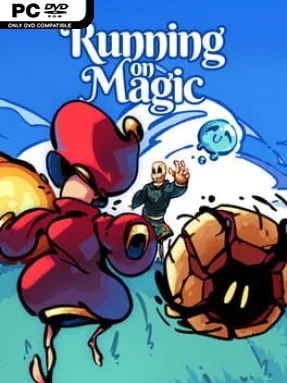
A panicked wizard races through a colorful fantasy realm while Death follows close behind, turning a familiar endless-runner setup into a playful platforming chase. Running On Magic keeps the mood light rather than grim, with comic exchanges between the mage and an unusually patient Grim Reaper punctuating the escape. Its pixel-art landscapes move through five distinct themed regions, while lively music and bright animation give the journey an old-school arcade charm. Beneath that cozy presentation sits a game built around maintaining momentum when the screen, and the danger, never stop advancing.
Control centers on quick reactions and smart use of airborne movement. The mage jumps across gaps, hovers to extend risky leaps, and stomps downward to deal with enemies or regain control during a fall; magical pickups scattered along the route replenish the energy needed for those tricks. Each run generates its obstacle layouts dynamically, so platforms, pits, blob-like creatures, and collectible placement demand adaptation instead of simple memorization. Difficulty settings reshape the experience substantially by increasing speed, reducing available magic and health, and ultimately limiting the wizard to a single hit, while an Endless mode steadily pushes scores higher until mistakes become inevitable.
What separates Running On Magic from a basic auto-runner is its emphasis on aerial resource management: grabbing magic at the right time matters as much as landing the next jump. Randomized stages give its compact campaign more replay value, and online leaderboard scoring provides a reason to chase cleaner routes after reaching the finish. The approachable default setting suits players who want a short, cheerful pixel-platformer, but tougher modes offer a satisfying reflex test for veterans of games like Super Meat Boy or fast arcade runners. Anyone looking for a mechanically simple but increasingly demanding challenge will find a lot to like in its spirited sprint away from the reaper.
Installation
- Click the green button below to be redirected to UploadHaven.
- Wait 15 seconds, then hit “Free Download.” (Free downloads may be slower — upgrade to UploadHaven Pro for faster speeds.)
- Once downloaded, right-click the .zip file and choose “Extract to Running On Magic.” (You’ll need 7-Zip for this.)
- Open the extracted folder and run the game as administrator.
- Enjoy! 🎮 If you see missing DLL errors, check the <strong>_Redist</strong> folder inside and install what’s needed.
System Requirements
- Requires a 64-bit processor and operating system
- OS: Windows 10 64-bit
- Processor: Intel Celeron CPU 3867U @ 1.80GHz (2 CPUs), ~1.8GHz
- Memory: 8 GB RAM
- Graphics: Intel(R) HD Graphics 610 (Integrada)
- DirectX: Version 11
- Storage: 1 GB available space
Setup Guide & Troubleshooting
How do I fix missing DLL errors for Running On Magic?
After extracting Running On Magic, navigate to the _Redist or _CommonRedist folder inside the game directory and install DirectX, Vcredist, and any other dependencies included.
What should I do if the downloaded file is corrupted?
The full archive is 192.43 MB — make sure your download completed fully before extracting. Use 7-Zip to extract the files. If you still see a "file corrupted" error, re-download and try again.
Why should I run the game as administrator?
Right-click the game executable and select "Run as Administrator" to avoid save file issues and permission errors. This is especially important on the first launch.
How do I update my GPU drivers for this game?
Running On Magic requires a Intel(R) HD Graphics 610 (Integrada) or equivalent. Update your NVIDIA or AMD drivers to the latest version for the best performance.
The game won't launch — what should I try?
This game requires Version 11. Try running in compatibility mode, install the latest DirectX runtime, or install the All-in-One VC Redist Package.
My antivirus is blocking the game — is it safe?
Antivirus false positives are common with pre-installed games. Temporarily pause your antivirus during extraction to prevent it from quarantining game files. You can re-enable it after the extraction completes.