
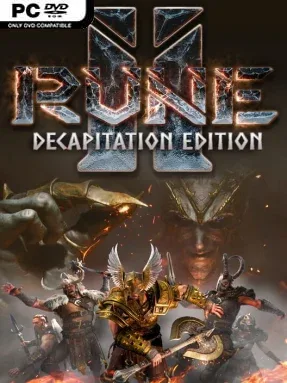
RUNE II: Decapitation Edition (v2.0.20110 & ALL DLC)
Game Overview
Midgard is caught in a brutal, endlessly repeating Ragnarok, and only a warrior marked by the gods can break Loki’s cycle of ruin. RUNE II: Decapitation Edition is a third-person Viking action RPG built around bloody melee clashes, Norse monsters, and a revenge-driven campaign that does not take its mythology too solemnly. Its world moves from snowy mountains and battered settlements to underground tombs packed with traps and hostile creatures. The mood is rowdy, gory, and deliberately oversized: enemies lose limbs, mead fuels the Viking fantasy, and even a severed arm can become an improvised weapon.
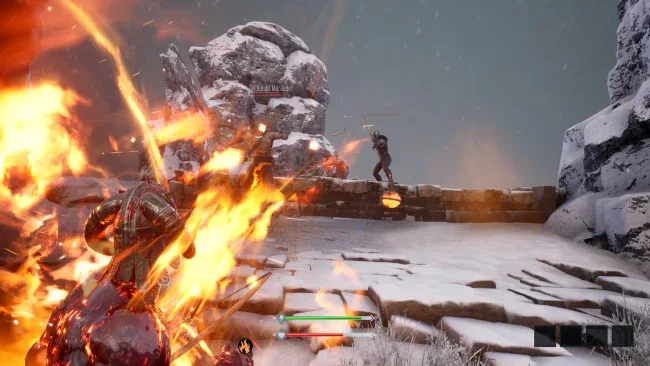
Combat centers on close-range timing, with heavy axes, swords, shields, bows, and other period-flavored tools used to cut through draugr, beasts, giants, and enemy warriors. Parrying, combo attacks, stagger opportunities, and finishers give fights more structure than simple button mashing, though the emphasis remains on aggressive brawling. Choosing Thor, Odin, Hel, or the godless Heathen path shapes your abilities, while the skill tree unlocks powers such as lightning attacks, berserker strength, undead control, and summoned allies. Beyond the main hunt for Loki, players loot dungeons, gather materials, restore damaged villages, construct useful buildings, and defend settlements when horde assaults arrive; online co-op lets a group tackle the campaign and its large encounters together, while PvP offers a more chaotic contest.
What separates the Decapitation Edition from a standard Norse RPG is its mix of action adventure, light survival-style rebuilding, and gleefully graphic dismemberment. The expanded story and reworked quest structure give the adventure a clearer throughline, while optional dungeons add platforming challenges and boss battles for players who want more than open-world roaming. It does not carry the polish or tactical depth of God of War, but its sandboxy Viking attitude can appeal to players who enjoy Conan Exiles, Valheim, or older arcade-like hack-and-slash games. Veterans willing to overlook some rough edges get the most from it, while newcomers should come for cooperative monster hunting rather than a highly refined RPG experience.
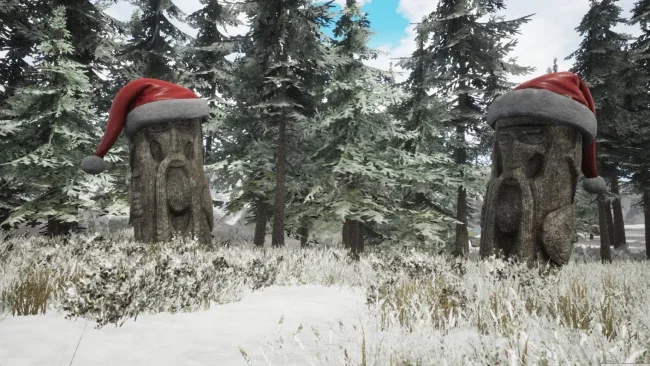
Screenshots
Installation
- Select the <strong>Download</strong> button at the top of this page to open UploadHaven.
- On UploadHaven, wait for any countdown, then select <strong>Free Download</strong>. Optional: UploadHaven Pro for faster downloads.
- When complete, extract the archive to a <strong>RUNE II: Decapitation Edition</strong> folder using 7-Zip.
- Open the extracted folder and start the game normally.
- For errors, check <strong>Setup Guide & Troubleshooting</strong> below. Keep your security software enabled.
System Requirements
- OS *: 64-bit Windows 8.1, & Windows 10
- Processor: Intel Core i3-4340 / AMD FX-6300
- Memory: 8 GB RAM
- Graphics: nVidia GeForce 760 / AMD Radeon HD 7850
- Network: Broadband Internet connection
- Storage: 35 GB available space
Setup Guide & Troubleshooting
How do I fix missing DLL errors for RUNE II: Decapitation Edition (v2.0.20110 & ALL DLC)?
After extracting RUNE II: Decapitation Edition (v2.0.20110 & ALL DLC), navigate to the _Redist or _CommonRedist folder inside the game directory and install DirectX, Vcredist, and any other dependencies included.
What should I do if the downloaded file is corrupted?
The full archive is 19.31 GB — make sure your download completed fully before extracting. Use 7-Zip to extract the files. If you still see a "file corrupted" error, re-download and try again.
Why should I run the game as administrator?
Right-click the game executable and select "Run as Administrator" to avoid save file issues and permission errors. This is especially important on the first launch.
How do I update my GPU drivers for this game?
RUNE II: Decapitation Edition (v2.0.20110 & ALL DLC) requires a nVidia GeForce 760 / AMD Radeon HD 7850 or equivalent. Update your NVIDIA or AMD drivers to the latest version for the best performance.
The game won't launch — what should I try?
Try running in compatibility mode, install the latest DirectX runtime, or install the All-in-One VC Redist Package.
My antivirus is blocking the game — is it safe?
Antivirus false positives are common with pre-installed games. Temporarily pause your antivirus during extraction to prevent it from quarantining game files. You can re-enable it after the extraction completes.