
Game Overview
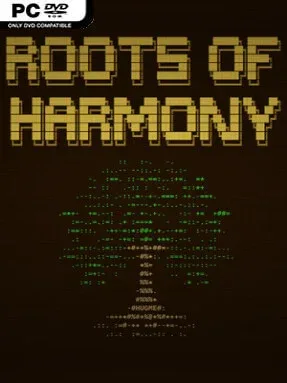
An unassuming island becomes a laboratory for conquest, belief, and unintended consequences in this text-driven 4X strategy game. Roots of Harmony puts you in charge of a young colony whose doctrine matters as much as its military reach, giving expansion a deliberately philosophical edge. Before establishing your settlement, you select one of twelve ideologies spanning compassionate, authoritarian, rational, mystical, collective, and individualist views. The tone balances dry humor with genuine pressure, as moral choices reshape daily priorities and the increasingly hostile society around you.
Turns unfold across a procedurally generated island using board-game-like movement, sending disciples to investigate altars, mines, plantations, dungeons, and other points of interest. You recruit followers, erect buildings, manage resources, and develop production chains while trying to meet shifting victory requirements. Resources reflect the values behind your chosen doctrine as well as serving practical construction needs, so an apparently efficient decision can carry social or diplomatic costs. Combat uses an auto-battle format, but victory depends heavily on preparations: unit placement, combat approach, blessings, and the forces you commit all matter before the fighting begins. Rival tribes form relationships, contest territory, and launch invasions, while reckless behavior around allies or sacred sites makes an already difficult colony harder to govern.
Its greatest strength is how closely ideology connects to strategy rather than functioning as a cosmetic faction choice. Your beliefs influence recruitment, perks, events, resource priorities, and the island’s response, making each campaign feel meaningfully different even beneath the minimalist text and ASCII-style presentation. Standard mode introduces its systems gradually, while New Game+ and challenge runs give experienced players sharper constraints and more reasons to experiment. Fans of Civilization’s empire planning, board-game decision making, and unusual indie strategy titles should find plenty to chew on here; patient newcomers can learn it steadily, while 4X veterans get a compact, replayable game built around adaptation rather than routine expansion.
Installation
- Click the green button below to be redirected to UploadHaven.
- Wait 15 seconds, then hit “Free Download.” (Free downloads may be slower — upgrade to UploadHaven Pro for faster speeds.)
- Once downloaded, right-click the .zip file and choose “Extract to Roots of Harmony.” (You’ll need 7-Zip for this.)
- Open the extracted folder and run the game as administrator.
- Enjoy! 🎮 If you see missing DLL errors, check the <strong>_Redist</strong> folder inside and install what’s needed.
System Requirements
- Requires a 64-bit processor and operating system
- OS: Windows 10 64 bits
- Processor: 1 GHz single core, x64
- Memory: 256 MB RAM
- Graphics: Integrated graphics
- Storage: 100 MB available space
- Additional Notes: Minimum resolution: 1024 x 576 (non-wide resolution ratios, such as 4:3, do not work)
Setup Guide & Troubleshooting
How do I fix missing DLL errors for Roots of Harmony?
After extracting Roots of Harmony, navigate to the _Redist or _CommonRedist folder inside the game directory and install DirectX, Vcredist, and any other dependencies included.
What should I do if the downloaded file is corrupted?
The full archive is 87.92 MB — make sure your download completed fully before extracting. Use 7-Zip to extract the files. If you still see a "file corrupted" error, re-download and try again.
Why should I run the game as administrator?
Right-click the game executable and select "Run as Administrator" to avoid save file issues and permission errors. This is especially important on the first launch.
How do I update my GPU drivers for this game?
Roots of Harmony requires a Integrated graphics or equivalent. Update your NVIDIA or AMD drivers to the latest version for the best performance.
The game won't launch — what should I try?
Try running in compatibility mode, install the latest DirectX runtime, or install the All-in-One VC Redist Package.
My antivirus is blocking the game — is it safe?
Antivirus false positives are common with pre-installed games. Temporarily pause your antivirus during extraction to prevent it from quarantining game files. You can re-enable it after the extraction completes.