
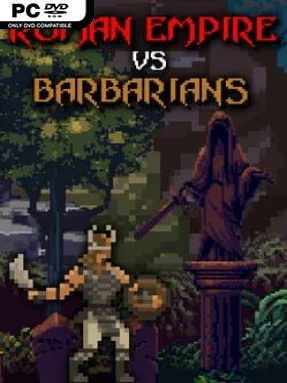
Game Overview
A Roman frontier tower becomes the last line between a growing barbarian horde and the lands behind it. Roman Empire Vs. Barbarians is a compact indie base-defense strategy game built around holding ground, raising an army, and eventually smashing the enemy’s stronghold. Its tone is accessible rather than historically weighty: the setup is simple, the action is immediate, and the pressure steadily rises as hostile camps spread across the map. What begins as a manageable skirmish soon becomes a test of timing, resource management, and defensive priorities.
Players command a Roman tower equipped with a catapult while spending collected coins to hire warriors for the front line. Battles revolve around protecting the tower, choosing when to expand the army, and using the catapult’s firepower to thin out attackers before they overwhelm your defenders. Coins also improve the treasury’s capacity, making economic growth as important as surviving the next wave. Across 50 stages, enemy resistance increases and forces more careful use of every unit and every shot, while Survival mode offers a more endurance-focused alternative for players who want to chase longer defensive runs.
The appeal comes from how directly it turns a familiar Romans-versus-barbarians fantasy into short, readable tactical encounters. Rather than asking for the sprawling city management of a grand strategy title, it keeps attention on a single fortified position and the practical problem of breaking an opponent before they break you. The escalating levels give the campaign a welcome sense of progression, especially for players who enjoy gradually refining a straightforward strategy. Fans of casual tower defense games, lightweight real-time strategy, or mobile-style defensive challenges should find an easy fit here, while genre veterans may appreciate it most as a quick, focused diversion rather than a deep conquest simulator.
Installation
- Click the green button below to be redirected to UploadHaven.
- Wait 15 seconds, then hit “Free Download.” (Free downloads may be slower — upgrade to UploadHaven Pro for faster speeds.)
- Once downloaded, right-click the .zip file and choose “Extract to Roman Empire Vs. Barbarians.” (You’ll need 7-Zip for this.)
- Open the extracted folder and run the game as administrator.
- Enjoy! 🎮 If you see missing DLL errors, check the <strong>_Redist</strong> folder inside and install what’s needed.
System Requirements
- Requires a 64-bit processor and operating system
- OS: Windows XP, Vista, 7, 8, 10
- Processor: Pentium 4 or higher, 2GHz
- Memory: 1 GB RAM
- Graphics: 128MB or higher
- Storage: 280 MB available space
Setup Guide & Troubleshooting
How do I fix missing DLL errors for Roman Empire Vs. Barbarians?
After extracting Roman Empire Vs. Barbarians, navigate to the _Redist or _CommonRedist folder inside the game directory and install DirectX, Vcredist, and any other dependencies included.
What should I do if the downloaded file is corrupted?
The full archive is 162.53 MB — make sure your download completed fully before extracting. Use 7-Zip to extract the files. If you still see a "file corrupted" error, re-download and try again.
Why should I run the game as administrator?
Right-click the game executable and select "Run as Administrator" to avoid save file issues and permission errors. This is especially important on the first launch.
How do I update my GPU drivers for this game?
Roman Empire Vs. Barbarians requires a 128MB or higher or equivalent. Update your NVIDIA or AMD drivers to the latest version for the best performance.
The game won't launch — what should I try?
Try running in compatibility mode, install the latest DirectX runtime, or install the All-in-One VC Redist Package.
My antivirus is blocking the game — is it safe?
Antivirus false positives are common with pre-installed games. Temporarily pause your antivirus during extraction to prevent it from quarantining game files. You can re-enable it after the extraction completes.