
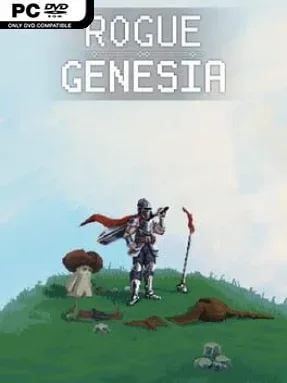
Rogue: Genesia Cover Art

Rogue: Genesia

RPG 1.48 GB v1.1.0e & ALL DLC

Game Overview

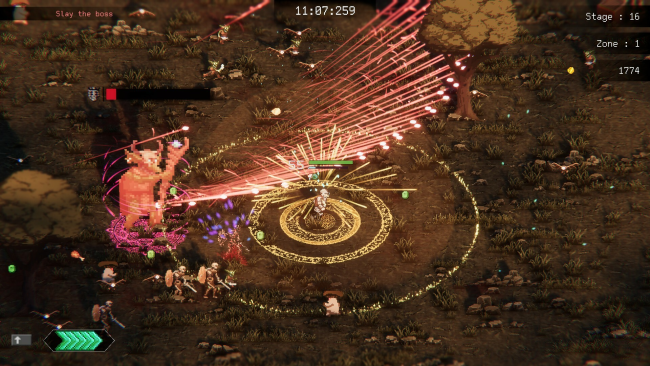
Hundreds of monsters flood the screen while a lone, heavily armed survivor turns the chaos into an escalating power fantasy. Rogue: Genesia is a fast-paced action roguelite built around the “survivors-like” formula: movement and positioning matter, while attacks fire automatically once you choose a weapon. Its fantasy setting is simple but effective, sending Rog across dangerous routes where every encounter can lead to a stronger build or a sudden, crowded death. The tone is energetic and arcadey, with runs quickly becoming a spectacle of projectiles, explosions, and rapidly disappearing enemy hordes.

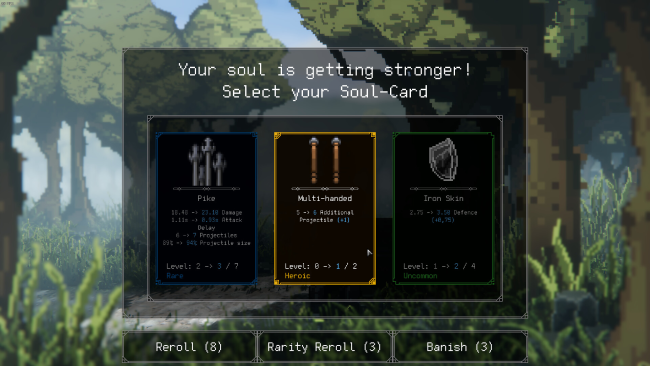
Each run begins with a modest weapon and grows through constant enemy kills, experience pickups, level-up choices, shops, elite fights, and treasure-filled detours. Rog can wield a broad selection of weapon types, from close-range options to screen-clearing magical attacks, then reshape their behavior through passive upgrades that improve damage, attack speed, area, critical hits, projectiles, and more. The route map adds a welcome layer of decision-making beyond simply surviving a timer: players choose between safer battles, merchants, recovery opportunities, and dangerous foes that offer better rewards. Artefacts further alter a run’s rules, creating combinations that can turn a cautious build into an absurdly destructive machine, while persistent unlocks give repeated attempts a sense of long-term momentum.

What separates Rogue: Genesia from many Vampire Survivors-inspired games is its branching progression map and its focus on letting players actively steer toward risk or safety. Runs feel less like a passive endurance test and more like a series of tactical gambles, especially when an elite encounter could either end the attempt or provide the key item needed to dominate later waves. The clean pixel-art presentation keeps the dense action readable even as the screen fills with enemies and effects. Fans of Vampire Survivors, Brotato, and other build-focused horde games should find plenty to chase here, while newcomers get an accessible entry point with enough upgrade depth to reward genre veterans.

Installation

  1. Click the green button below to be redirected to UploadHaven.
  2. Wait 15 seconds, then hit “Free Download.” (Free downloads may be slower — upgrade to UploadHaven Pro for faster speeds.)
  3. Once downloaded, right-click the .zip file and choose “Extract to Rogue: Genesia.” (You’ll need 7-Zip for this.)
  4. Open the extracted folder and run the game as administrator.
  5. Enjoy! 🎮 If you see missing DLL errors, check the <strong>_Redist</strong> folder inside and install what’s needed.

System Requirements

  • Requires a 64-bit processor and operating system
  • OS: Windows 7
  • Processor: Intel i5-7200U @ 2.50GHz
  • Memory: 4 GB RAM
  • Graphics: GTX 670 / Radeon 7950 HD
  • Storage: 500 MB available space
  • Additional Notes: DirectX 11 compatible GPU is required

Setup Guide & Troubleshooting

How do I fix missing DLL errors for Rogue: Genesia (v1.1.0e & ALL DLC)?

After extracting Rogue: Genesia (v1.1.0e & ALL DLC), navigate to the _Redist or _CommonRedist folder inside the game directory and install DirectX, Vcredist, and any other dependencies included.

What should I do if the downloaded file is corrupted?

The full archive is 1.48 GB — make sure your download completed fully before extracting. Use 7-Zip to extract the files. If you still see a "file corrupted" error, re-download and try again.

Why should I run the game as administrator?

Right-click the game executable and select "Run as Administrator" to avoid save file issues and permission errors. This is especially important on the first launch.

How do I update my GPU drivers for this game?

Rogue: Genesia (v1.1.0e & ALL DLC) requires a GTX 670 / Radeon 7950 HD or equivalent. Update your NVIDIA or AMD drivers to the latest version for the best performance.

The game won't launch — what should I try?

Try running in compatibility mode, install the latest DirectX runtime, or install the All-in-One VC Redist Package.

My antivirus is blocking the game — is it safe?

Antivirus false positives are common with pre-installed games. Temporarily pause your antivirus during extraction to prevent it from quarantining game files. You can re-enable it after the extraction completes.

Need more help? Browse our FAQ & Troubleshooting Guide for solutions to common issues.
Looking for something else? Explore all games on Steam Unlocked