
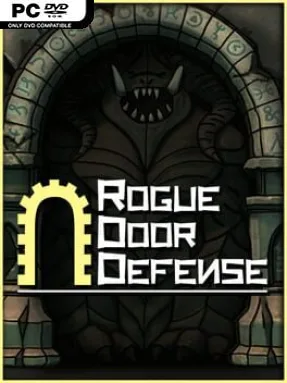
Game Overview
A shifting maze is your real weapon against the monster hordes in Rogue Door Defense, an indie tower defense game built around fast decisions and roguelite experimentation. Each run asks you to choose between several doors, battle whatever waits behind one of them, and take a reward that can radically change the next wave. The mood is tactical rather than leisurely: enemies keep coming, bosses demand proper preparation, and a weak corridor layout can ruin an otherwise promising build. With 150 stages spread across five maps, it offers plenty of room to learn how its systems interact.
Combat revolves around placing, upgrading, and rearranging a large selection of 59 towers while enemies attempt to reach your remaining lives. Rather than locking you into a prebuilt route, the real-time mazing system lets you shape the battlefield yourself, funneling targets through kill zones and adapting when a new threat exposes a weakness. Door choices create the run’s risk-and-reward rhythm, since every battle leads to one of 81 potential rewards, while loot adds another layer through 160 equippable items. Persistent gemstone unlocks provide longer-term advancement, and Normal, Rush, and Hardcore modes let players choose between a steady campaign pace, quicker pressure, or punishing stakes.
Its strongest feature is how many build variables can stack together without reducing the action to a fixed “best” strategy. Tower effects, item bonuses, door rewards, and 37 gemstone upgrades encourage strange synergies, so a successful defense can look very different from one run to the next. Eleven distinct bosses give the later encounters a useful test of whether your maze design is genuinely sound rather than merely effective against basic waves. Players who enjoy the route-planning side of Bloons TD or the run-to-run build crafting of roguelites should find plenty to dig into, while newcomers can begin in Normal mode before tackling its more demanding challenges.
Installation
- Click the green button below to be redirected to UploadHaven.
- Wait 15 seconds, then hit “Free Download.” (Free downloads may be slower — upgrade to UploadHaven Pro for faster speeds.)
- Once downloaded, right-click the .zip file and choose “Extract to Rogue Door Defense.” (You’ll need 7-Zip for this.)
- Open the extracted folder and run the game as administrator.
- Enjoy! 🎮 If you see missing DLL errors, check the <strong>_Redist</strong> folder inside and install what’s needed.
System Requirements
- OS: Microsoft Windows 7/8/10
- Processor: Intel i5
- Memory: 4 GB RAM
- Graphics: NVIDIA GeForce GTX 660
- Storage: 4 GB available space
Setup Guide & Troubleshooting
How do I fix missing DLL errors for Rogue Door Defense (v1.0)?
After extracting Rogue Door Defense (v1.0), navigate to the _Redist or _CommonRedist folder inside the game directory and install DirectX, Vcredist, and any other dependencies included.
What should I do if the downloaded file is corrupted?
The full archive is 3.64 GB — make sure your download completed fully before extracting. Use 7-Zip to extract the files. If you still see a "file corrupted" error, re-download and try again.
Why should I run the game as administrator?
Right-click the game executable and select "Run as Administrator" to avoid save file issues and permission errors. This is especially important on the first launch.
How do I update my GPU drivers for this game?
Rogue Door Defense (v1.0) requires a NVIDIA GeForce GTX 660 or equivalent. Update your NVIDIA or AMD drivers to the latest version for the best performance.
The game won't launch — what should I try?
Try running in compatibility mode, install the latest DirectX runtime, or install the All-in-One VC Redist Package.
My antivirus is blocking the game — is it safe?
Antivirus false positives are common with pre-installed games. Temporarily pause your antivirus during extraction to prevent it from quarantining game files. You can re-enable it after the extraction completes.