
Game Overview
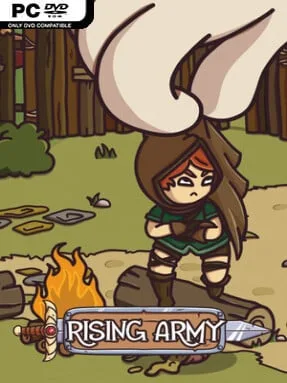
A muddy war camp becomes the center of a demanding medieval command simulation where every recruit, ration, and royal order carries weight. Rising Army places you in charge of a lord’s growing force, balancing the ambitions of the King with the day-to-day reality of exhausted soldiers and limited supplies. Its tone is more pragmatic than heroic: victories matter, but a badly planned campaign can leave your best troops wounded, dead, or too demoralized to fight effectively. The hand-crafted campaign moves across distinct regions of the kingdom, giving each new assignment a sense of changing terrain, priorities, and risk.
Most of the experience revolves around preparing an army at camp, then taking it into missions with objectives that can shift according to local modifiers and circumstances. You train individual troops, monitor their personal traits and needs, improve facilities, and promote capable soldiers into captains or specialized command roles. Maps contain locations worth investigating for resources, opportunities, and less welcome surprises, so advancement involves more than simply marching toward the next battle. Permanent death and lasting injuries make every engagement consequential, while morale management forces you to consider the human cost of relentless campaigning alongside equipment and numbers.
The King’s satisfaction system gives the campaign a useful pressure valve: successful assignments earn greater rewards and open fresh possibilities, while disappointing results bring consequences that can complicate future plans. A large selection of weapons and armor lets you shape the army around preferred tactics rather than relying on a single preset roster, and camp upgrades provide a tangible sense of long-term growth. Rising Army stands out through its focus on soldiers as vulnerable individuals instead of disposable strategy-game units, combining military logistics with a personal management layer. Players who enjoy the attrition, hard choices, and roster care of Battle Brothers, but want a more structured medieval campaign and camp-building framework, are likely to find plenty to engage with; newcomers should be ready for setbacks and learn to treat survival as seriously as victory.
Installation
- Click the green button below to be redirected to UploadHaven.
- Wait 15 seconds, then hit “Free Download.” (Free downloads may be slower — upgrade to UploadHaven Pro for faster speeds.)
- Once downloaded, right-click the .zip file and choose “Extract to Rising Army.” (You’ll need 7-Zip for this.)
- Open the extracted folder and run the game as administrator.
- Enjoy! 🎮 If you see missing DLL errors, check the <strong>_Redist</strong> folder inside and install what’s needed.
System Requirements
- OS: Windows 10
- Processor: Intel Core i3-4130 / AMD FX-6300
- Memory: 4 GB RAM
- Graphics: NVIDIA GeForce GTX 750 Ti / AMD Radeon R7 360
- DirectX: Version 11
- Storage: 300 MB available space
- Sound Card: DirectX compatible
- Additional Notes: Requires OpenGL 4.5 or higher support, Supported native resolution 16:9
Setup Guide & Troubleshooting
How do I fix missing DLL errors for Rising Army (v1.0)?
After extracting Rising Army (v1.0), navigate to the _Redist or _CommonRedist folder inside the game directory and install DirectX, Vcredist, and any other dependencies included.
What should I do if the downloaded file is corrupted?
The full archive is 207.95 MB — make sure your download completed fully before extracting. Use 7-Zip to extract the files. If you still see a "file corrupted" error, re-download and try again.
Why should I run the game as administrator?
Right-click the game executable and select "Run as Administrator" to avoid save file issues and permission errors. This is especially important on the first launch.
How do I update my GPU drivers for this game?
Rising Army (v1.0) requires a NVIDIA GeForce GTX 750 Ti / AMD Radeon R7 360 or equivalent. Update your NVIDIA or AMD drivers to the latest version for the best performance.
The game won't launch — what should I try?
This game requires Version 11. Try running in compatibility mode, install the latest DirectX runtime, or install the All-in-One VC Redist Package.
My antivirus is blocking the game — is it safe?
Antivirus false positives are common with pre-installed games. Temporarily pause your antivirus during extraction to prevent it from quarantining game files. You can re-enable it after the extraction completes.