
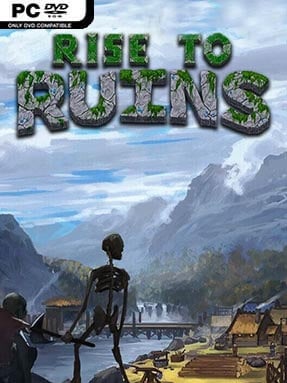
Game Overview
A struggling settlement grows beneath your hovering god-hand, but every quiet day is only preparation for the horrors that arrive after dark. Rise to Ruins blends village simulation, real-time strategy, survival, and tower defense into a demanding pixel-art sandbox where one bad decision can unravel an entire colony. You guide a scattered band of villagers through hostile procedurally generated landscapes, balancing food, housing, industry, defenses, and the expanding corruption that threatens to swallow the map. The mood is tense but deeply satisfying: it begins as a humble settlement builder and gradually becomes a desperate war of attrition against overwhelming nightly assaults.
Rather than micromanaging every worker, you place buildings, define work areas, manage resources, and let villagers handle much of the labor according to their roles and needs. Your direct influence comes from god powers, allowing you to move materials, heal allies, speed up work, reshape terrain, or unleash destructive magic when monsters breach the walls. Days revolve around gathering wood, stone, water, and food while constructing increasingly elaborate production chains, defensive towers, walls, and magical infrastructure; nights test whether that planning holds up against demon swarms. Progress brings stronger tools and structures, but it also invites greater danger, forcing players to expand carefully instead of simply building outward as fast as possible.
Its strongest feature is the way several familiar genres feed into each other without losing their identity. The autonomous-villager appeal of Settlers-style builders meets the divine intervention of Black & White and ActRaiser, while the escalating defenses have the satisfying pressure of a proper tower-defense game. Randomized maps, flexible settlement layouts, varied difficulty options, and the constant possibility of recovering from disaster give it strong replay value, although its systems can be intimidating at first. Players who enjoy RimWorld’s survival stories, They Are Billions’ defensive tension, or slower resource-management games will find plenty to master, while newcomers should expect a steep but rewarding learning curve.
Installation
- Click the green button below to be redirected to UploadHaven.
- Wait 15 seconds, then hit “Free Download.” (Free downloads may be slower — upgrade to UploadHaven Pro for faster speeds.)
- Once downloaded, right-click the .zip file and choose “Extract to Rise to Ruins.” (You’ll need 7-Zip for this.)
- Open the extracted folder and run the game as administrator.
- Enjoy! 🎮 If you see missing DLL errors, check the <strong>_Redist</strong> folder inside and install what’s needed.
System Requirements
- Requires a 64-bit processor and operating system
- OS: Windows XP (64 Bit)
- Processor: Intel i5 or equivalent (Dual Core with Hyper-Threading)
- Memory: 4 GB RAM
- Graphics: Intel HD 4400 or equivalent, 1280×720 resolution or higher.
- Storage: 1 GB available space
- Additional Notes: Java 8 or Higher Required (Bundled with product)
Setup Guide & Troubleshooting
How do I fix missing DLL errors for Rise to Ruins (v2b)?
After extracting Rise to Ruins (v2b), navigate to the _Redist or _CommonRedist folder inside the game directory and install DirectX, Vcredist, and any other dependencies included.
What should I do if the downloaded file is corrupted?
The full archive is 845.16 MB — make sure your download completed fully before extracting. Use 7-Zip to extract the files. If you still see a "file corrupted" error, re-download and try again.
Why should I run the game as administrator?
Right-click the game executable and select "Run as Administrator" to avoid save file issues and permission errors. This is especially important on the first launch.
How do I update my GPU drivers for this game?
Rise to Ruins (v2b) requires a Intel HD 4400 or equivalent, 1280×720 resolution or higher. or equivalent. Update your NVIDIA or AMD drivers to the latest version for the best performance.
The game won't launch — what should I try?
Try running in compatibility mode, install the latest DirectX runtime, or install the All-in-One VC Redist Package.
My antivirus is blocking the game — is it safe?
Antivirus false positives are common with pre-installed games. Temporarily pause your antivirus during extraction to prevent it from quarantining game files. You can re-enable it after the extraction completes.