
Game Overview
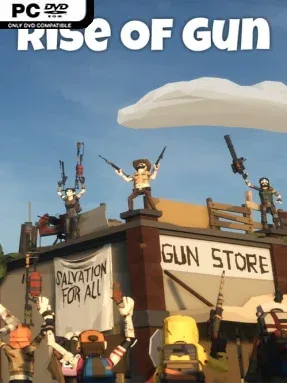
A small survivor settlement becomes the last bright spot in a zombie-ravaged world, and its safety rests partly on the weapons hanging in your shop. Rise of Gun is an indie store-management and crafting simulator built around supplying determined townspeople after a global epidemic leaves the outside world dark and dangerous. You play a grieving survivor whose rare talent for building firearms earns him a workshop, a storefront, and a meaningful role in rebuilding a community. The mood is more cozy post-apocalypse than relentless horror, balancing ruined-world stakes with a welcoming town full of residents trying to carry on.
Most of the play revolves around designing weapons, placing them on display, and selling them to customers who need reliable gear. More than 200 parts can be combined across components such as barrels, stocks, grips, magazines, scopes, suppressors, and bayonets, with rarity affecting the possibilities available to your workshop. The crafting system encourages experimentation rather than strict realism, letting you bolt together unlikely combinations and chase unusual-looking, highly personalized guns. Earnings feed back into expanding the store with shelving, workbenches, generators, decoration, and utility buildings that create more sales space, improve production, unlock material recovery, or draw in additional buyers.
Its biggest appeal is the freedom to treat weapon construction like a creative toybox while still managing a growing business. Instead of focusing on shooting zombies yourself, the game makes you the settlement’s armorer: the person whose creations help everyone else endure the apocalypse. Day-and-night shifts, changing weather, and the town’s upbeat residents give the management loop a lived-in sense of place, even as the wider world remains hostile. Players who enjoy the shop progression of games like Weapon Shop de Omasse or the assembly experimentation of Gunsmith Simulator will find an approachable, lower-pressure crafting loop here, especially if they prefer creativity and customization over combat-heavy survival mechanics.
Installation
- Click the green button below to be redirected to UploadHaven.
- Wait 15 seconds, then hit “Free Download.” (Free downloads may be slower — upgrade to UploadHaven Pro for faster speeds.)
- Once downloaded, right-click the .zip file and choose “Extract to Rise of Gun.” (You’ll need 7-Zip for this.)
- Open the extracted folder and run the game as administrator.
- Enjoy! 🎮 If you see missing DLL errors, check the <strong>_Redist</strong> folder inside and install what’s needed.
System Requirements
- OS *: Windows 8
- Processor: intel core i5-2500 3.3 GHz
- Memory: 4 GB RAM
- Graphics: NVIDIA GeForce GTX 750
- DirectX: Version 11
- Storage: 3 GB available space
- Sound Card: Any sound card
Setup Guide & Troubleshooting
How do I fix missing DLL errors for Rise of Gun (v5.2.5)?
After extracting Rise of Gun (v5.2.5), navigate to the _Redist or _CommonRedist folder inside the game directory and install DirectX, Vcredist, and any other dependencies included.
What should I do if the downloaded file is corrupted?
The full archive is 1.52 GB — make sure your download completed fully before extracting. Use 7-Zip to extract the files. If you still see a "file corrupted" error, re-download and try again.
Why should I run the game as administrator?
Right-click the game executable and select "Run as Administrator" to avoid save file issues and permission errors. This is especially important on the first launch.
How do I update my GPU drivers for this game?
Rise of Gun (v5.2.5) requires a NVIDIA GeForce GTX 750 or equivalent. Update your NVIDIA or AMD drivers to the latest version for the best performance.
The game won't launch — what should I try?
This game requires Version 11. Try running in compatibility mode, install the latest DirectX runtime, or install the All-in-One VC Redist Package.
My antivirus is blocking the game — is it safe?
Antivirus false positives are common with pre-installed games. Temporarily pause your antivirus during extraction to prevent it from quarantining game files. You can re-enable it after the extraction completes.