
Game Overview
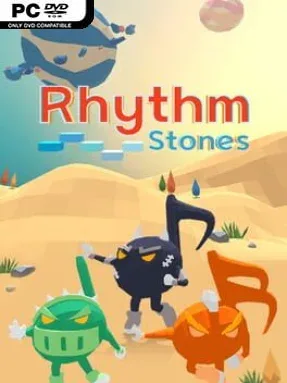
Timing is the only way across a shifting obstacle course of floating stones, where a single mistimed press sends a run off beat and back toward failure. Rhythm Stones turns a simple one-button input into a compact 3D rhythm challenge, asking players to move across platforms that bend around cylinders, curve over spheres, lie flat in space, or follow deliberately unpredictable paths. Its abstract presentation keeps the focus on music, motion, and readable visual cues rather than story, creating a focused arcade mood that can feel relaxing on an easy track and relentlessly demanding on a fast one. Every stage uses its own song, with a soundtrack that moves through rock, funk, jazz, EDM, acoustic material, and other styles.
Players press any key in time with the route, hopping from stone to stone as the course advances to the beat. Rhythm monsters act as visual rhythm markers, so learning their patterns becomes as important as reacting in the moment; black eighth-note creatures and green quarter-note creatures form the foundation of many sequences. The core loop is built around repeated attempts, memorizing a song’s structure, and improving timing until a difficult path finally clicks. Failure is softened by a helpful catch-up system: losing causes more health-boosting pickups to appear, giving persistent players a better chance to push further without removing the need for accuracy.
Fifty-six stages, including five tutorials, provide a substantial ladder of increasingly tricky songs and spatial layouts. The changing 3D geometry is the key difference from a typical lane-based rhythm game, since players must read both the beat and the shape of the moving route. Rhythm Stones suits anyone who enjoys the repetition-and-mastery appeal of games like Rhythm Doctor or BIT.TRIP, but wants a stripped-down control scheme and a more unusual sense of depth. Newcomers can benefit from the tutorials and adaptive assistance, while rhythm veterans will likely chase clean runs through the tougher patterns.
Installation
- Click the green button below to be redirected to UploadHaven.
- Wait 15 seconds, then hit “Free Download.” (Free downloads may be slower — upgrade to UploadHaven Pro for faster speeds.)
- Once downloaded, right-click the .zip file and choose “Extract to Rhythm Stones.” (You’ll need 7-Zip for this.)
- Open the extracted folder and run the game as administrator.
- Enjoy! 🎮 If you see missing DLL errors, check the <strong>_Redist</strong> folder inside and install what’s needed.
System Requirements
- OS: Windows 7 or above
- Memory: 2 GB RAM
- Graphics: Intel Graphics 4000
- Storage: 2 GB available space
Setup Guide & Troubleshooting
How do I fix missing DLL errors for Rhythm Stones (v2022.12.24)?
After extracting Rhythm Stones (v2022.12.24), navigate to the _Redist or _CommonRedist folder inside the game directory and install DirectX, Vcredist, and any other dependencies included.
What should I do if the downloaded file is corrupted?
The full archive is 469.43 MB — make sure your download completed fully before extracting. Use 7-Zip to extract the files. If you still see a "file corrupted" error, re-download and try again.
Why should I run the game as administrator?
Right-click the game executable and select "Run as Administrator" to avoid save file issues and permission errors. This is especially important on the first launch.
How do I update my GPU drivers for this game?
Rhythm Stones (v2022.12.24) requires a Intel Graphics 4000 or equivalent. Update your NVIDIA or AMD drivers to the latest version for the best performance.
The game won't launch — what should I try?
Try running in compatibility mode, install the latest DirectX runtime, or install the All-in-One VC Redist Package.
My antivirus is blocking the game — is it safe?
Antivirus false positives are common with pre-installed games. Temporarily pause your antivirus during extraction to prevent it from quarantining game files. You can re-enable it after the extraction completes.